EasyManua.ls Logo

ABB PSTX570 - User Manual

ABB PSTX570
257 pages
Print Icon
To Next Page IconTo Next Page
Loading...
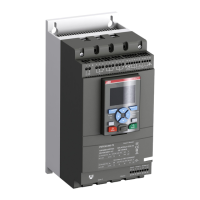
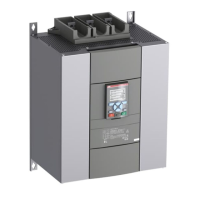
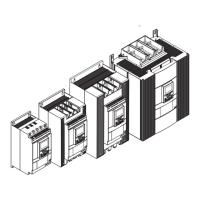
Softstarters Type PSTX30...PSTX570
User Manual short form
1SFC132082M9901

Other manuals for ABB PSTX570

Questions and Answers

  • P
    Pamela RoblesSep 10, 2025
    What does 'Phase reversal' mean on my ABB PSTX570 Controller?
    • S
      Shannon PaulSep 10, 2025
      Phase reversal indicates that the phase sequence is incorrect, leading to current imbalance between the phases. To correct this, change the phase sequence on the line side to (L1-L2-L3). Then, restart the motor and check the main currents and voltage.
  • L
    Lisa CoxSep 8, 2025
    Why does my ABB Controller motor make a bad sound during both start and stop?
    • D
      deborah68Sep 8, 2025
      This could be due to several factors. First, try different settings for the Initial/End Voltage parameter. Also, experiment with different settings for the Current limit level or Torque limit level parameters. Ensure that you have the correct softstarter for the motor size. Make sure that the start and stop commands are not given at the same time. Check that the operation voltage is not below 175 V.
  • M
    Margaret HarrisSep 7, 2025
    What to do if loading parameters with Fieldbus does not work correctly on my ABB PSTX570 Controller?
    • L
      lopezoscarSep 7, 2025
      Ensure that the parameters match between the PLC and the Softstarter Fieldbus documentation for the used Fieldbus protocol. Make sure that the Auto mode bit of the binary output telegram setting is 1. Check if the HMI is set to remote control. Ensure that the Local Mode digital input on the ABB FieldBus Plug adapter is set to Remote. Make sure that Fieldbus disable control in DI is not connected. Verify that the Fieldbus control parameter is set to On.
  • F
    fperezAug 22, 2025
    What causes an electronic overload in my ABB Controller and how can I resolve it?
    • G
      Garrett GibsonAug 23, 2025
      An electronic overload occurs when the motor current is too high for an extended period, often due to a high load on the motor shaft. To resolve this: * Examine start conditions and EOL settings. * Correct the reason for the overload. * Ensure the current limit level is not set too low. * Verify the ramp time for start is not too long. * Confirm the correct overload class is used. * Check that the Setting Ie parameter is correct.
  • E
    Erin GrantSep 4, 2025
    How do I fix an ABB Controller that shows a blank screen and no LED is active?
    • L
      Louis HowardSep 4, 2025
      First, ensure that the supply voltage is properly connected, referring to the circuit diagram. Also check that the RJ45 plug is connected between the HMI and the softstarter, and that the RJ45 network cable is not damaged.
  • H
    holly03Sep 3, 2025
    Why is my ABB PSTX570 Controller showing a dark screen but the LED is active?
    • G
      Gregory WoodsSep 3, 2025
      The controller is likely in power save mode. Simply touch a key on the keypad to exit this mode.
  • R
    Ronald ClarkSep 2, 2025
    What to do if my ABB PSTX570 motor is humming or starts without a given start signal?
    • R
      Rita BrightSep 2, 2025
      This issue could be due to a few reasons. If it's a PSTX30...170 model, a bypass relay might be closed due to inaccurate handling. To resolve this, disconnect the operation voltage and the control supply voltage, remove the USB cable if connected, and then reconnect the voltage in the following sequence: first, the control supply voltage on terminals 1 and 2 (refer to chapter 5.1.2), wait 4 seconds, and then connect the operation voltage on terminals L1, L2, and L3. Alternatively, the bypass contactor/relay could be stuck in a closed position, or there might be a shorted thyristor. In either of these cases, it is best to speak to your ABB Sales Office.
  • D
    Debra EdwardsSep 1, 2025
    How to troubleshoot phase loss in ABB PSTX570?
    • L
      Leslie NicholsSep 1, 2025
      Check that the mains are connected and that no line contactor or breaker is open. Inspect the fuses for all 3 phases, replacing any that are blown. Verify the operation network supply and correct it if there's a power loss on one or multiple phases. Ensure the contactor/breaker or external switch device is closed. If the line contactor opens too quickly at stop, control it with the Run signal relay on terminal 4, adding a time relay before the contactor opens. If Stop Ramp is not necessary, set Stop mode to direct stop.
  • J
    Jeremy WiseAug 30, 2025
    What to do if my ABB PSTX570 Controller motor does not start when given a start command by the hardwire inputs?
    • S
      Shelby SmithAug 31, 2025
      First, check the connections for start and stop. Make sure that the start and stop commands are not given at the same time. Ensure that the keypad is not in Local Control mode; if it is, push the R\L-key to change to Remote Control mode. Also, verify that the Fieldbus control parameter is set to No. Finally, reset any active or tripping events.
  • J
    Jamie MclaughlinAug 29, 2025
    What does 'Thyristor overload' mean on my ABB PSTX570?
    • H
      Hannah Walker DVMAug 30, 2025
      A thyristor overload indicates that the thyristors are too hot. Check the start conditions and the fans. If possible, decrease the current limit. Allow the temperature of the thyristors to decrease before restarting.

Summary

1 Read this first

Symbols Used in the Manual

Explains the meaning of caution, warning, information, and graphics symbols used in the manual.

2 Description

General Data and Specifications

Details electrical data, voltage, frequency, inputs, outputs, and communication interfaces of the softstarter.

EMC and Recommended Fuse

Covers EMC compliance standards and provides recommendations for the fuse to be used with the softstarter.

3 Mounting

Mounting Instructions and HMI Removal

Provides steps for mounting the softstarter and instructions for using the HMI as a remote control.

Mounting Safety Precautions

Alerts to risks of using non-shielded cables, ingress of liquids/dust, and potential overheating during mounting.

4 Connection

Electrical Connection Procedures

Details connecting the main circuit, line/motor sides, and different connection types like 'In Line' and 'Inside Delta'.

Connection Safety Warnings

Highlights hazardous voltage, emphasizes authorized personnel, and control supply voltage application.

Control Circuit Connections

Covers connecting control supply, earth, start/stop circuits, and programmable inputs for operation.

Power Factor Compensation and Voltage Checks

Discusses capacitor placement, signal output relays, and critical voltage verification before operation.

Communication and Feature Interfaces

Modbus RTU Communication

Explains the RS485 interface for Modbus RTU slave communication, status retrieval, and parameter download.

Temperature Sensor Inputs

Details PTC/PT100 temperature sensor inputs on specified terminals for motor monitoring.

Analog Output Signal

Describes the configurable analog output signal and its load resistance for current or voltage output.

5 Human machine interface (HMI)

HMI Components and Functions

Identifies and describes the display, soft keys, LED indicators, navigation keys, and ports of the HMI.

6 Softstarter settings

Initial Setup Assistant

Guides through the basic and application setup wizards for initial configuration of the softstarter.

Motor Data Configuration

Explains setting the motor rated current for 'In Line' and 'Inside Delta' connections for accurate operation.

Application Settings Table

Recommended Basic Settings for Applications

Provides recommended basic settings for various applications like band saw, pump, and motor heating.

HMI Navigation and Parameters

HMI Navigation Overview

Explains how to navigate menus, set numerical values, switches, and selection lists on the HMI.

Parameter List and Management

Details accessing and setting parameters, including complete, favorites, and modified lists.

Options Settings and Safety

Options Settings Menus

Lists submenus for home view, active faults/protections, active warnings, and security management.

Unexpected Motor Start Warning

Alerts to potential unexpected motor starts during control type changes or resets.

Operational Parameter List

Parameter Settings and Default Values

Lists common parameters for operational functions with their setting ranges and default values.

Protections and Warnings

Protection Parameter Settings

Details parameters for EOL, locked rotor, current overload, voltage, and earth fault protections.

Warning Parameter Settings

Lists parameters for EOL, locked rotor, voltage, THD, and start limit warnings.

7 Troubleshooting

Event List and Descriptions

Lists events like electronic overload, locked rotor, phase reversal, and their potential causes and checks.

Fault Descriptions and Causes

Details faults such as high current, phase loss, heat sink overtemperature, and thyristor issues with their causes.

Warning Descriptions and Causes

Explains warnings for current imbalance, underload, fan failure, and voltage issues with their meanings.

Dimensions PSTX30-PSTX170

PSTX30 to PSTX105 Dimensions

Provides physical dimensions and mounting details for PSTX30 to PSTX105 softstarter models.

PSTX142 to PSTX170 Dimensions

Provides physical dimensions and mounting details for PSTX142 to PSTX170 softstarter models.

Dimensions PSTX210-PSTX570

PSTX210 to PSTX370 Dimensions

Provides physical dimensions and mounting details for PSTX210 to PSTX370 softstarter models.

PSTX470 to PSTX570 Dimensions

Provides physical dimensions and mounting details for PSTX470 to PSTX570 softstarter models.

Dimensional Data and Mounting

IEC and cULus Dimensional Specifications

Lists width, height, and depth dimensions in metric and imperial units for IEC and cULus certifications.

Mounting Hole and Clearance Dimensions

Shows dimensions for mounting holes and required clearances around the softstarter for proper installation.

Mounting Diagrams

HMI Mounting Example

Illustrates a typical example of how to mount the Human Machine Interface (HMI) unit.

Cable Entry and HMI Connection

Shows how to correctly route cable entry and connect the HMI to the softstarter.

Electrical Connections and Torque Specs

PSTX18-105 Connection Module

Details connection module specifications and torque requirements for PSTX18-105 models.

PSTX142-170 Connection Specs

Provides connection module and bar specifications, and torque values for PSTX142-170 models.

PSTX210-370 Connection Specs

Details connection module and bar specifications, and torque values for PSTX210-370 models.

PSTX470-570 Connection Specs

Lists connection module and bar specifications, and torque values for PSTX470-570 models.

Control Supply Wiring

Wiring Diagram for Control Supply (08)

Illustrates wiring for control supply voltage to terminals 1 and 2, including voltage and frequency details.

Wiring Diagram for Functional Earth (09)

Shows how to connect terminal 22 to the functional earth, specifying cable length and connection point.

Start;Stop and AC Wiring Diagrams

Start;Stop Control Wiring (10)

Depicts wiring for start and stop control signals using internal 24V DC supply.

AC Control Circuit Wiring (11)

Illustrates wiring for AC control circuits, showing connections for external AC voltage supply.

Circuit Diagrams

Fuse and Contactor Version Circuit Diagram

Shows the main circuit diagram for the softstarter using a fuse and contactor configuration.

MCCB Version Circuit Diagram

Presents the main circuit diagram for the softstarter using a Molded Case Circuit Breaker (MCCB).

Timing Diagrams

Softstarter Operation Timing

Illustrates the timing sequences of various operations like start, stop, and event signals.

HMI Interface Screens

HMI Menu Navigation Example

Shows examples of navigating the HMI menu and selecting parameters for configuration.

HMI Parameter Setting Examples

Demonstrates setting parameters like motor rated current and current limit type via the HMI.

HMI Options and Language Settings

Illustrates accessing options menus and changing language settings on the HMI.

Short Circuit Current Ratings

Fuse Short Circuit Ratings

Lists fuse classes and current ratings for different soft-starter models for short circuit protection.

Breaker Short Circuit Ratings

Provides breaker types and current ratings for various soft-starter models for short circuit protection.

High Fault Current Breaker Ratings

Details high fault current breaker specifications for different soft-starter models.

ABB PSTX570 Specifications

General IconGeneral
Rated operational current Ie570 A
Depth250 mm
Protection classIP20
Output current570 A
Rated control supply voltage (Us)100 ... 250 V AC
Rated operational voltage208-690 V AC
Control supply voltage100-250 V AC
Operating temperature range-25 ... +60 °C

Related product manuals