19
S1 Connected to Load
Load Current
393 A
Override S1 Fail
TruONE ATS
ystem Overview
1 Ok Not Ok S2
Operation Parameters Measurements
AboutTestSettings
TruONE AT
—
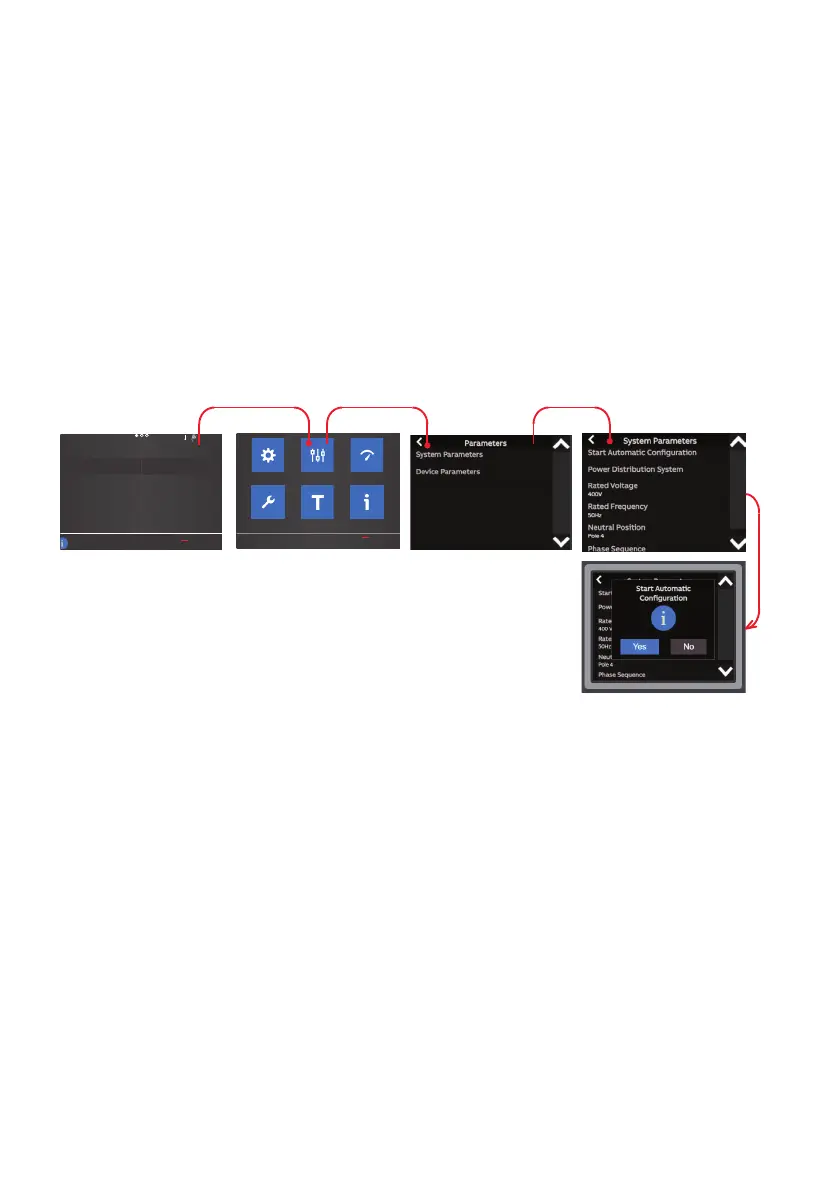
Automatic configuration
Auto configure is the first step to take
after the panel is initially energized. This
function recognizes the electrical system,
then automatically sets all the system
parameters: system voltage, frequency,
and phase sequence.
Follow the steps in the figure on the HMI
to run auto configure. The ATS must have
at least one source available to complete
this step.
—
Fig. 7










 To Next Page