GUID-0EFDABCB-B2EA-41F6-AF12-22B62AAE78D9 V1 EN
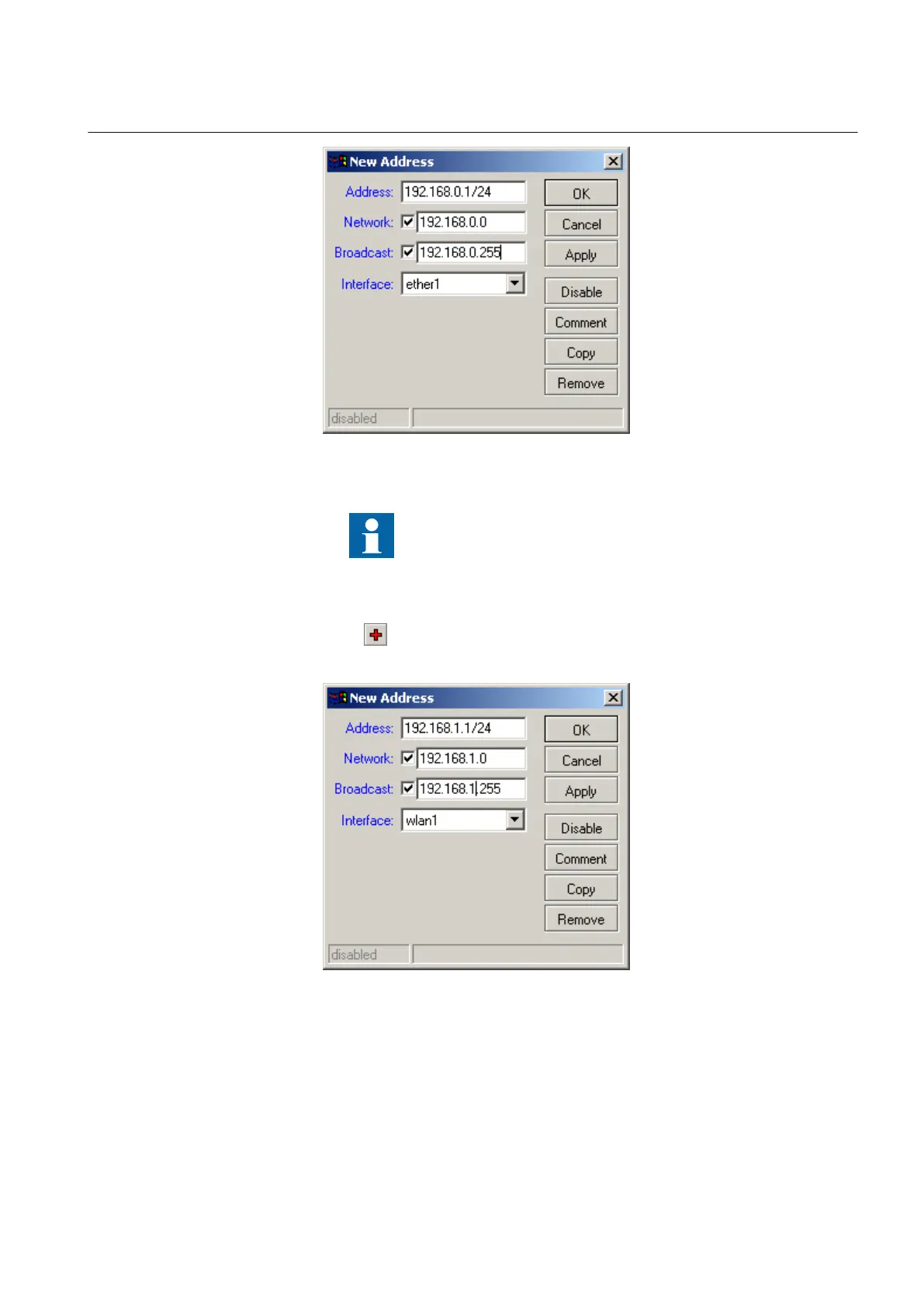
Figure 15: Configuring Ethernet interface
Make sure that the IP address has the suffix /24 which
represents the subnet mask information. The first 24 bits of
the IP address indicate the subnetwork 255.255.255.0.
4. Click OK to close the window.
5.
Click
.
6. Configure the WLAN interface.
GUID-08650333-AD3E-4F98-9846-EFA9CE7B741A V1 EN
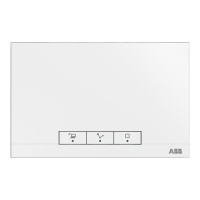
Figure 16: Configuring WLAN interface
For example, the IP address range can be 192.168.x.y.
x = 0
Ethernet interface subnet for ether1
x = 1 WLAN interface subnet
1MRS755551 B Section 6
Configuring
WGA631 23
Installation and commissioning manual



 To Next Page