y
[1]
= 1
ether1
y
[1]
= 1
wlan1
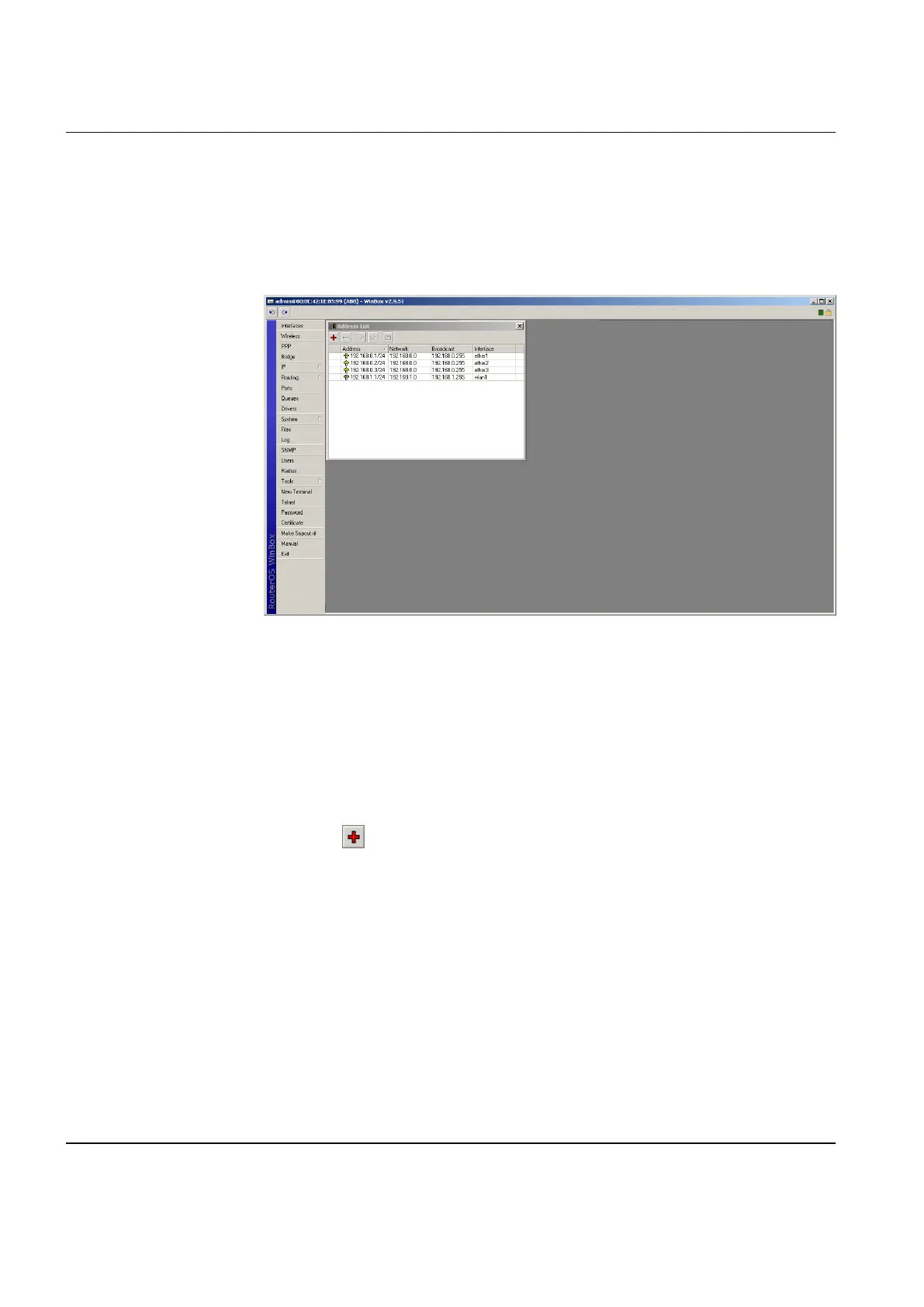
If several IP addresses are configured, all available addresses are listed in the
address list.
GUID-6F560222-A794-4139-8C72-F04B5AC32AF6 V1 EN
Figure 17: List of several configured IP addresses
6.1.4 Adding and configuring bridge
6.1.4.1 Adding bridge
1. Click Bridge.
2.
Click to add a new bridge.
3. In the Name box, type a name for the new interface.
[1] This is the last number of the IP address.
Section 6 1MRS755551 B
Configuring
24 WGA631
Installation and commissioning manual



 To Next Page