Pg 12 of 32
Understand Your Sensor
Glucose Readings
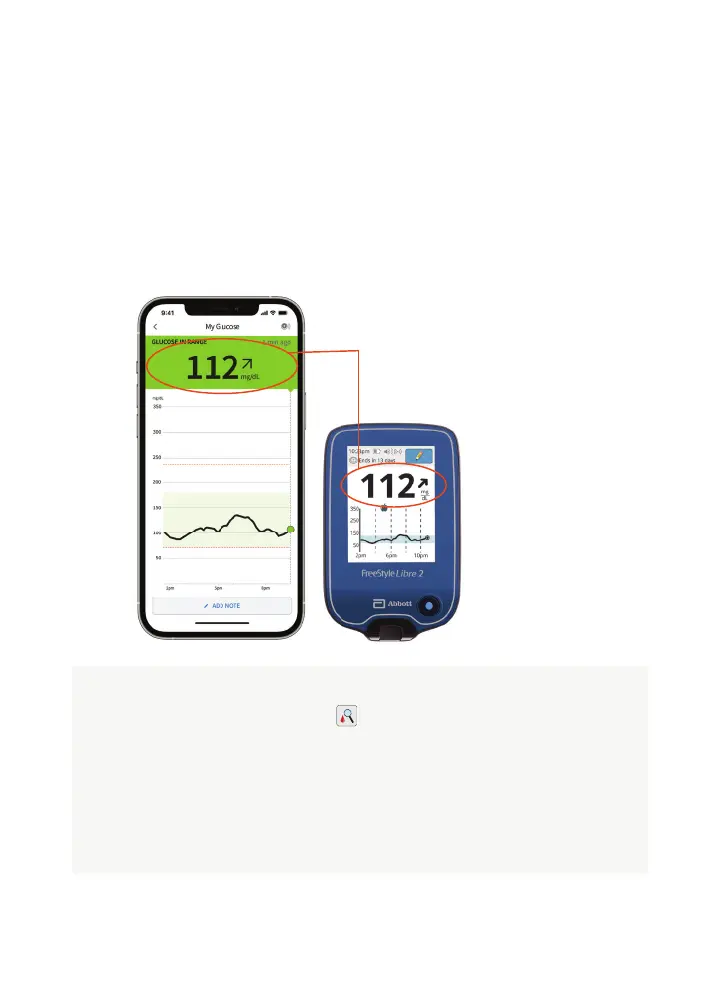
Sensor Glucose Screen
This screen shows your current glucose reading and a trend
arrow. With trend arrows, you can monitor the direction your
glucose is heading.
TIP: Trend arrows may not
always appear (see Check
Glucose Symbol below).
For illustrative purposes only. Not actual patient data.
The FreeStyle Libre 2 app is only compatible with certain mobile devices and operating systems. Please check our website for more
information about device compatibility before using the app. Use of the FreeStyle Libre 2 app requires registration with LibreView.
When you see this symbol during the fi rst 12 hours of
wearing a sensor, confi rm sensor glucose readings with a
blood glucose test before making treatment decisions.
In addition, do a blood glucose test if you think your readings
are not correct or do not match how you feel. Do not ignore
symptoms that may be due to low or high glucose.
Check Glucose Symbol














 To Next Page