Pg 16 of 32
Acting on Alarms
*
Each alarm
*
will sound for about 1 minute and then repeat
itself every 5 minutes until dismissed.
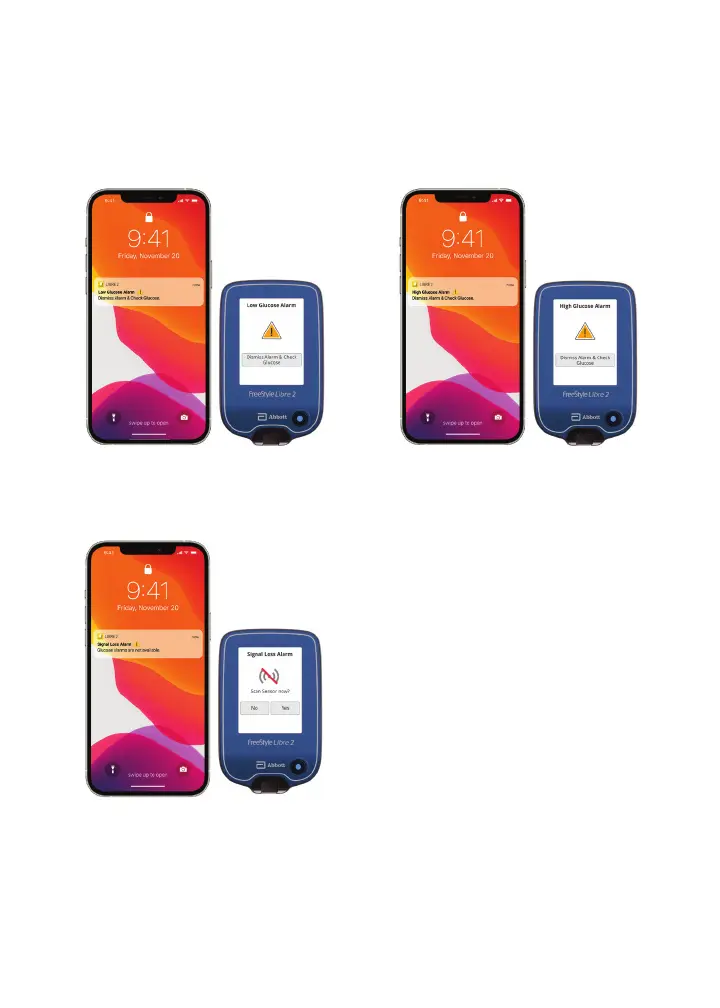
High Glucose Alarm
Notifi es you when your glucose
is above the level you set.
Low Glucose Alarm
Notifi es you when your glucose
is below the level you set.
Signal Loss Alarm
If your sensor is not
communicating with the reader,
you will not receive glucose
alarms.
Medicare coverage is available for the FreeStyle Libre 2 system if a compatible smartphone is used in conjunction with the FreeStyle Libre
2 reader to review glucose data. Medicare and other third party payor criteria apply. As a courtesy, Abbott provides the most up-to-date
information available, but it is subject to change and interpretation. The customer is ultimately responsible for determining the appropriate
codes, coverage, and payment policies for individual patients. Abbott does not guarantee third party coverage or payment for our products
or reimburse customers for claims that are denied by third party payors.
The FreeStyle Libre 2 app is only compatible with certain mobile devices and operating systems. Please check our website for more
information about device compatibility before using the app. Use of the FreeStyle Libre 2 app requires registration with LibreView.
* Notifi cations will only be received when alarms are turned on and the sensor is within 20 feet unobstructed of the reading device. You must
enable the appropriate settings on your smartphone to receive alarms and alerts, see the FreeStyle Libre 2 User’s Manual for more information.














 To Next Page