The OPTIS™ Integrated Next Imaging System is a medical device designed for intravascular imaging and physiological measurements, primarily utilizing Optical Coherence Tomography (OCT) and Fractional Flow Reserve (FFR) technologies. It is intended for use by medical personnel knowledgeable in OCT and physiological procedures.
Function Description
The OPTIS™ Integrated Next Imaging System integrates several key functions:
- Optical Coherence Tomography (OCT): This is an imaging modality that uses fiber-optic technology to produce high-resolution, real-time images of vessel lumen and wall structures. It is used for qualitative and quantitative evaluation of vascular morphology in the coronary arteries and as an adjunct to conventional angiographic procedures to provide an image of vessel lumen and wall structures.
- Fractional Flow Reserve (FFR): This feature measures the ratio of distal coronary arterial pressure (Pd) to aortic pressure (Pa), providing a physiological assessment of the severity of coronary artery stenoses.
- Resting Full-Cycle Ratio (RFR): Similar to FFR, RFR is the ratio of Pd to Pa at a point in the cardiac cycle where the Pd / Pa ratio is minimal, offering a sub-cycle metric for assessing coronary artery disease.
- Physiological Measurements: The system supports various physiological parameters, including aortic pressure, PW pressure, and operating pressure, which are displayed and recorded.
The system is designed to be used with compatible Dragonfly™ OPTIS™ or Dragonfly OpStar™ Imaging Catheters for OCT, and PressureWire™ X Guidewire and PressureWire™ Aeris™ FFR Measurement System with Agile Tip Technology for FFR/RFR measurements.
Important Technical Specifications
The OPTIS™ Integrated Next Imaging System is a Class 1 medical device with continuous mode of operation.
- Line Voltage: 100/120/220/240 VAC ±10%, user selectable
- Frequency: 50/60 Hz ±1 Hz
- Power Consumption: Active: <400 VA, Standby: <60 VA
Radio Specifications:
- Drive Motor and Optical Controller (DOC):
- Frequency Range: 13.553 - 13.567 MHz (ISM-band)
- Type: Amplitude Shift Keying (ASK)
- Radiated Power (ERP): -43.05 dBm
- Tableside Controller (TSC) Bluetooth® Module:
- Frequency Range: 2.400 - 2.4835 GHz (ISM-band)
- Type: GFSK, DQPSK, 8-DPSK
- Radiated Power: Bluetooth® power Class 1
- FFR Receivers:
- Frequency Range: 2.4 - 2.4835 GHz (ISM-band)
- Type: Frequency hopping spread spectrum (FHSS)
- Range: Up to 4 m (Note: Radio range is reduced by objects and walls. Keep transmitter and receiver in line of sight wherever possible.)
- Delay Time: <20 ms
Environmental Conditions:
- Transport and Storage Conditions:
- Ambient Temperature: -30 to +50 degrees C
- Relative Humidity: 25%- 90%, non-condensing
- Operating Conditions:
- Ambient Temperature: +10 to +32 degrees C
- Relative Humidity: 30% to 85%, non-condensing
Mechanical Specifications:
- System Cabinet:
- Weight: 50.8 kg (112 lbs)
- Dimensions: 60 x 34 x 61 cm
- 19" Monitor:
- Weight: 9 lbs (4 kg)
- Dimensions: 22 x 41 x 41 cm
- DOC Holster:
- Weight: 3.0 lbs (1.4 kg)
- Dimensions: 18 x 12 x 25 cm
- DOC:
- Weight: 3.5 lbs (1.6 kg)
- Dimensions: 24.5 x 8 x 10 cm
- TSC:
- Weight: 1.5 lbs (0.7 kg)
- Dimensions: 21 x 9 x 14 cm
Optical Parameters (Measured at System Aperture (DOC Optical Port)):
- Scanning Laser Source Optical Power: 22.6 mW maximum @ 1305 nm ± 55 nm (Class 1M Laser Output per IEC 60825-1)
- Visible Laser Optical Power: 7.55 mW maximum @ 670 nm ± 30 nm (nominal) (Class 1M Laser Output per IEC 60825-1)
Pullback Parameters:
- Pullback Range: 54 mm, 75 mm
- Pullback Speed Settings: 18.0 mm/sec, 36.0 mm/sec
General Scan Parameters:
- A-Scan Range in Air: 7.0 mm
- A-Scan Range in Contrast: 4.83 mm
- Diameter Measurement Accuracy: 7% ± 0.1 mm
- Area Measurement Accuracy: 10% ± 0.1 mm²
- Axial Resolution: <20 µm in tissue
- Optical Sensitivity: 100 dB minimum
- A-Scans per Second: 81 kHz minimum
- Frame Rate: 180 frames/second (Hz)
Physiology Specifications:
- Aortic Pressure Transducer Pressure (Wi-Box™ AO Transmitter to OPTIS™ Integrated Next):
- Operating pressure: -200 to +250 mm Hg
- Accuracy: ±1 mm Hg or ±1% of reading, whichever is greater
- PW Pressure:
- Operating pressure: -30 to +300 mm Hg
- Accuracy: ±1 mm Hg or ±3% of reading (-30 to 50 mm Hg), ±3% of reading (50 to 300 mm Hg)
- Aortic Pressure Transducer Pressure (Wi-Box to hemodynamic recording system):
- Direct galvanic connection: <2 mm Hg
Usage Features
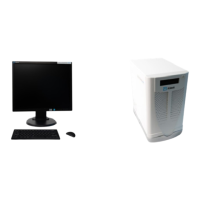
The system is composed of a system cabinet (including an isolation transformer, laser imaging engine, computer, drive motor and optical controller (DOC)), a DOC holster, keyboard, monitor, mouse, and a Tableside Controller (TSC).
System Setup:
- Positioning: The system cabinet should be placed on a level surface in the control room or x-ray room, with the monitor, keyboard, and mouse in the control room. The back panel, equipotential grounding post, and power mains should be easily accessible. Adequate space around the cabinet is required for cooling.
- Mounting: The TSC and DOC holster can be mounted onto the procedure table rail.
- Connecting: The system cabinet and monitors are normally always connected to power. The TSC connects via USB cable, and the wireless connectivity indicator LED should illuminate.
- Powering On: The system is powered on by pressing the Standby button on the upper-right side of the front of the cabinet. The startup screen appears, and the software runs.
- Shutting Down: The system is shut down via the Shutdown button on the screen. After 15 seconds, the screens turn black, and the system enters Standby mode. The main power switch at the base of the cart can then be turned off, and the power cord disconnected.
Operation:
- The system provides bed-side control of imaging functions via the DOC.
- The TSC allows for wireless control of the system.
- The system displays and records imaging and physiological data.
- User troubleshooting tips are provided for common issues like screen blanking, power failures, and imaging problems.
- Laser Safety: The system emits laser radiation. Users must be knowledgeable in OCT and physiology procedures and aware of system limitations to ensure safe operation. Avoid direct or stared exposure to the laser beam.
- Electrical Safety: Ensure proper grounding and use of appropriate power cords. Avoid connecting external equipment that does not meet IEC 60601 series standards.
- Mechanical Safety: Avoid pulling on catheters or cables, which could cause injury or damage.
- Repetitive Strain Injury (RSI): Users should maintain optimal body positions, take frequent breaks, and avoid static postures to prevent RSI.
- Infection Control: Dragonfly Imaging Catheters are sterile and for single-use only. Do not reuse or re-sterilize.
- Electromagnetic Interference: The system produces radio frequency (RF) energy. It is designed to minimize interference but users should be aware of potential interference with other medical equipment.
Maintenance Features
Cleaning:
- General Cleaning: The DOC, DOC optical cable, TSC, and DOC holster should be cleaned regularly.
- Surfaces: Clean system surfaces and the keyboard with a dry cloth.
- Monitor: Clean the LCD surface with detergents or other cleaning solutions.
- Disinfection: The TSC, DOC, DOC holster, and DOC optical cable can be disinfected with a disinfectant wipe (1:10 Hypochlorite solution) or Cidex® (Glutaraldehyde 3.4%). Avoid soaking or spraying.
- Only qualified Abbott Technical Service representatives should perform maintenance or service components of the system.
- Service can be contacted via email (OCTservice@abbott.com) or phone (+1 651 490 4410 for outside USA, or +1 651-756-5833 for USA).
Maintenance Procedures:
- Optical Connection Cleaning: The optical connection between the DOC and the catheter should be cleaned every 3 months, or if image quality is poor. This involves using a specific cleaner to clean the optical adapter in the DOC and the optical connection in the catheter.
- Optical Adapter Replacement: The optical adapter should be replaced every 200 cycles or 1 year (whichever occurs first), or if cleaning does not improve image quality. This procedure involves removing the old adapter and inserting a new one.
- Cable Connection Inspection: Regularly inspect power connections and secondary ground connections to ensure they are fully seated and secure.
- Infection Control: Follow institutional infection control procedures for protecting both staff and patient. Blood on system components, panels, and cables should be removed using a gauze pad with soap and water, then disinfected with a 1:10 Hypochlorite solution.
Software Maintenance:
- Maintenance of the system software includes installing the latest software version and transferring log files.
Disposal:
- Disposal of the equipment must be in accordance with local laws. The system should be separated for waste electrical/electronic equipment.

 Need help?
 General











 To Next Page