OPTIS™ Integrated Next Operation and Maintenance Manual – 600173796 Rev. A 25
System Setup
Positioning the System
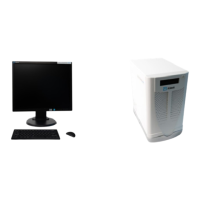
Confirm that the OPTIS™ Integrated Next cabinet is on a level surface inside the
control room or x-ray room. Confirm that the control room monitor, keyboard,
and mouse are located on the control room table.
The system cabinet should be positioned such that the back panel, equipotential
grounding post, and power mains are easily accessible. The system cabinet
should have space around it so that air can circulate to cool the chassis. Free
space must be available in front of the system cabinet to allow the CD/DVD tray
to open and close freely. The AC mains disconnect (wall outlet connection) to
the power mains must also be easily accessible.
Note: USB ports are located on the keyboard.
Mount the TSC and DOC holster onto the procedure table rail in locations that
are comfortable for the physician to use during the procedure. Drape the TSC
with a protective sterile barrier to maintain sterile technique.
Failure to secure the DOC Holster to the procedure table rail may
present a hazard to the patient, due to movement of the monitor boom, which
could pull on a catheter while it is in the patient.
The TSC and DOC holster are custom fit during installation. If either component
is not clamped onto the rail securely, contact Abbott Service.
System components that are suitable for use within the patient environment are
the DOC, DOC holster, TSC, and catheter as specified in the Instructions for
Use.
State: Released Date: 2021.03.01 22:19 GMT Effectivity: Upon Release













 To Next Page