Safety Information
10
OPTIS™ Integrated Next Operation and Maintenance Manual – 600173796 Rev. A
When transferring files inside the catheterization laboratory, use only
port-powered USB drives.
Inside the catheterization laboratory only port-powered USB
drives may be connected to the USB port. Connecting externally powered
devices to the USB port in the patient
vicinity may compromise electrical
isolation and cause patient injury.
Note: Outside the catheterization laboratory, IEC 60950-compliant,
externally powered USB hard drives may be connected to the USB port.
Do not remove system covers. Only qualified personnel should service the
system. Accidentally contacting the electrical circuits inside the housing could
cause serious injury.
Making Proper Electrical Connections
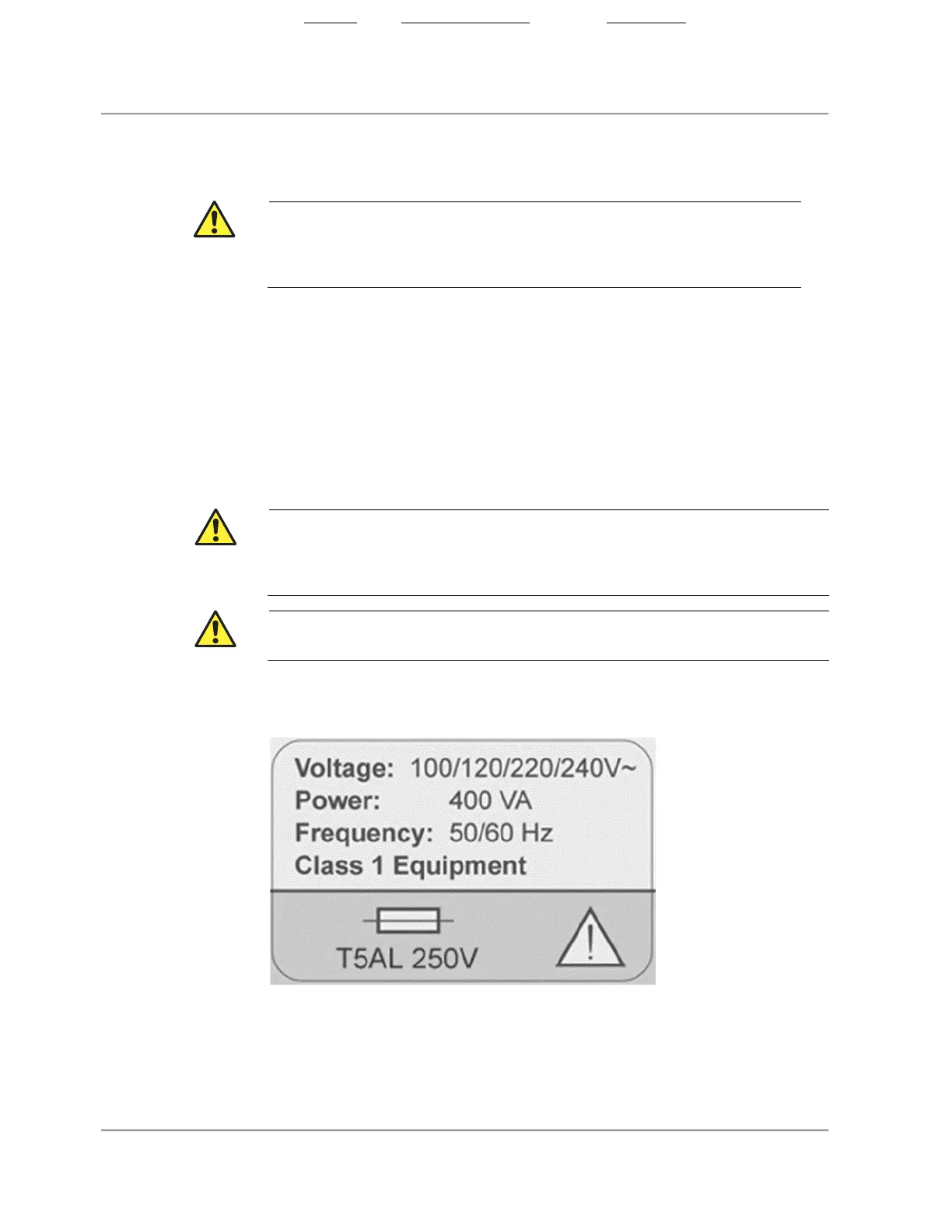
Ensure that the electrical connection for the system is properly rated (figure
below). Carefully follow the safety guidelines described in this section when
connecting the system power cord to the hospital or laboratory AC outlet.
Failure to follow the electrical connection precautions detailed in
system and its use to be
out of compliance with
regulations and places the patient and the operator at risk of injury or death
,
and may damage the equipment.
Do not allow the tableside controller (TSC) power supply to get
Figure 2. Electrical Label
• Connect the system only to properly grounded (three-hole) hospital-
grade AC outlets:
– The circuit must accommodate an additional load of up to 400 VA.
State: Released Date: 2021.03.01 22:19 GMT Effectivity: Upon Release













 To Next Page