Cleaning and Maintenance
OPTIS™ Integrated Next Operation and Maintenance Manual – 600173796 Rev. A 31
3. Click Service. The Service menu displays.
4. In the DOC Service section of the Service menu, click Enter.
5. The DOC optical carriage moves all the way to the front and locks into
position for one minute. Rotation of the DOC rotary motor stops, and the
laser source turns off.
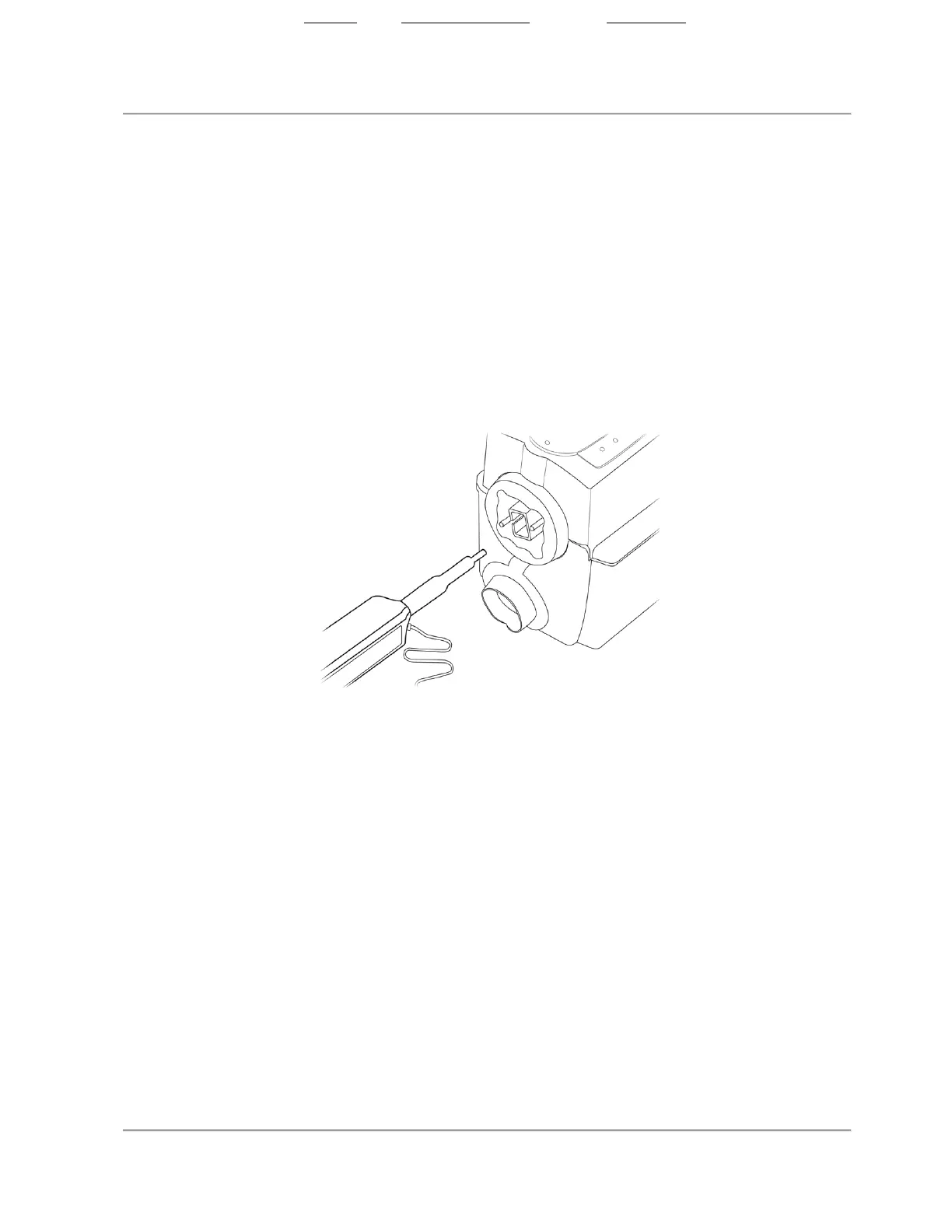
6. Remove the sizing cap from the end of the optical fiber connector cleaner
(figure below).
7. Insert the cleaner into the center of the optical adapter in the DOC, ensuring
that it seats fully, and press until it clicks. The cleaning material in the
optical fiber connector cleaner is moved over the optical connection.
Figure 8. Inserting Cleaner into Optical Adapter
8. Remove the cleaner from the DOC.
State: Released Date: 2021.03.01 22:19 GMT Effectivity: Upon Release













 To Next Page