3
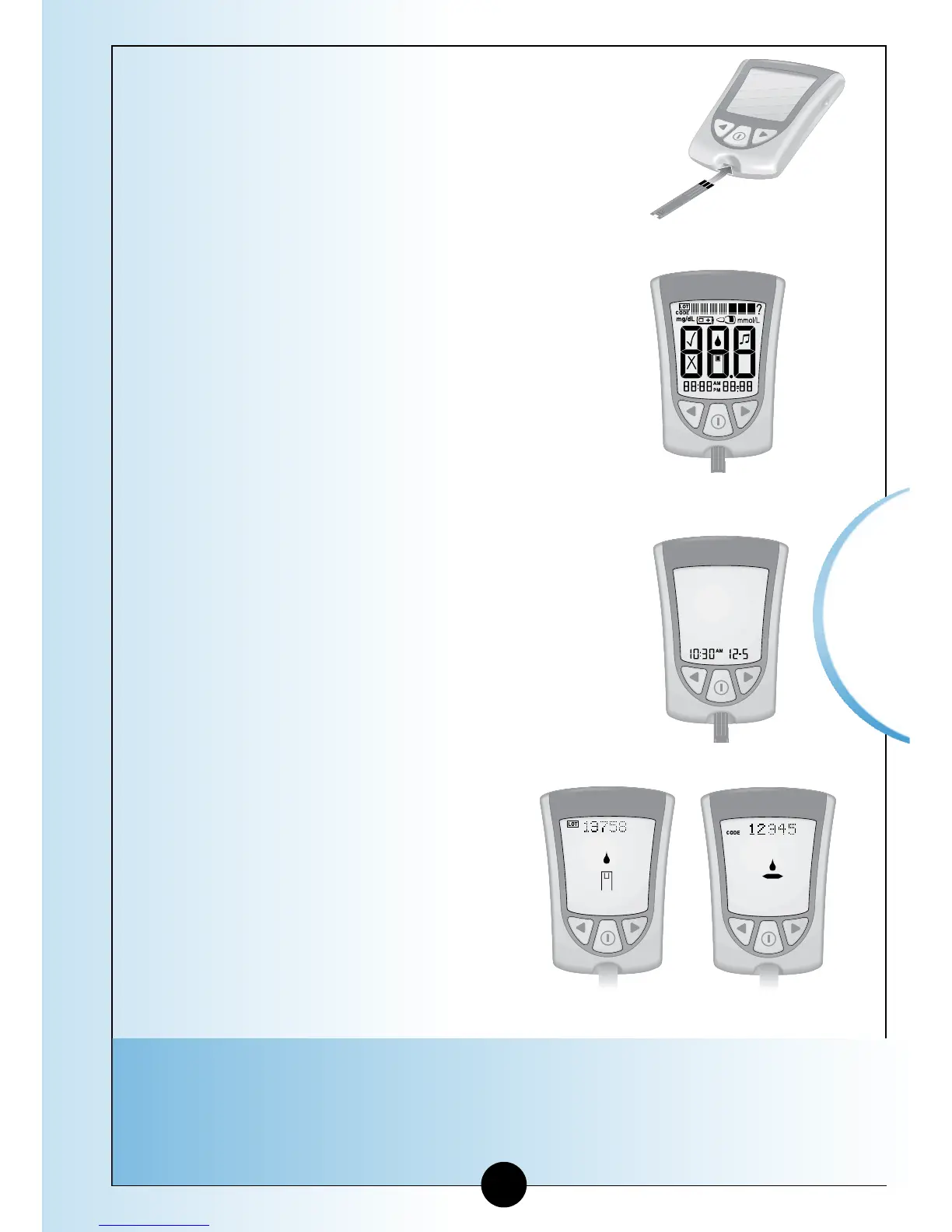
Insert the three black lines at the end of
the test strip into the strip port.
4
Push the test strip in until it stops.
The monitor turns on automatically.
These items show on the display
window, one after the other:
•Display Check – Remember to make
sure that all items in the picture here
show on the display window.
(See Chapter 1 for more information
about the Display Check.)
•Time, month, and day (if set)
If date and time are not set, dashes will
show instead of numbers.
•LOT number for the box of
test strips you are using.
•Apply Sample message,
which tells you that the
monitor is ready for you to
apply control solution to the
test strip.
Note: If you are a doing a β-Ketone control solution
test, KETONE will show on the monitor’s display
window with the β-Ketone Apply Sample message.
Control
Solution Testing
Glucose
β-Ketone
38














 To Next Page