Hardware Setup
IP35/IP35-E 1-17
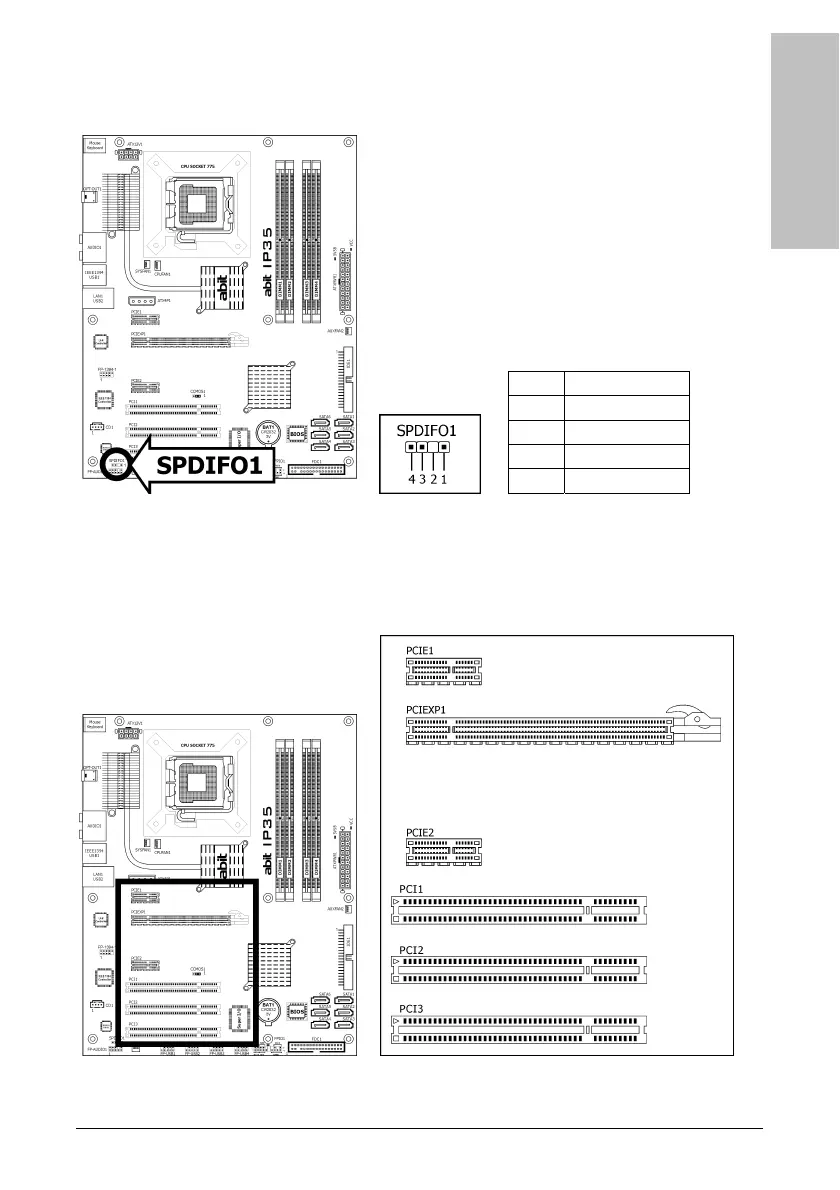
1.8.7 S/PDIF Output Connection Header
This header provides the S/PDIF output connection to your add-on HDMI VGA card.
Pin Pin Assignment
1 VCC (5V)
2 x
3 S/PDIF Out
4 Ground
1.8.8 PCI and PCI Express X16, X1 Slots
Install PCI Express X16 graphics card into slot “PCIEXP1”.
Install PCI Express X1 cards into slots “PCIE1” and/or “PCIE2”.
Install PCI cards into slots “PCI1”, “PCI2”, and/or “PCI3”.



 To Next Page