3-6 IP35/IP35-E
3.8 FlashMenu (BIOS Update Utility)
The FlashMenu is a utility to flash the BIOS in a more easily and quickly way.
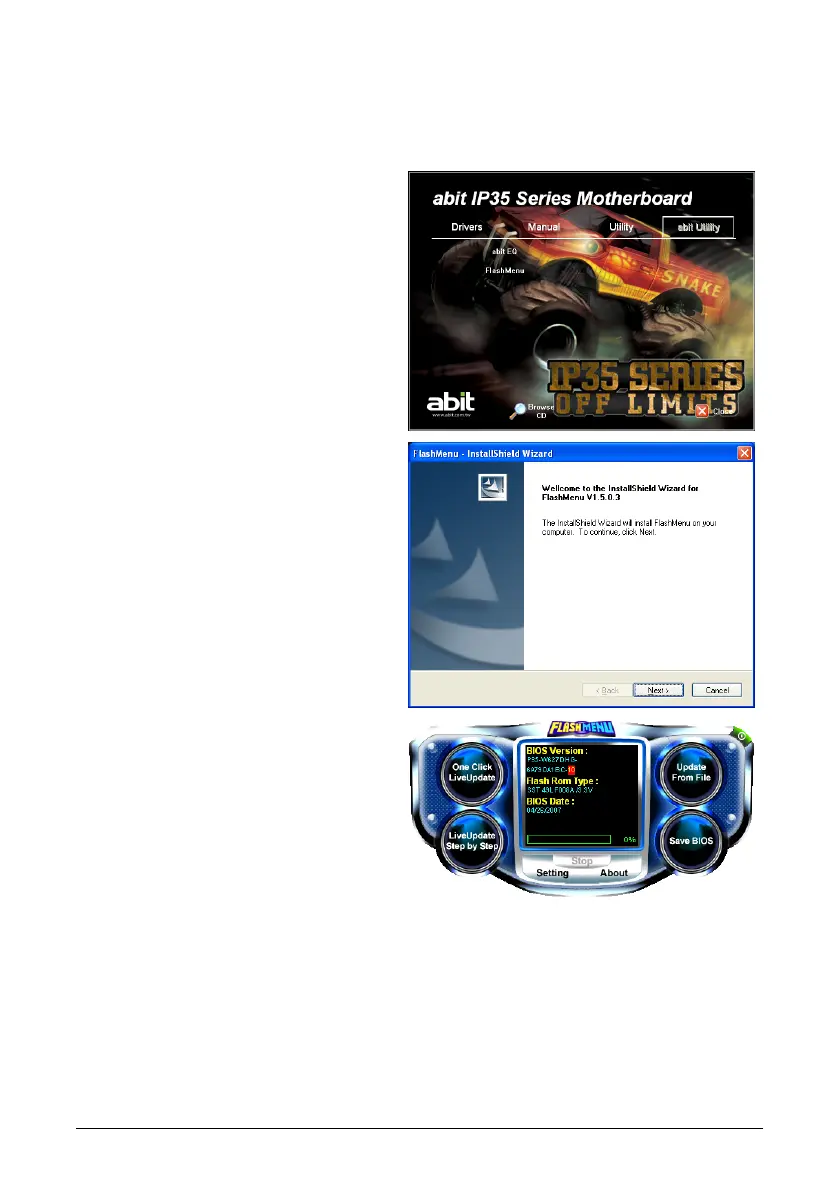
To install this utility:
1. Click on the [abit Utility] tab in the
installation menu screen.
2. Click the [FlashMenu] item. The
following screen appears.
3. Follow the prompts on the screen to
complete installation.
4. Execute the FlashMenu by entering the
Windows Menu [Start] [All
Programs] [abit] [FlashMenu]
[FlashMenu].
5. This FlashMenu screen appears. You
can easily update the BIOS from
clicking [Update From File], [One
Click LiveUpdate], or [LiveUpdate
Step by Step] button.



 To Next Page