ABIT EQ (The Hardware Doctor Utility) H-1
Appendix H. ABIT EQ (The Hardware Doctor Utility)
ABIT EQ is a self-diagnostic system for PC based on motherboards designed and manufactured by ABIT
Computer Corporation. It will protect PC Hardware by monitoring critical items of Power Supply Voltage,
CPU & System Fans Speed, and CPU & System Temperature.
The installation procedures and screen shots in
this section are based on Windows XP operating
system. For those of other OS, please follow its
on-screen instruction.
Insert the Driver & Utility CD into CD-ROM
drive, it should execute the installation program
automatically. If not, double-click the execution
file at the main directory of this CD to enter the
installation menu.
After entering the installation menu, move your
curser to [ABIT Utility] tab. Click [ABIT EQ].
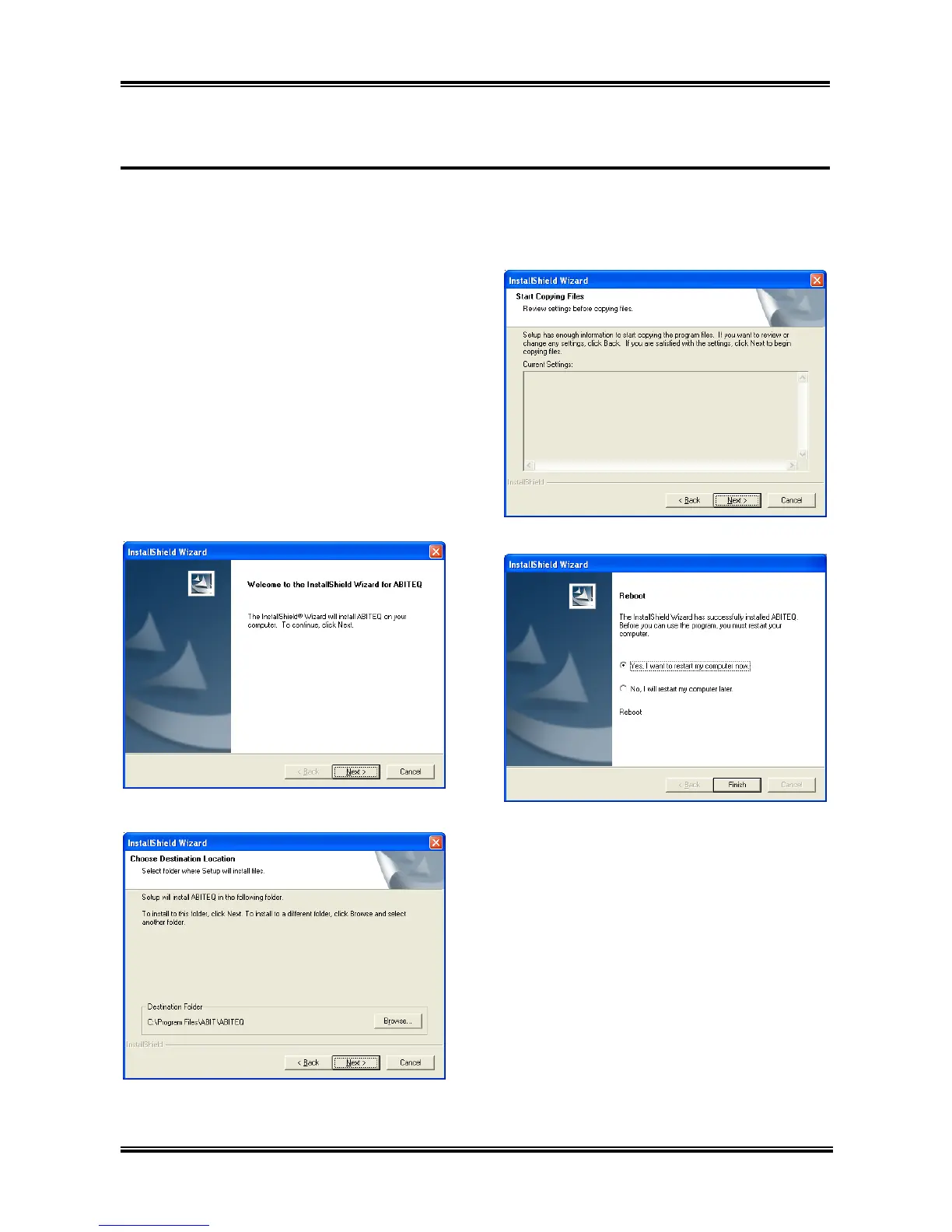
The following screen appears.
1. Click [Next].
2. Click [Next].
Click [Next]. 3.
4. Choose [Yes, I want to restart my computer
now.] and click [Finish] to complete setup.
User’s Manual



 To Next Page
 Loading...







