Hardware Setup
KN9 SLI, KN9 Ultra, KN9S 2-13
2.5.3 PCI Express X16 Add-on Slots (Install Graphics Card)
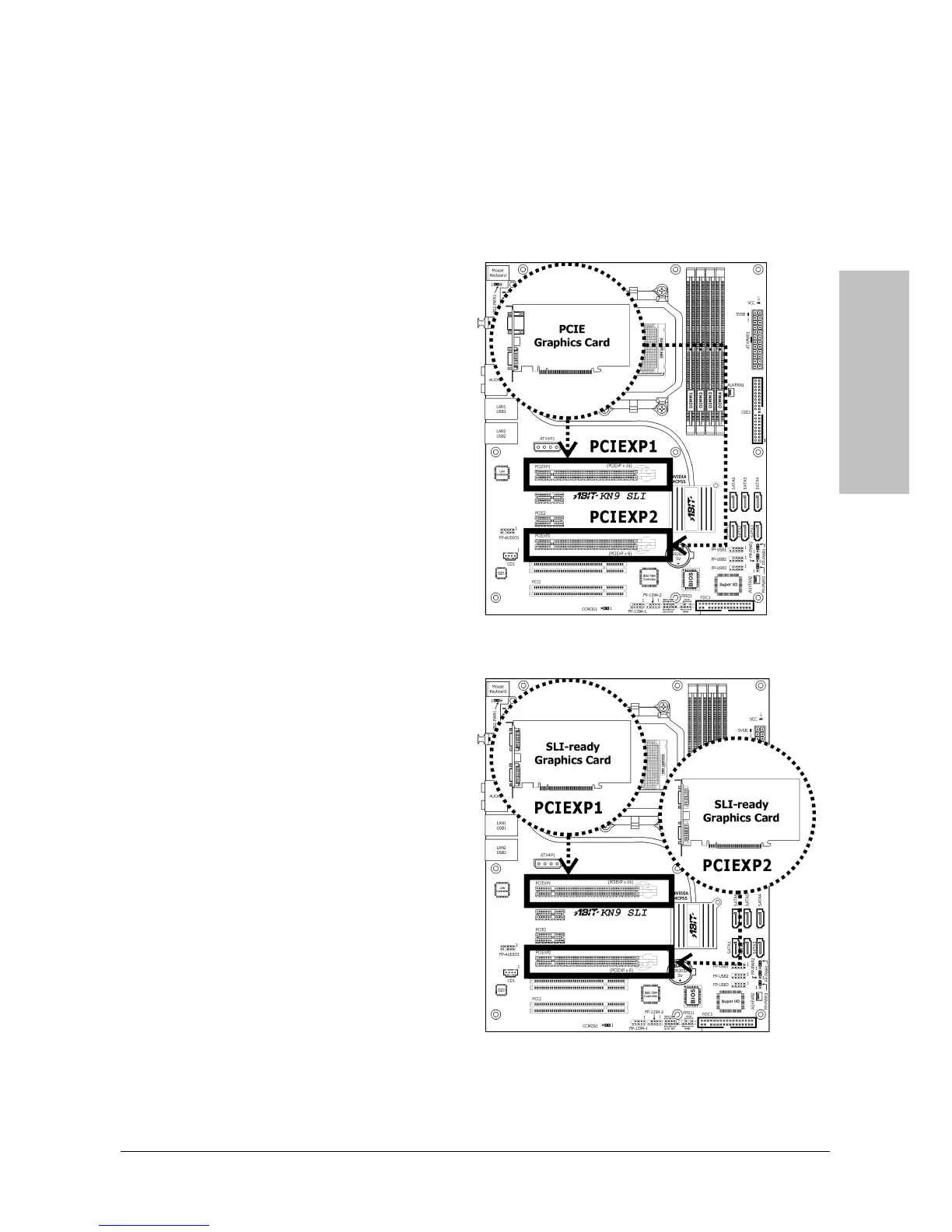
These slots support the connections of graphics cards that comply with PCI Express
specifications. This motherboard provides dual PCI-Express X16 slots for one or two graphics
cards installation:
One PCIE graphics card installation (Normal Mode):
Insert your PCIE graphics card into [PCIEXP1]
or [PCIEXP2] slot.
※ One PCIE graphics card installation on
the [PCIEXP2] slot supports the speed
up to x8 only.
Two PCIE graphics cards installation (SLI Mode): (For model “KN9 SLI” only)
Insert 2 identical SLI-ready graphics cards into
PCIEXP1 and PCIEXP2 slots.
※ The NVIDIA SLI technology currently
supports the Windows XP operating
system only.


 To Next Page