4.7 NVRaid Floppy Disk
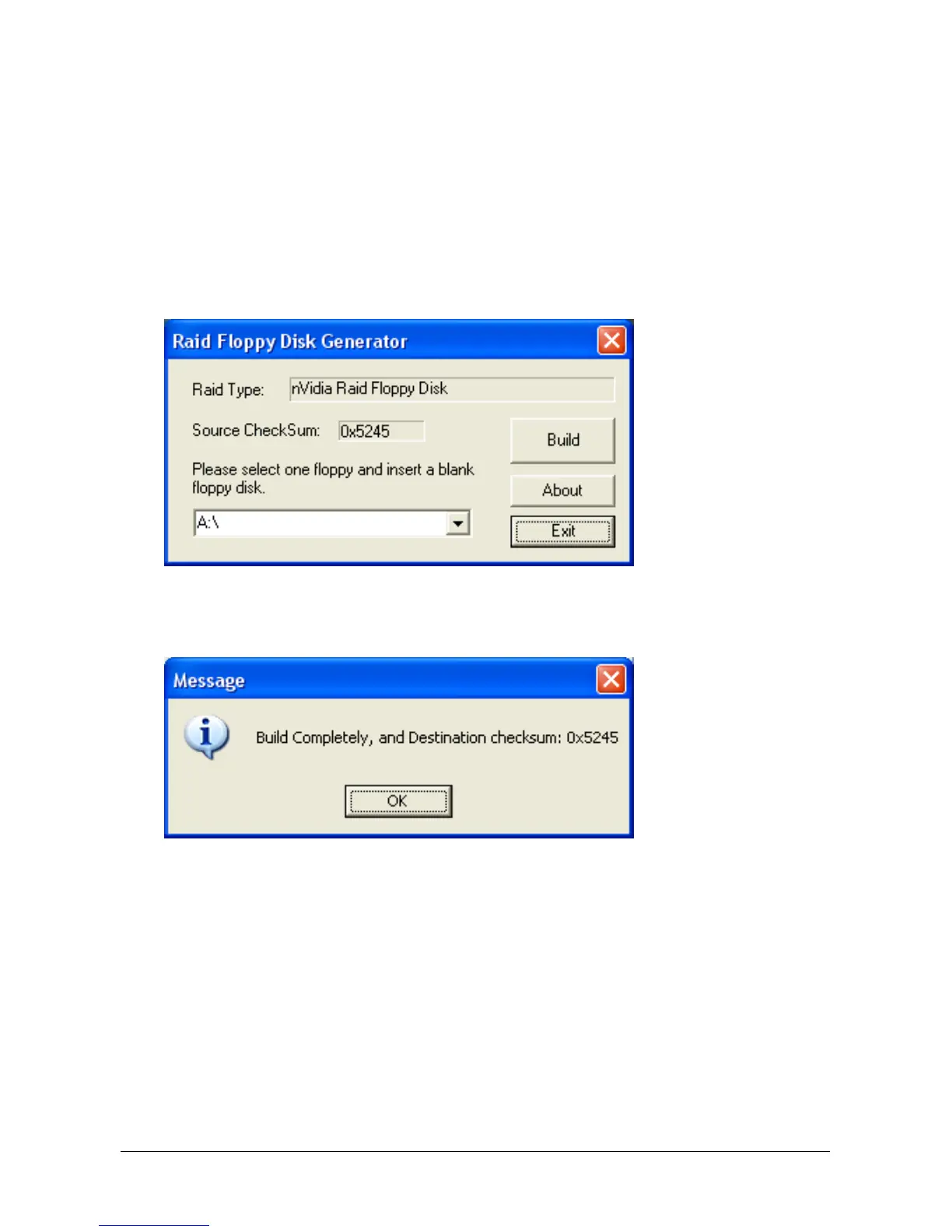
If you lost or damaged the SATA Driver Disk that came with the package, use the NVRaid
Floppy Disk to create another one.
To install this utility:
1. Click on the [ABIT Utility] tab in the installation menu screen.
2. Click the [Generate NVRaid Floppy Disk] item. The following screen appears:
Insert one blank floppy disk to the selected floppy drive and click [Build].
3. Click [OK] to finish building the SATA Driver Disk.
※ If you are using a windows 2000 operating system, please update your system
to Service Pack 4 before starting to setup the NVIDIA RAID.
4-10 KN9 SLI, KN9 Ultra, KN9S


 To Next Page