BIOS Setup 3-7
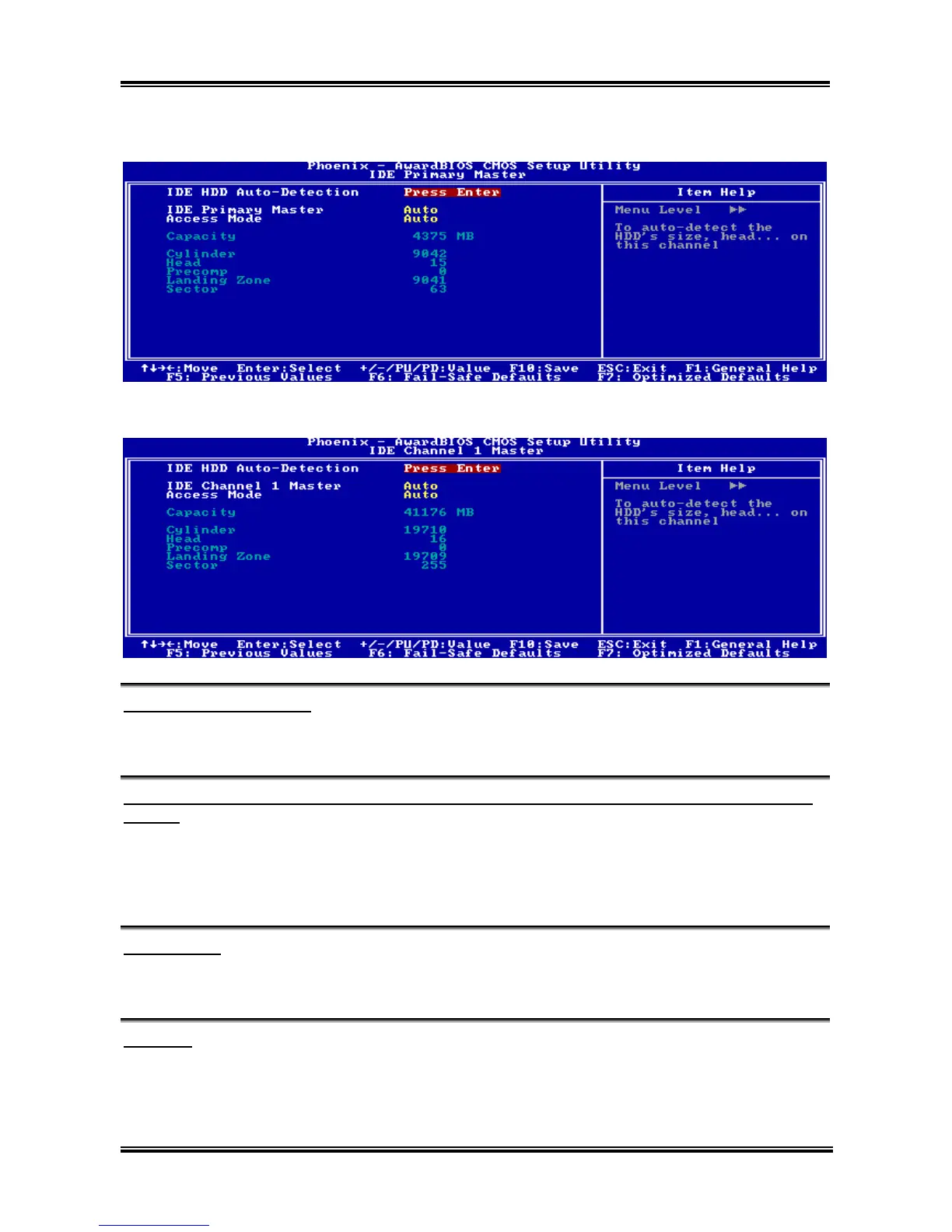
NF7/NF7-S/NF7-M:
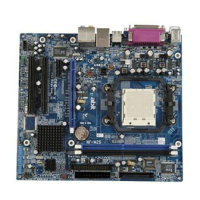
NF7-S2/NF7-S2G:
IDE HDD Auto-Detection:
This item allows you to detect the parameters of IDE drives by pressing <Enter> key. The parameters will
be shown on the screen automatically.
IDE Primary/Channel 1 Master/Slave, IDE Secondary/Channel 2 Master/Slave, IDE Channel 3/4
Master:
When set to [Auto], the BIOS will automatically check what kind of IDE drive you are using. If you want
to define your own drive by yourself, set it to [Manual] and make sure you fully understand the meaning
of the parameters. Please refer to the instruction manual provided by the device’s manufacturer to get the
setting right.
Access Mode:
This item selects the mode to access your IDE devices. Leave this item to its default [Auto] setting to
detect the access mode of your HDD automatically.
Capacity:
This item displays the approximate capacity of the disk drive. Usually the size is slightly greater than the
size of a formatted disk given by a disk-checking program.
User’s Manual



 To Next Page