BIOS Setup 3-25
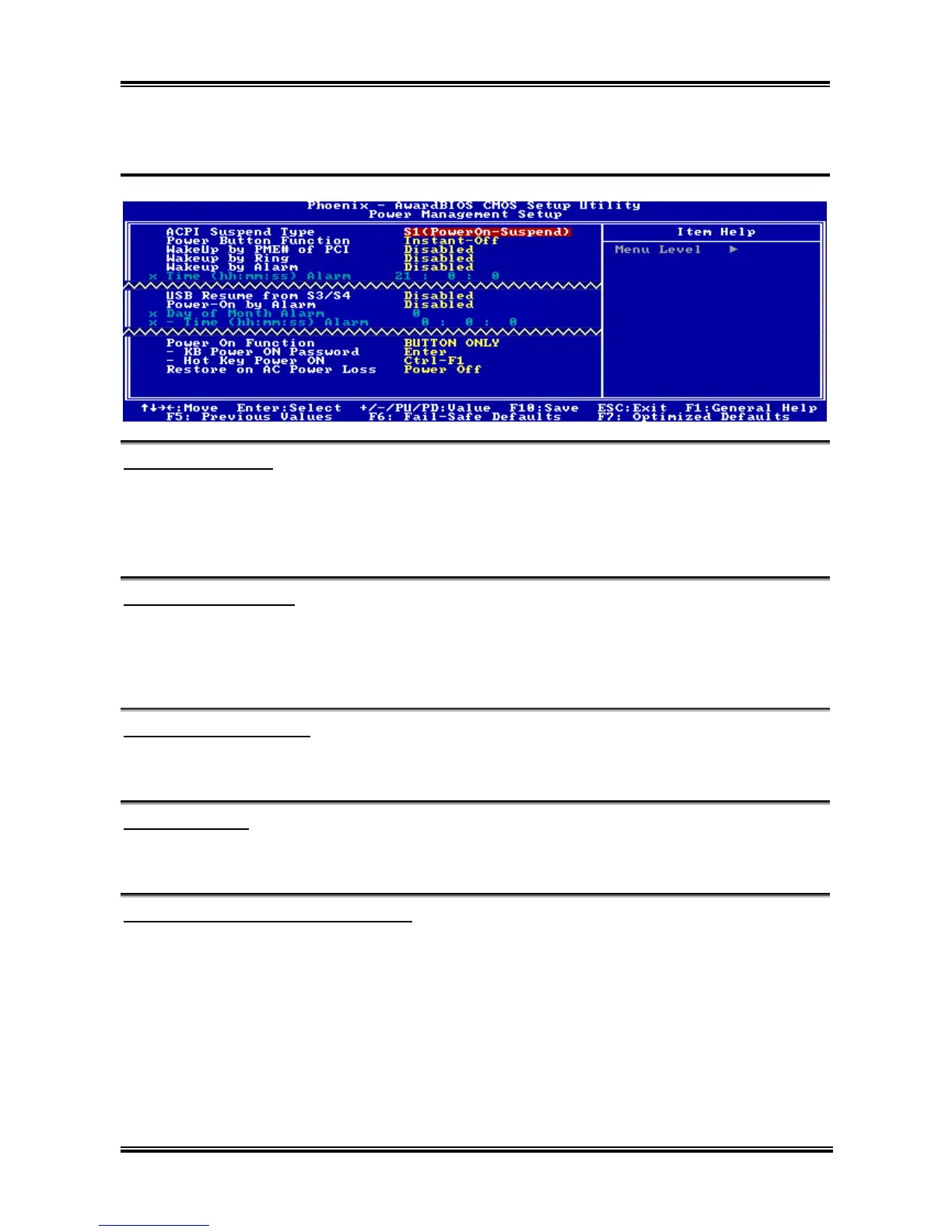
3-6. Power Management Setup
ACPI Suspend Type:
This item selects the type of Suspend mode.
[S1(PowerOn-Suspend)]: Enables the Power On Suspend function.
[S3(Suspend-To-RAM)]: Enables the Suspend to RAM function.
Power Button Function:
Two options are available: Delay 4 Sec or Instant-Off. The default setting is Instant-Off. It is activated
when the user presses the power button for more than four seconds while the system is in the working
state, then the system will transition to the soft-off (Power off by software). This is called the power
button over-ride.
Wakeup by PME# of PCI:
Two options are available: Disabled or Enabled. The default setting is Disabled. When set to Enabled,
any event affecting from PCI card (PME) will awaken a system that has powered down.
Wakeup by Ring:
Two options are available: Disabled or Enabled. The default setting is Disabled. When set to Enabled,
any event affecting from Modem Ring will awaken a system that has powered down.
Wakeup by Alarm: (NF7/NF7-S/NF7-M)
Two options are available: Disabled or Enabled. The default setting is Disabled. When set to Enabled,
you can set the date and time at which the RTC (real-time clock) alarm awakens the system from Suspend
mode.
Time (hh:mm:ss) of Alarm:
You can set the Date (month) Alarm and Time Alarm (hh:mm:ss). Any event occurring will awaken a
system that has powered down.
User’s Manual



 To Next Page