BIOS Setup 3-17
[Auto]: The BIOS will select the best available option after checking your hard drive or CD-ROM.
[Disabled]: The BIOS will not detect these categories. If problem arises in using Ultra DMA devices, try
disabling this item.
OnChip IDE2 Controller:
The description is same as the OnChip IDE1 Controller.
IDE Prefetch Mode:
Two options are available: Disabled or Enabled. The default setting is Enabled. The onboard IDE drive
interfaces supports IDE prefetching for faster drive accesses. If you install a primary and/or secondary
add-in IDE interface, set this field to Disabled if the interface does not support prefetching.
IDE Bus Master:
This option enables or disables the IDE bus mastering capability under the DOS environment.
Back to Integrated Peripherals Setup Menu:
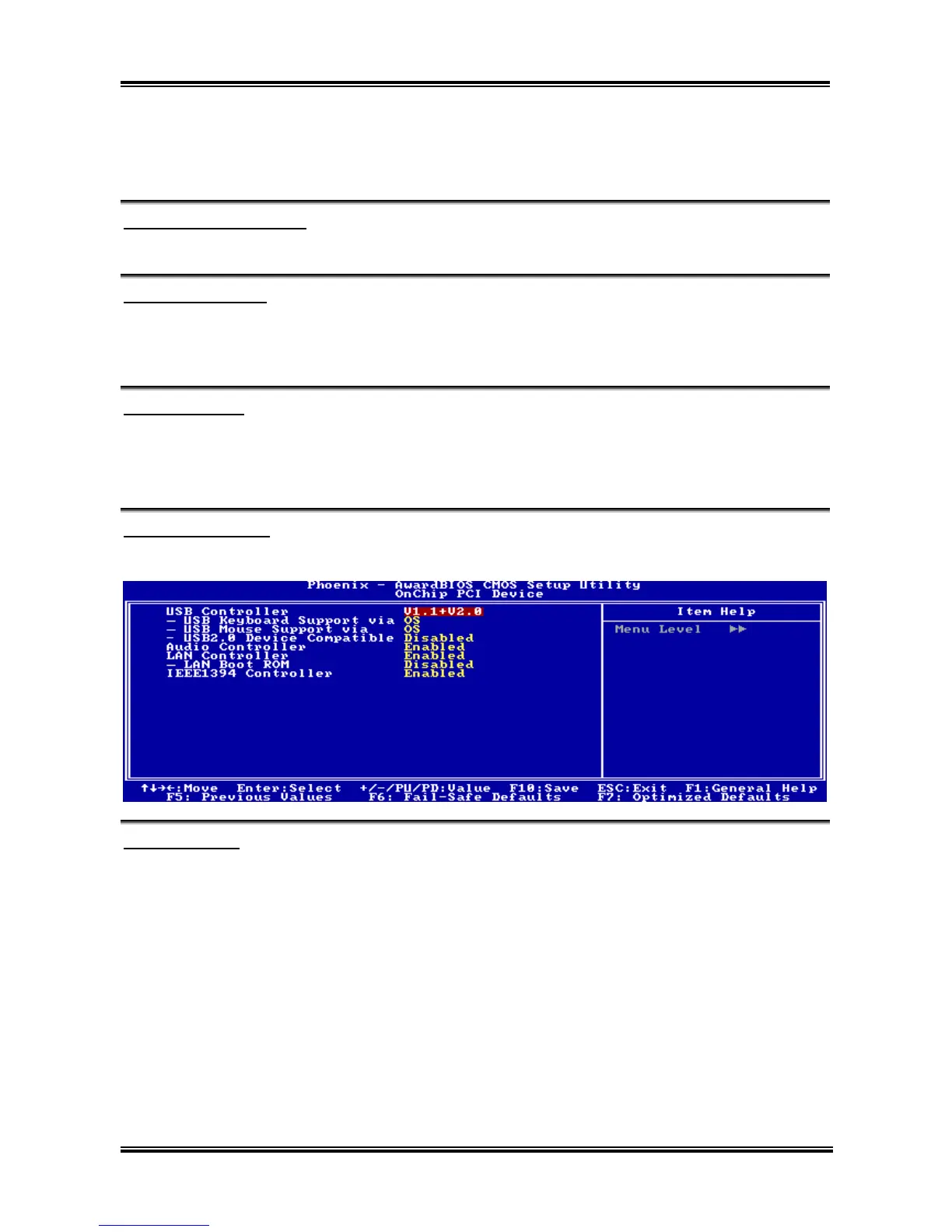
OnChip PCI Device:
Click <Enter> key to enter its submenu:
USB Controller:
Three options are available: Disabled V1.1+V2.0 V1.1. The default setting is V1.1+V2.0. If you
choose to disable this item, the “USB Keyboard Support” and “USB Mouse Support” items will not be
able to select in Integrated Peripherals menu.
USB Keyboard Support via:
This item allows you to select [BIOS] for using USB keyboard in DOS environment, or [OS] in OS
environment.
USB Mouse Support via:
This item allows you to select [BIOS] for using USB mouse in DOS environment, or [OS] in OS
environment.
USB2.0 Device Compatible:
This item enables or disables the compatibility with USB2.0 devices.
User’s Manual



 To Next Page