3-4 Chapter3
SL6
3-1. CPU Setup [SOFT MENU
™
II]
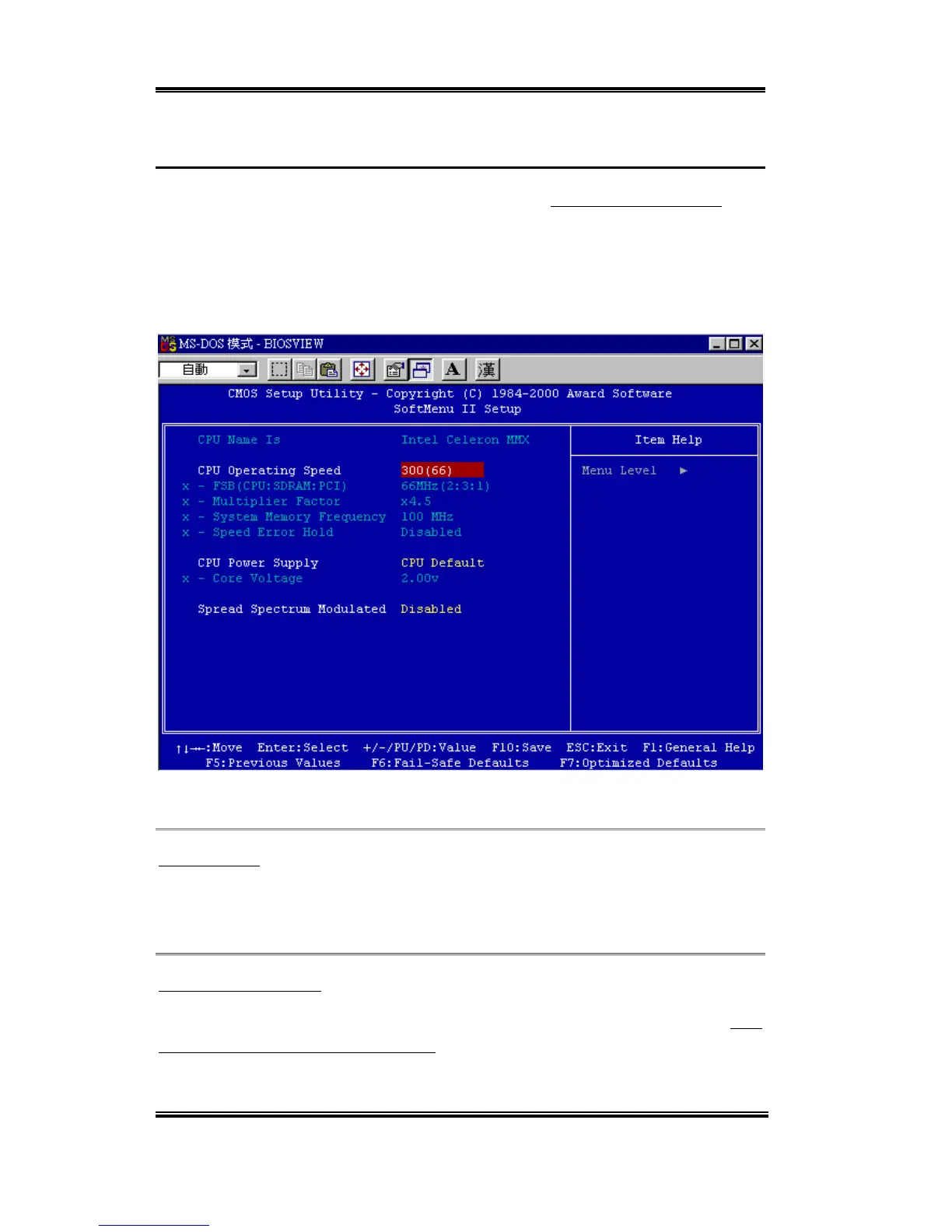
The CPU can be setup through a programmable switch (CPU SOFT MENU
™
II), that
replaces the traditional manual hardware configuration. This feature allows the user to more
easily complete the installation procedures. You can install the CPU without configuring any
jumpers or switches. The CPU must be setup according to its specifications.
You can press <F1> at any time for help.
Figure 3-2. CPU SOFT MENU
™
II
CPU Name Is:
➤ Intel Celeron
MMX
➤ Intel Pentium III MMX
CPU Operating Speed:
This option sets the CPU speed. In this field, the CPU speed is indicated like this: CPU
speed = External clock * Multiplier factor, select the CPU speed according the type and the
speed of your CPU. For Intel Pentium
®
III and Celeron
™
MMX processors, you can choose
the following settings:



 To Next Page