BIOS Setup 3-41
User’s Manual
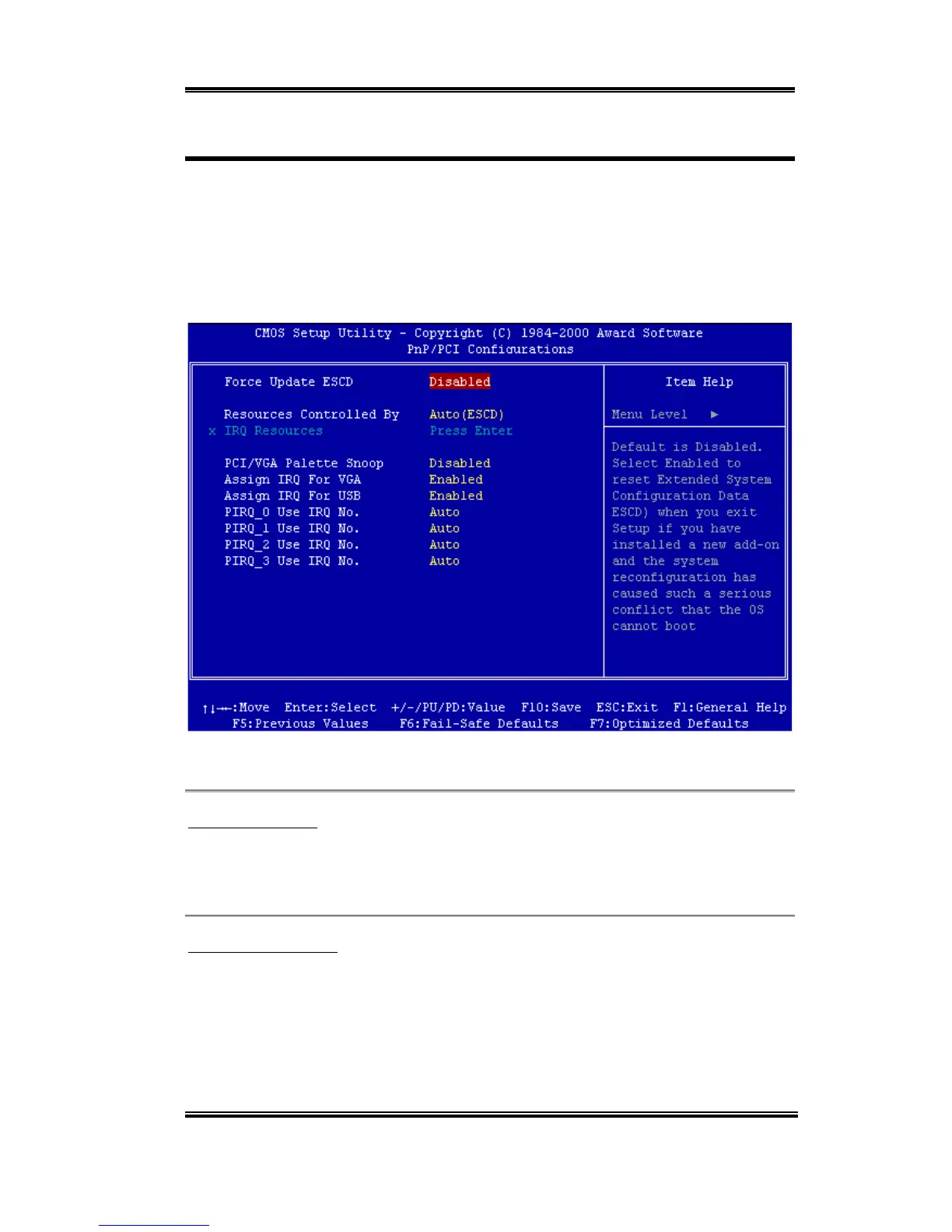
3-7. PnP/PCI Configurations
This section describes configuring the PCI bus system. PCI, or Personal Computer
Interconnect, is a system which allows I/O devices to operate at speeds nearing the speed the
CPU itself uses when communicating with its own special components. This section covers
some very technical items and it is strongly recommended that only experienced users
should make any changes to the default settings.
Figure 3-11. PnP/PCI Configurations Setup Screen Shot
PNP OS Installed:
Two options are available: No and Yes. Default setting is No. Device resource assigned by
PnP OS or BIOS.
Force Update ESCD:
If you want to clear ESCD data next time you boot up, and ask the BIOS to reset the settings
for the Plug & Play ISA Card and the PCI Card, select Enabled. But the next time you boot
up, this option will automatically be set as Disabled.



 To Next Page