3-26 Chapter3
SL6
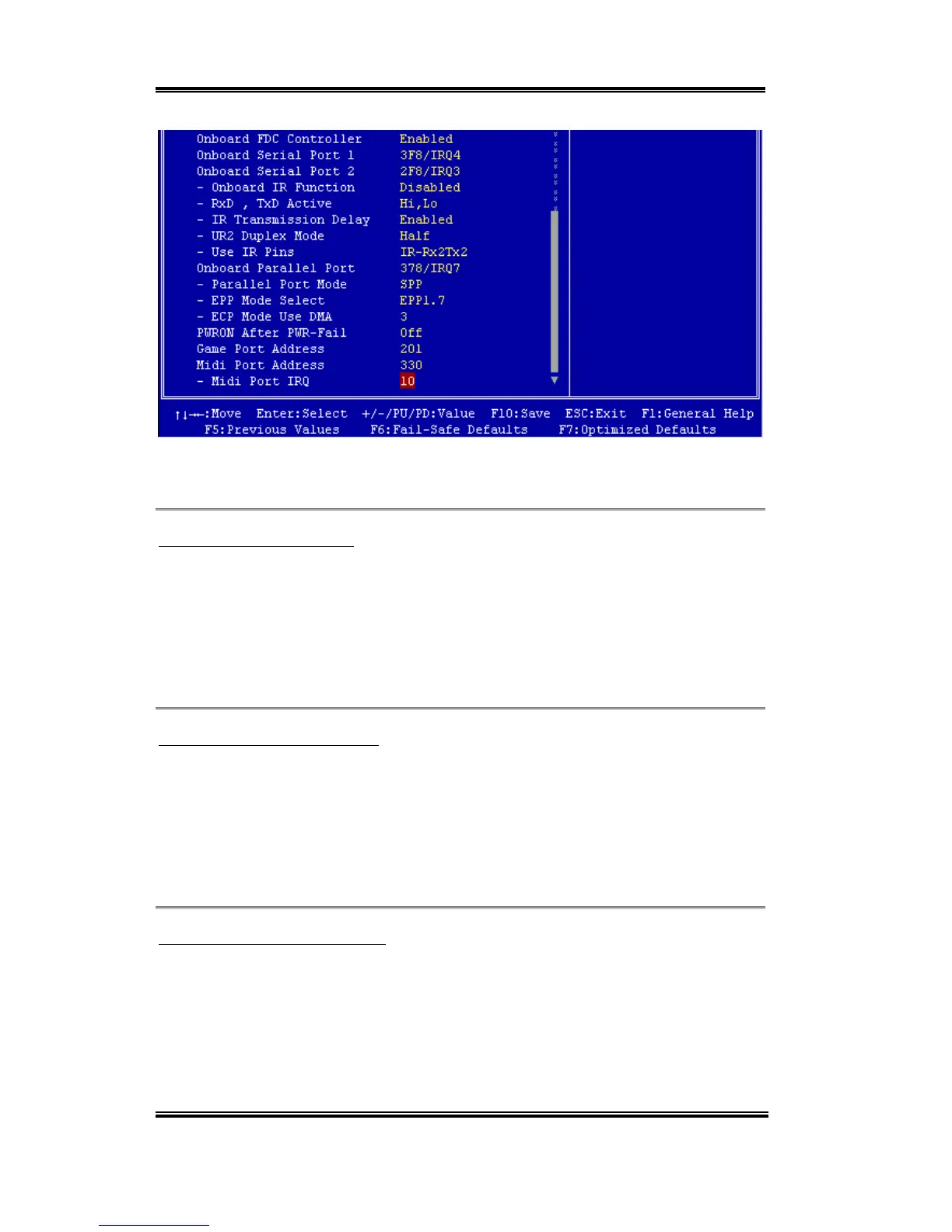
Figure 3-6B. Integrated Peripherals Menu Full Items Screen
Onboard IDE-1 Controller:
The onboard IDE 1 controller can be set as Enabled or Disabled. The default setting is
Enabled. The integrated peripheral controller contains an IDE interface with support for two
IDE channels. If you choose Disabled, it will effect the settings of four items not available.
For example, if you disabled the Onboard IDE-1 Controller, you will also disable the
Master/Slave Drive PIO Mode and Master/Slave Drive Ultra DMA.
Master/Slave Drive PIO Mode:
Six options are available: Auto ) Mode 0 ) Mode 1 ) Mode 2 ) Mode 3 ) Mode 4.
The four IDE PIO (Programmed Input/Output) items let you set a PIO mode (0-4) for each
of the four IDE devices that the onboard IDE interface supports. Modes 0 through 4 provide
successively increased performance. In Auto mode (default setting), the system
automatically determines the best mode for each device.
Master/Slave Drive Ultra DMA:
Two options are available: Auto and Disabled. The default setting is Auto. Ultra DMA is a
DMA data transfer protocol that utilizes ATA commands and the ATA bus to allow DMA
commands to transfer data at a maximum burst rate of 33 MB/sec.
Ultra DMA/33 or Ultra DMA/66 implementation is possible only if your IDE hard drive
supports it and the operating environment includes a DMA driver (Windows
®
95 OSR2 or a



 To Next Page