Installing the VGA Driver for Windows
®
98 SE B-1
User’s Manual
Appendix B: Installing the VGA Driver for
Windows
®
98 SE
Now we will show you how to install the VGA drive to your Windows
®
98 SE operating
system in this section.
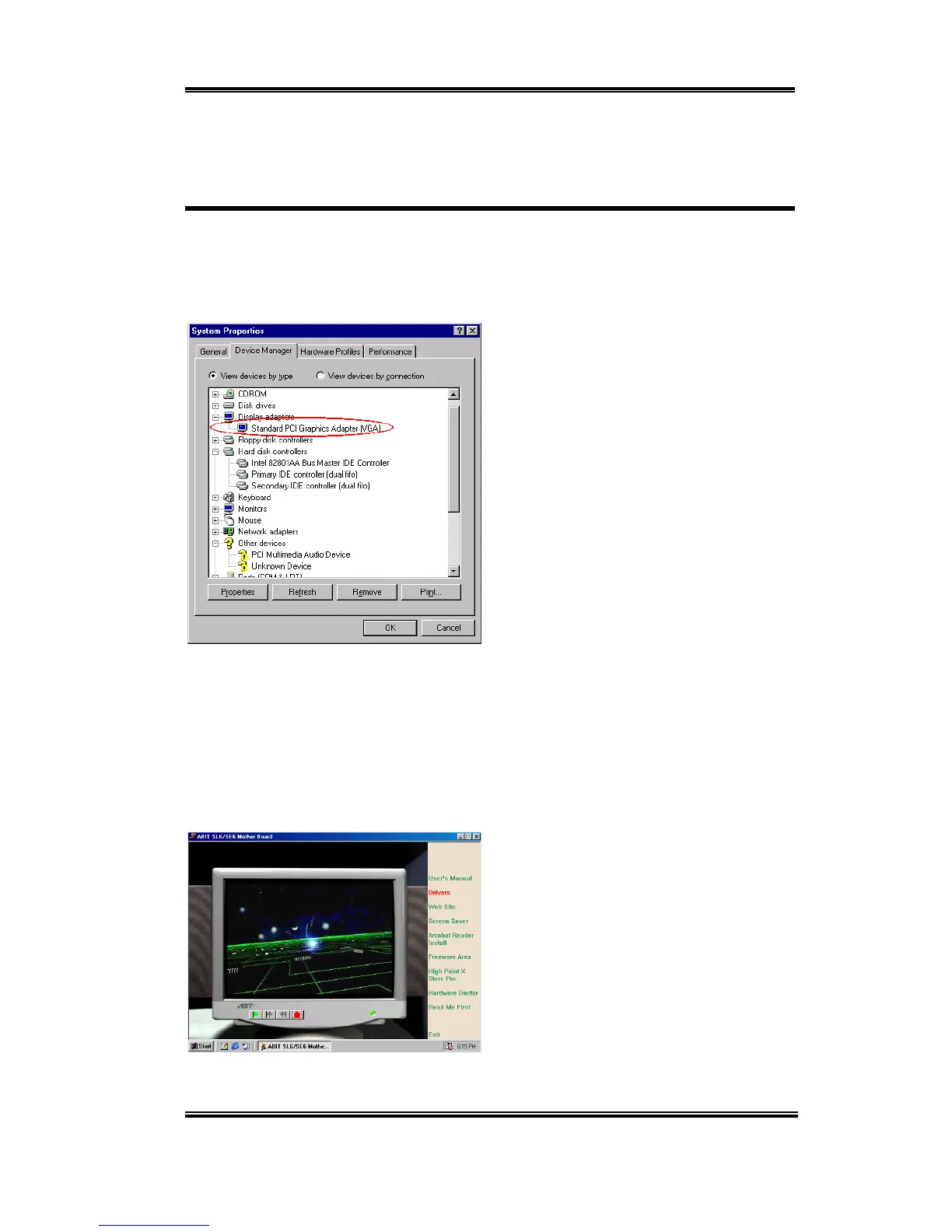
First, go to check the System Properties )
Device Manager ) Display Adapters,.
Your system now shows the "Standard
Display Adapter [VGA]".
Exit the device manager and insert the SL6 CD-Title into your CD-ROM drive, it should
execute the program automatically. If not, you can go to the CD location and execute the
execution file at the main directory of this CD-Title. After it has been executed you will see
the screen below. Move the cursor to the "Drivers" and click on it. This will take you to the
next screen.
Move the cursor to "Drivers" and click on it.
You will go to the next screen.



 To Next Page