Installing the Audio Driver for Windows
®
98 SE C-1
User’s Manual
Appendix C Installing the Audio Driver for
Windows
®
98 SE
We will show you how to install the audio drivers for Windows
®
98 SE operating system.
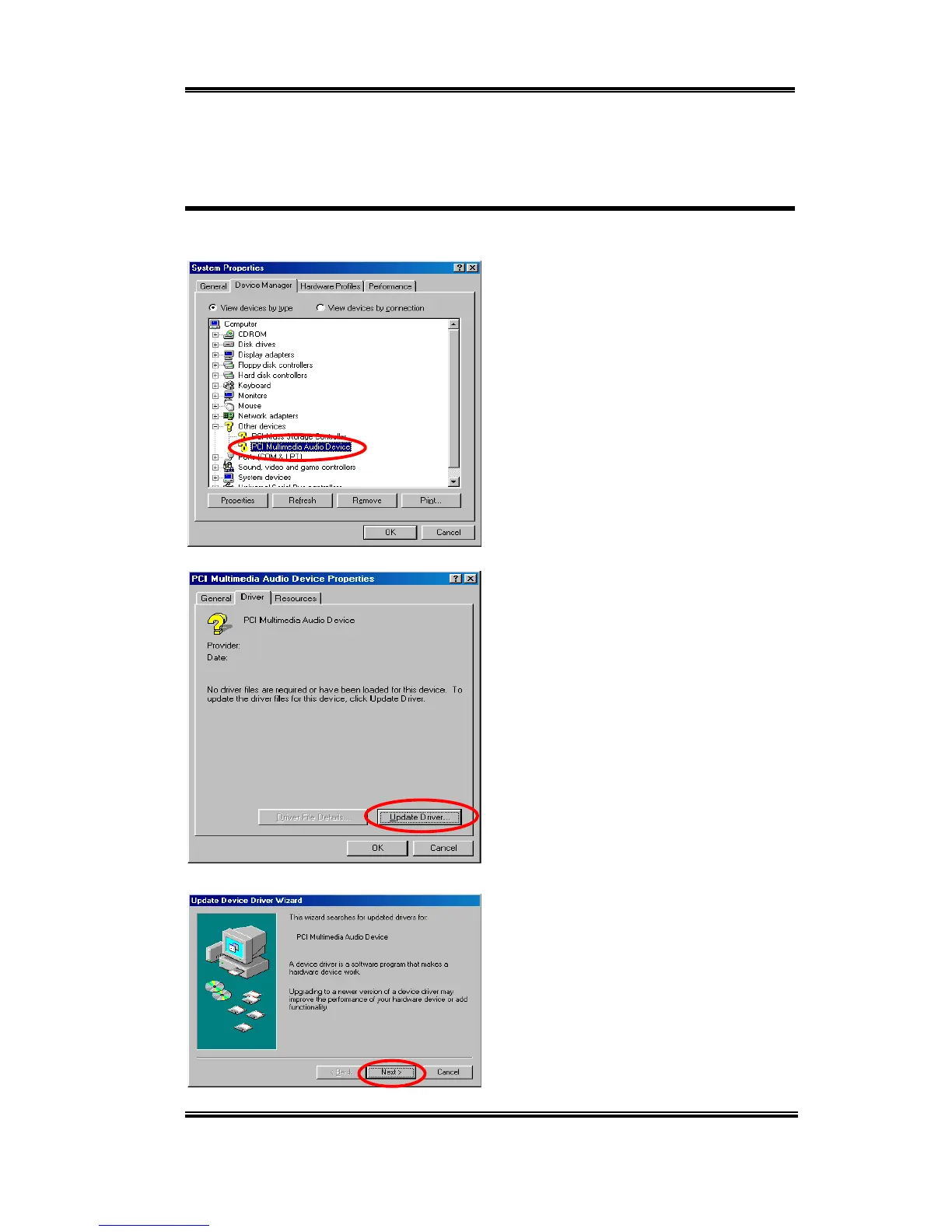
Please enter Control Panel, then check
System Properties ) Device Manager )
Other Devices. Your system should now
show "
?
??
?
PCI Multimedia Audio Device".
Select it and then click “Properties.”
Select “Driver” and then click “Update
Driver.”
Click “Next.”



 To Next Page