BIOS Setup 3-9
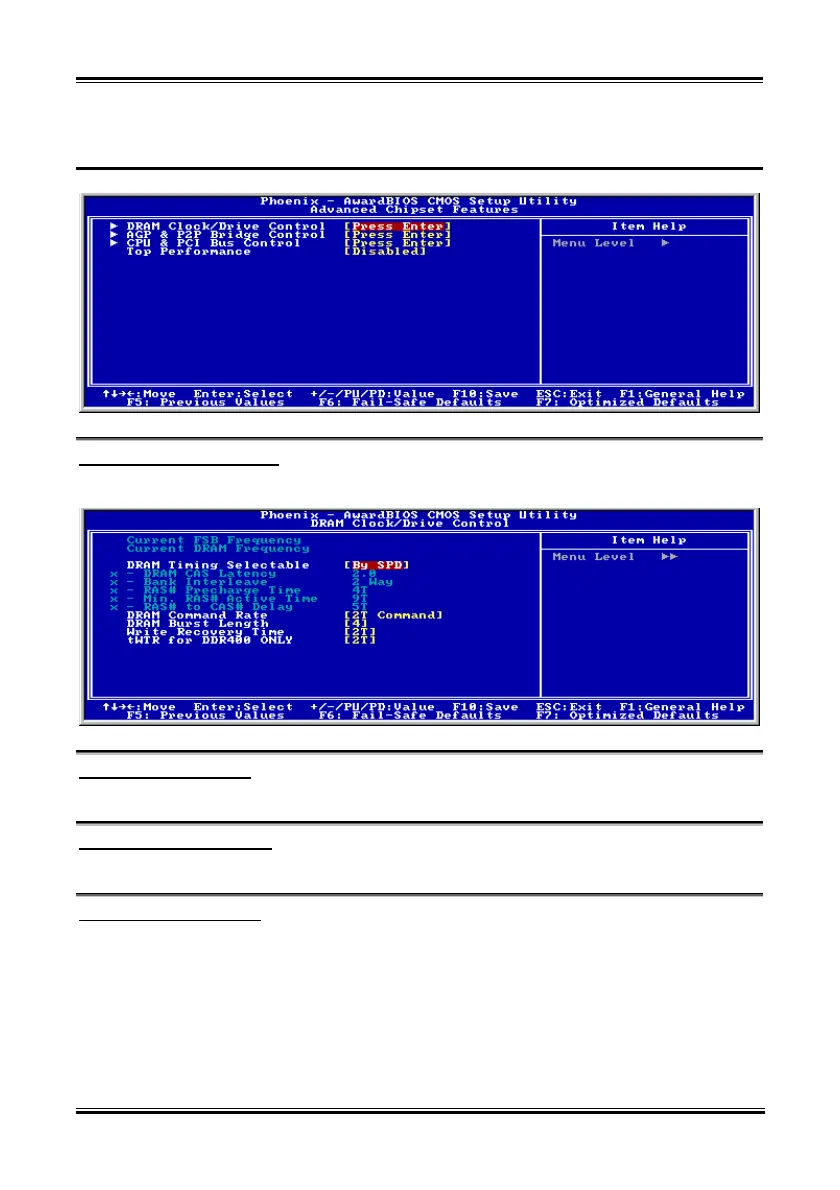
3-4. Advanced Chipset Features
DRAM Clock/Drive Control:
Click <Enter> key to enter its submenu:
Current FSB Frequency:
This item will show you the current system front side bus speed.
Current DRAM Frequency:
This item will show you the current DRAM bus speed.
DRAM Timing Selectable:
Four options are available: Manual By SPD Turbo Ultra. The default setting is By SPD. When
set to “By SPD”, the BIOS will read the DRAM module SPD data and automatically set to the values
stored in it. If you set to “Manual”, the following five items will be available to let you make
adjustments.
DRAM CAS Latency:
The options are: [1.5], [2.0], [2.5], and [3.0].
User’s Manual



 To Next Page