BIOS Setup 3-17
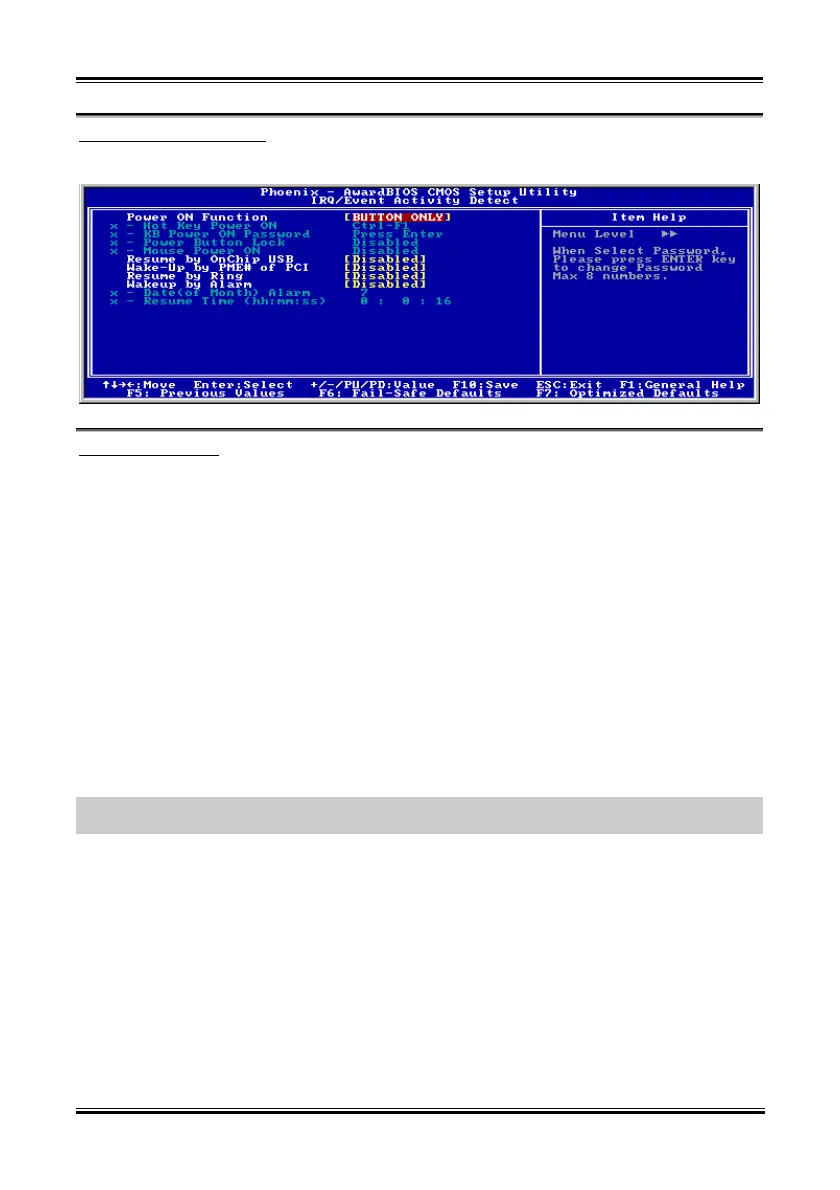
IRQ/Event Activity Detect:
Click <Enter> key to enter its submenu:
Power On Function:
This item selects the way to power on the system.
[Button Only]: Power on the system by clicking the Power Button only.
[Password]: Power on the system by typing the password you want for up to 8 characters. Please follow
the on-screen instruction to confirm the password.
[Hot Key]: Power on the system by clicking the hot-key combination you set.
[Mouse]: Power on the system by clicking the button of PS/2 mouse.
Hot Key Power ON:
This item powers on the system by clicking the hot-key combination you set from <Ctrl+F1> ~
<Ctrl+F12>, <Power>, <Wake> and <Any Key>.
KB Power ON Password:
This item appears only when setting the item “Power On Function” to [Password]. You may type in the
password you want in this option.
NOTE: Do not forget your password, or you will have to clear the CMOS and reset all parameters in
order to utilize this function again.
Power Button Lock:
This item appears only when setting the item “Power On Function” to [Password].
After setting the item “Power On Function” to [Password], and then entering the password for [KB Power
On Password], setting this item to [Enabled] will disable the Power-Button function. Typing the password
set in the item “KB Power ON Password” will be the only way to power on the system.
Mouse Power ON:
This item appears only when setting the item “Power On Function” to [Mouse].
After setting the item “Power On Function” to [Mouse], setting this item to [Enabled] will allow you to
power on the system by clicking the button of PS/2 mouse.
User’s Manual



 To Next Page