J-4 Appendix J
VL6
For Windows
®
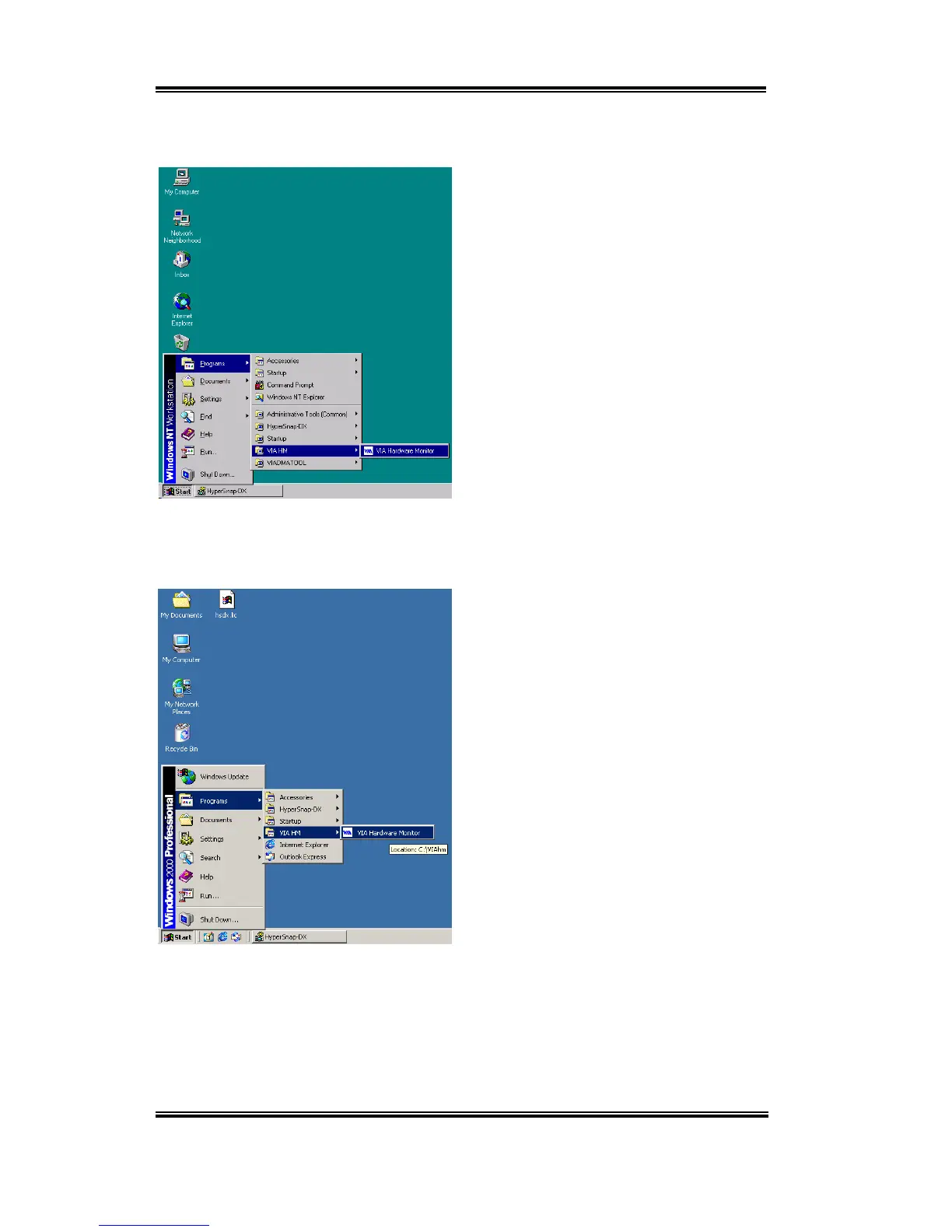
NT Screen Shot:
When installation is complete, choose
“
Programs
” from the “
Start
” toolbar. You
can see the program group “
VIA HM
” and
an item called “
VIA Hardware Monitor
”.
Click it, and then you can see the same VIA
HWM screen at the previous page.
For Windows
®
2000 Screen Shot:
When installation is complete, choose
“
Programs
” from the “
Start
” toolbar. You
can see the program group “
VIA HM
” and
an item called “
VIA Hardware Monitor
”.
Click it, and then you can see the same VIA
HWM screen at the previous page.


 To Next Page
 Loading...






