Introduction of the BIOS 3-15
User’s Manual
3-4.
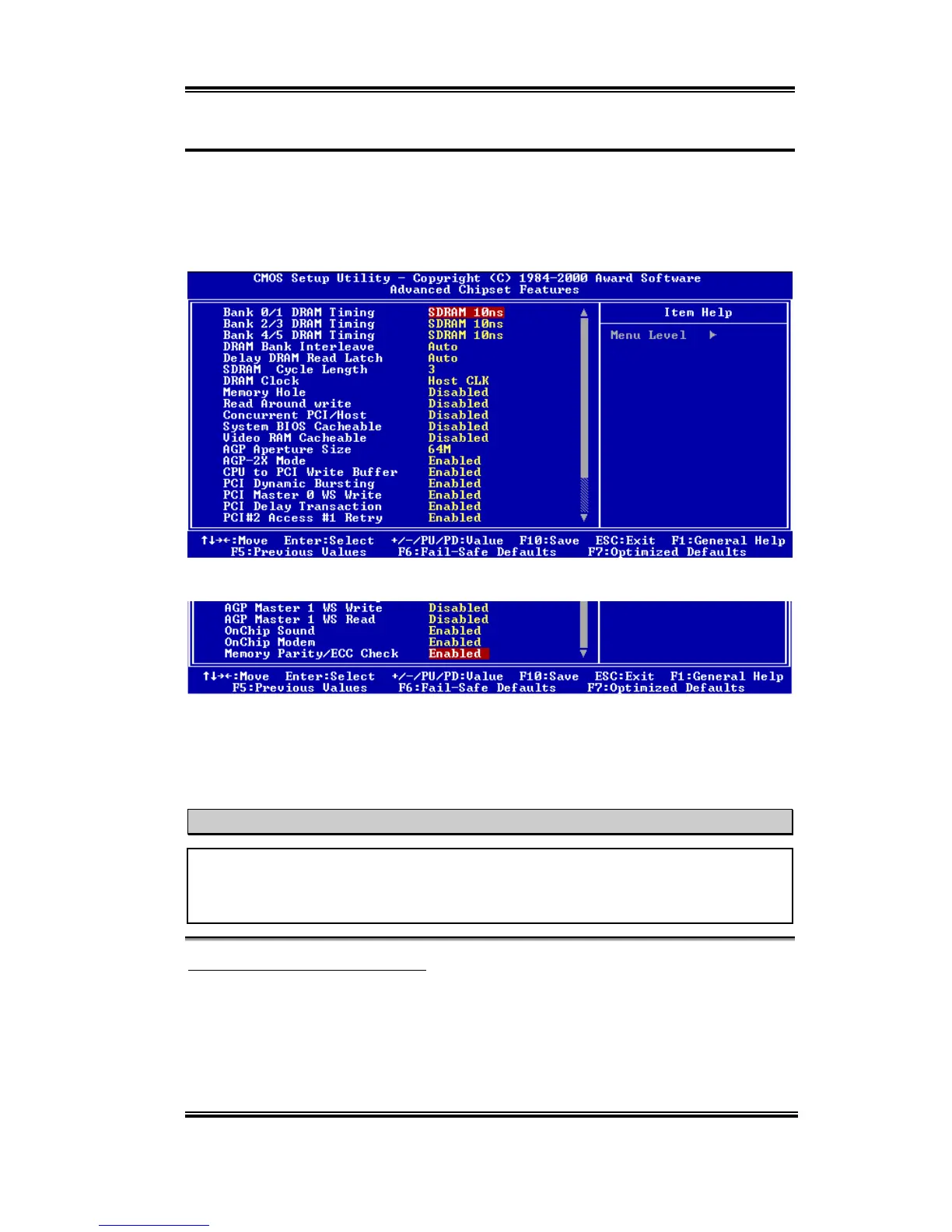
Advanced Chipset Features Setup Menu
The Chipset Features Setup Menu is used to modify the contents of the buffers in the chipset
on the motherboard. Since the parameters of the buffers are closely related to hardware, if
the setup is not correct or is false, the motherboard will become unstable or you will not be
able to boot up. If you don’t know the hardware very well, use default values (i.e. use the
LOAD SETUP DEFAULTS option).
Figure 3-5A. Advanced Chipset Features Setup Upper Screen
Figure 3-5B. Advanced Chipset Features Setup Lower Screen
You can use the arrow keys to move between the items. Use
PgUP
,
PgDn
,
+
or
-
key to
change the values. When you have finished setting up the chipset, press
ESC
to go back to
the main menu.
Note
The parameters in this screen are for system designers, service personnel, and
technically competent users only. Do not reset these values unless you understand the
consequences of your changes.
Bank 0/1, 2/3, 4/5 DRAM Timing:
The DRAM timing of Bank 0/1, 2/3, 4/5 in this field is set by the motherboard manufacturer,
depending on whether memory module preset. For end users, we do not suggest that you to
change the setting. Except when you actually know what kind memory module you use.
The Choice: SDRAM 10ns
'
SDRAM 8ns
'
Normal
'
Medium
'
Fast
'
Turbo
'
Back to SDRAM 10ns. The default setting is
SDRAM 10ns
.



 To Next Page