Installing the VIA Service Pack Drivers for Windows
®
98 SE A-1
User’s Manual
Appendix A.
Installing the VIA Service Pack
Drivers for Windows
®
98 SE
After you’ve installed Windows
®
98, you need to install the VIA Service Pack drivers. We
will tell you step by step in the following section how to do this.
Note A-1
You have to install the VIA Service Pack drivers before you install the VGA and audio
drivers. After installing Windows
®
the quality of your display will be poor because it
will be set to 640*480 and 16 color. For the best screen capture quality, install the VGA
drivers and set the desktop to 800*600 using True Color.
Note A-2
Details of the Windows
®
98 SE operating system will not be mentioned in this manual. If
you have any problems with Windows
®
98 SE installation, operations and settings please
refer to your Windows
®
98 SE user's manual or other databases provided by Microsoft
®
Corporation.
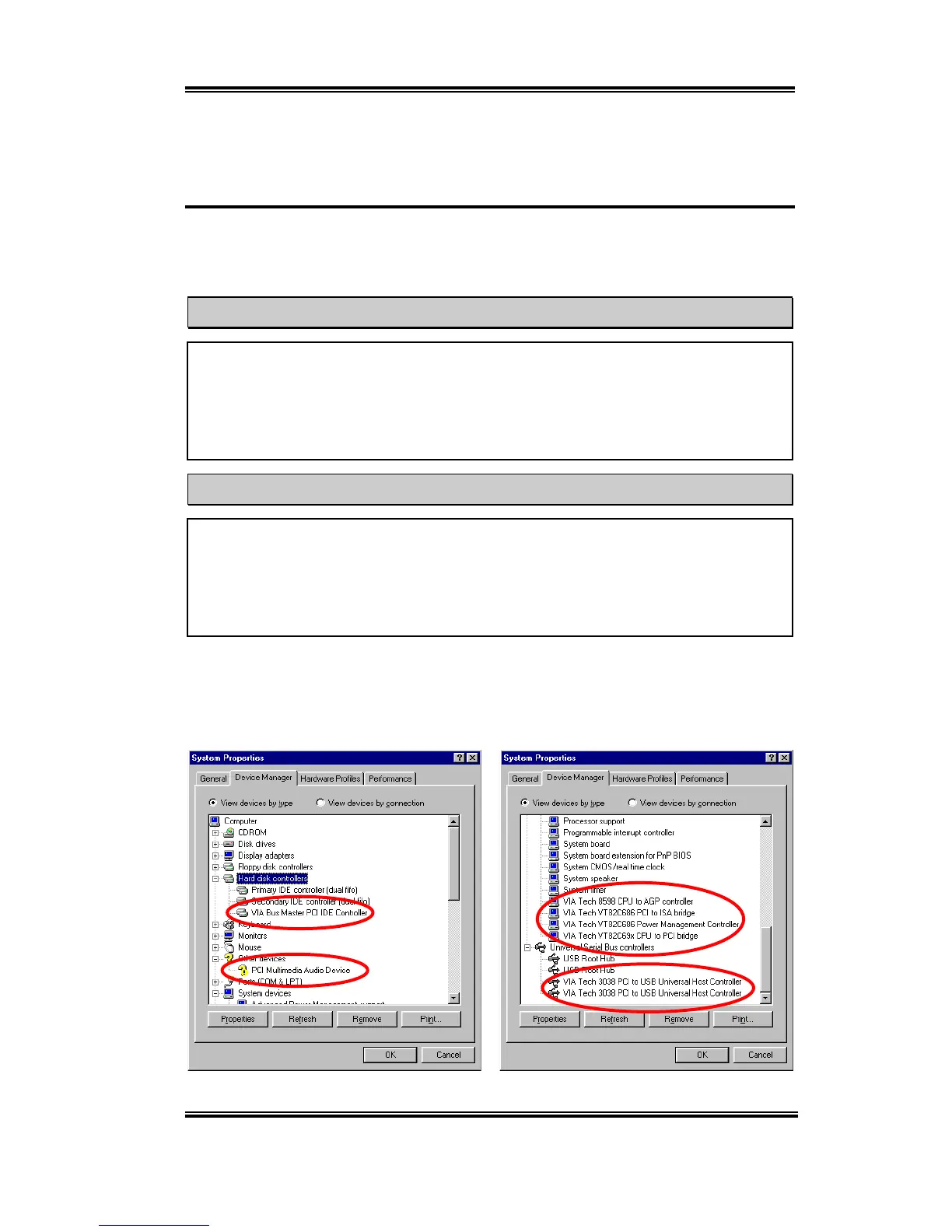
First, go to check the
System Properties '
Device Manager
. We will show you several
places that identify the VIA chipset and controller. Some items will illicit questions. (We’ll
discuss the VIA PCI Audio drivers installation in next chapter.)



 To Next Page