H-2 Appendix H
VL6
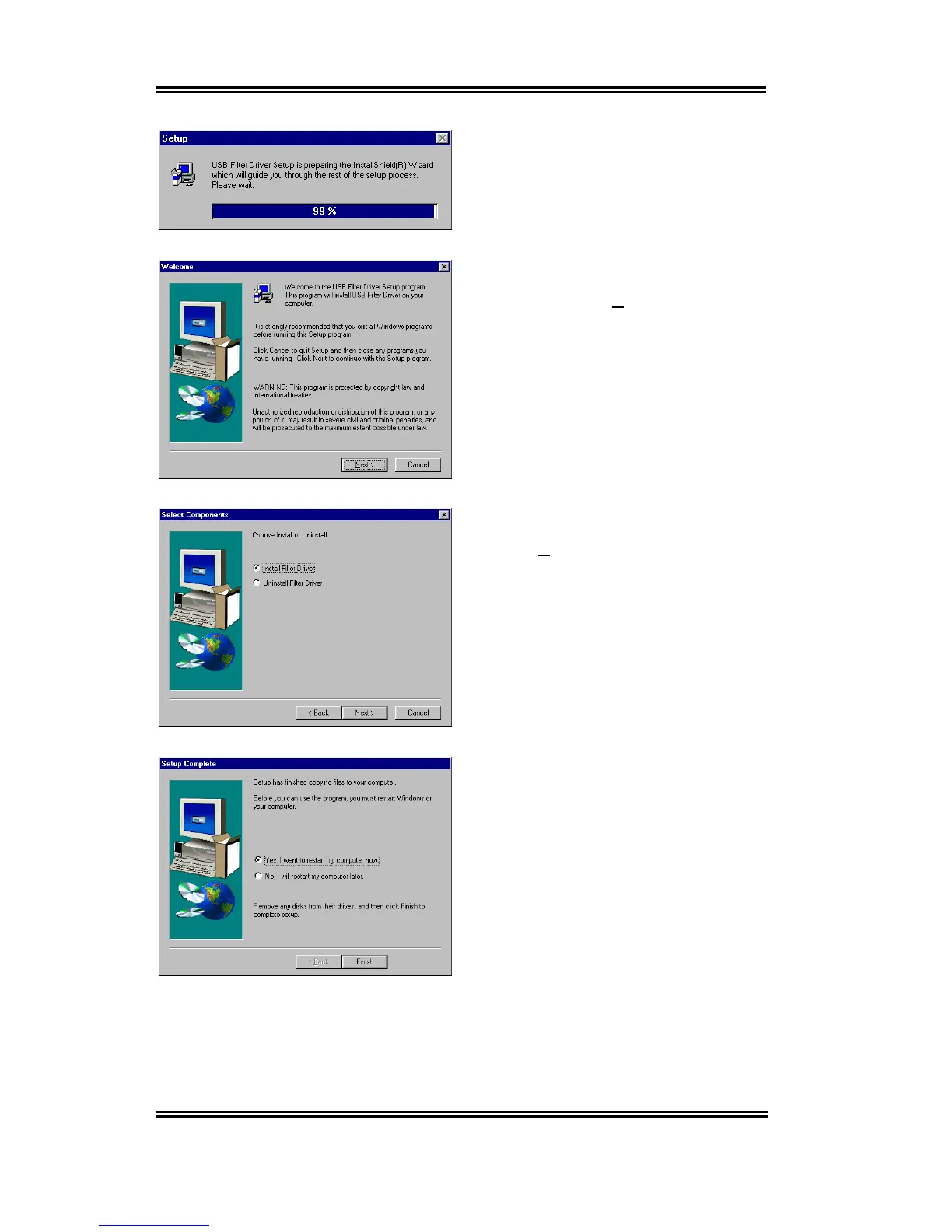
The installer will show the install progress
percentage.
You will now see the welcome screen and its
dialogue box. Click “
Next>
” to go on.
Choose the “
Install Filter Driver
”, then
click the “
Next>
” button to go on.
When the installation is complete, the
installer will ask you to restart your
computer. We suggest that you choose “
Ye s ,
I want to restart my computer now
” then
click the "Finish" button to restart your
computer to finish the driver updates.



 To Next Page