Absolute Boilers ABS 1500-2000-2500-3000-4000
60
Step 2:
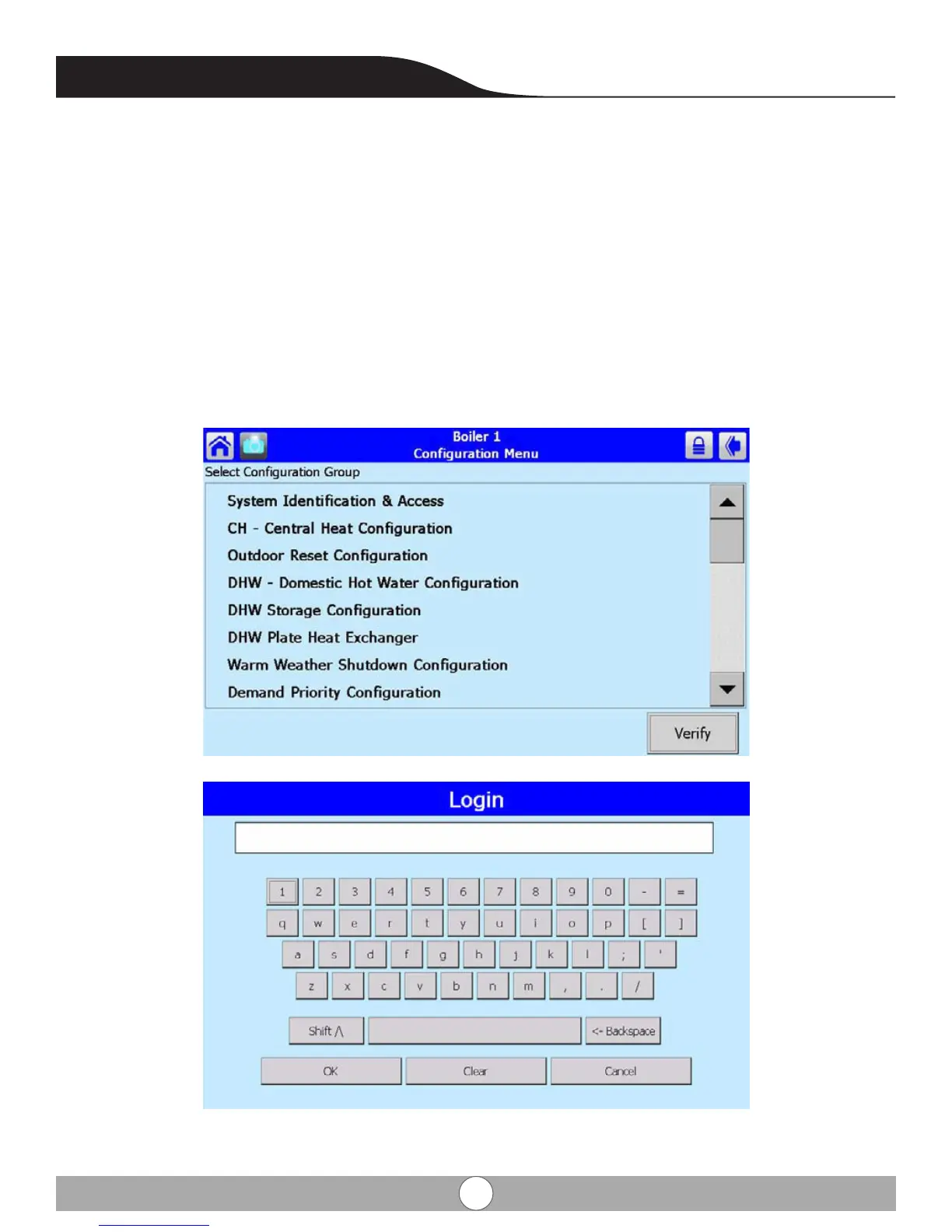
From the Conguration window, use the slide bar on the right had side and select the group by touching the group name.
Step 3:
Verify in correct group and view setting, determine the parameter in the group you wish to either view (conrm) or
change, if changes to a group parameter is needed, a service password will have to be entered.
Step 4:
Enter service password (Serial #) by touching the locked padlock icon near the top right hand corner, this will bring
you to the login screen enter service password (serial #). The locked padlock icon will change to an unlock padlock
icon and return back to the conguration menu, select the conguration group and then inside each group are specic
parameters.


 To Next Page