Absolute Boilers ABS 1500-2000-2500-3000-4000
59
8.1 Honeywell Sola Control Programming/Conguration
The Honeywell control has been fully programmed and congured by the factory for most installations, in most installation
no adjustments or congurations are required, please note that optional items like, Outdoor reset, DHW production
and lead/lag systems require conguration, see separate instruction provide with the kits.
The Honeywell Sola has 3 dierent levels or access.
a. OEM – Factory = (factory only)
b. Service – (Service password or login = serial #)
c. User – (no password or login required)
A = OEM – Factory, access by authorized factory personnel only
B = Service – trained installers, operators (Access to congure optional items, lead/lag, etc.)
C = User – end user or operator (limited access)
In the conguration menu the User no password required has access to view all parameters but user cannot change
unless either a Service or OEM password is entered.
Login only required if specic parameters are required to be accessed, for example cascade or outdoor reset or DHW
production all other parameter shall not be changed without consent from the Manufacturer.
8.2 Programming Access:
Step 1:
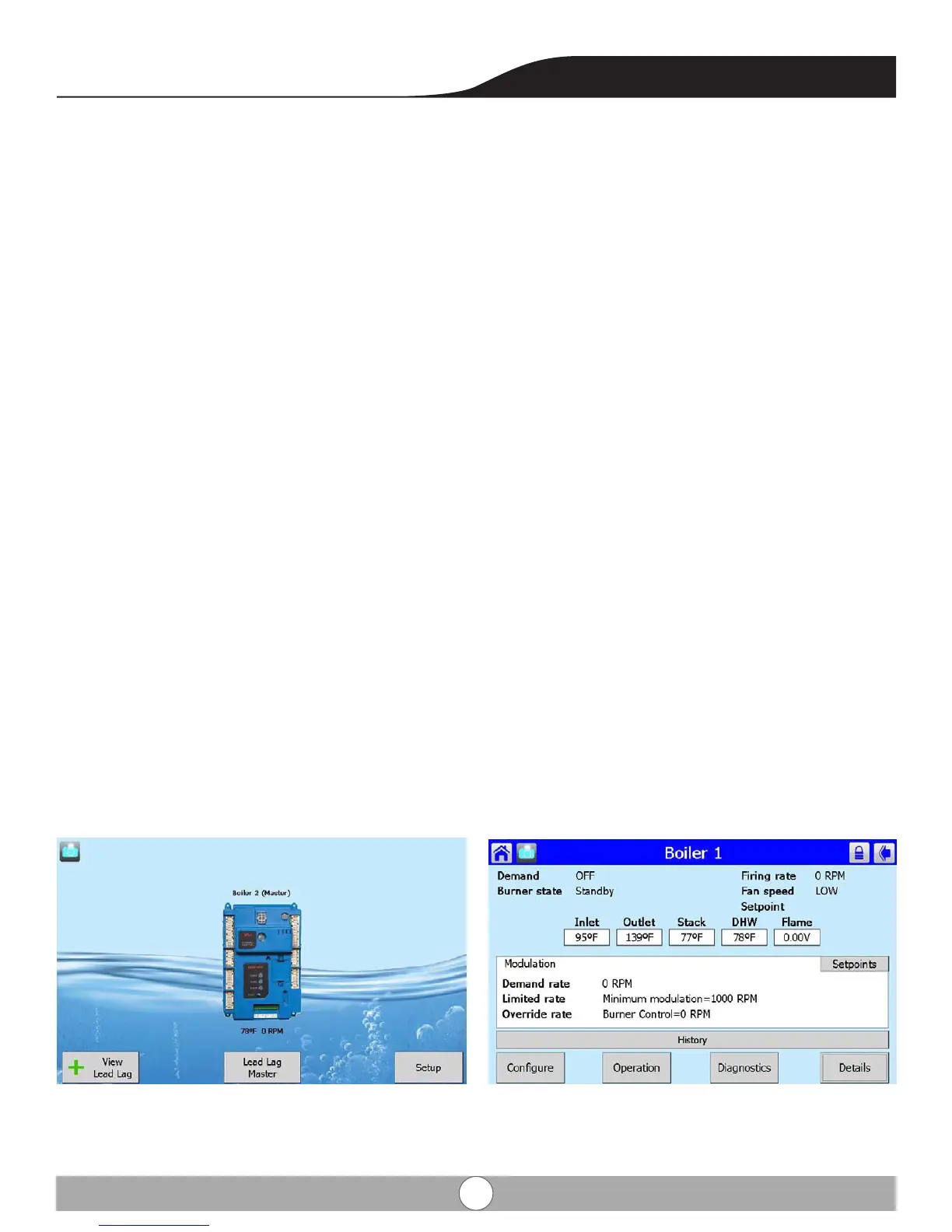
from the Home screen touch the Sola control icon. From the overview screen touch the congure button in the bottom
left hand corner.


 To Next Page