9.3.2. Setup via network cable (optional)
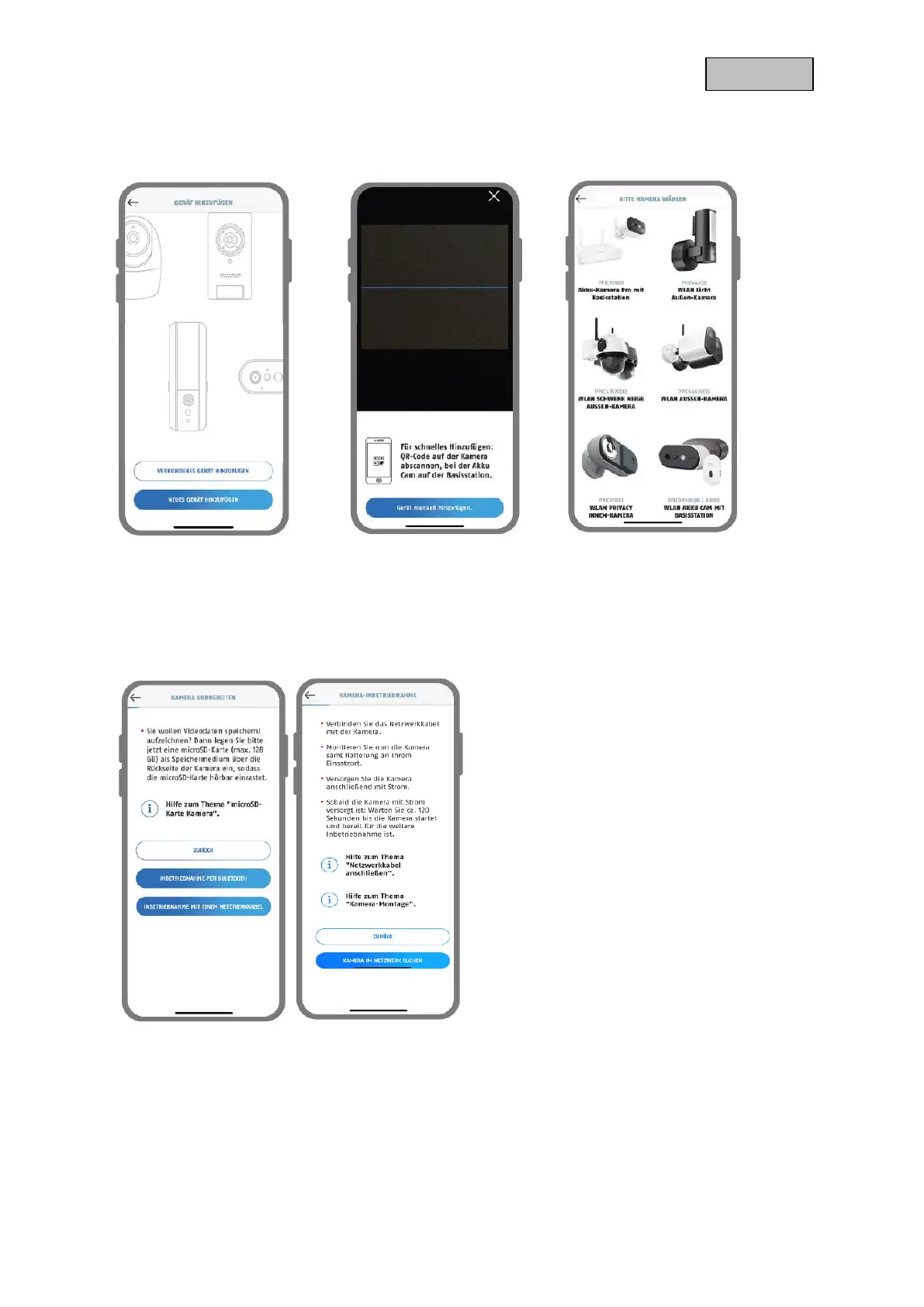
1 2 3
1. Launch the App2Cam Plus and select "Add new camera" to start the setup process.
2. Option 1: Scan the QR code; located in the camera foot.
3. Option 2: Tap the "Add camera manually" button and then select your camera model from the list.
4 5
4. Select "setup via LAN".
5. Now connect the network cable and supply the camera with power. Now supply the camera with
power, if not already done, and wait 2 minutes until the status LED of the camera (behind lower
cover) flashes 2x short and 1x long. Click on "Search camera in network".


 To Next Page