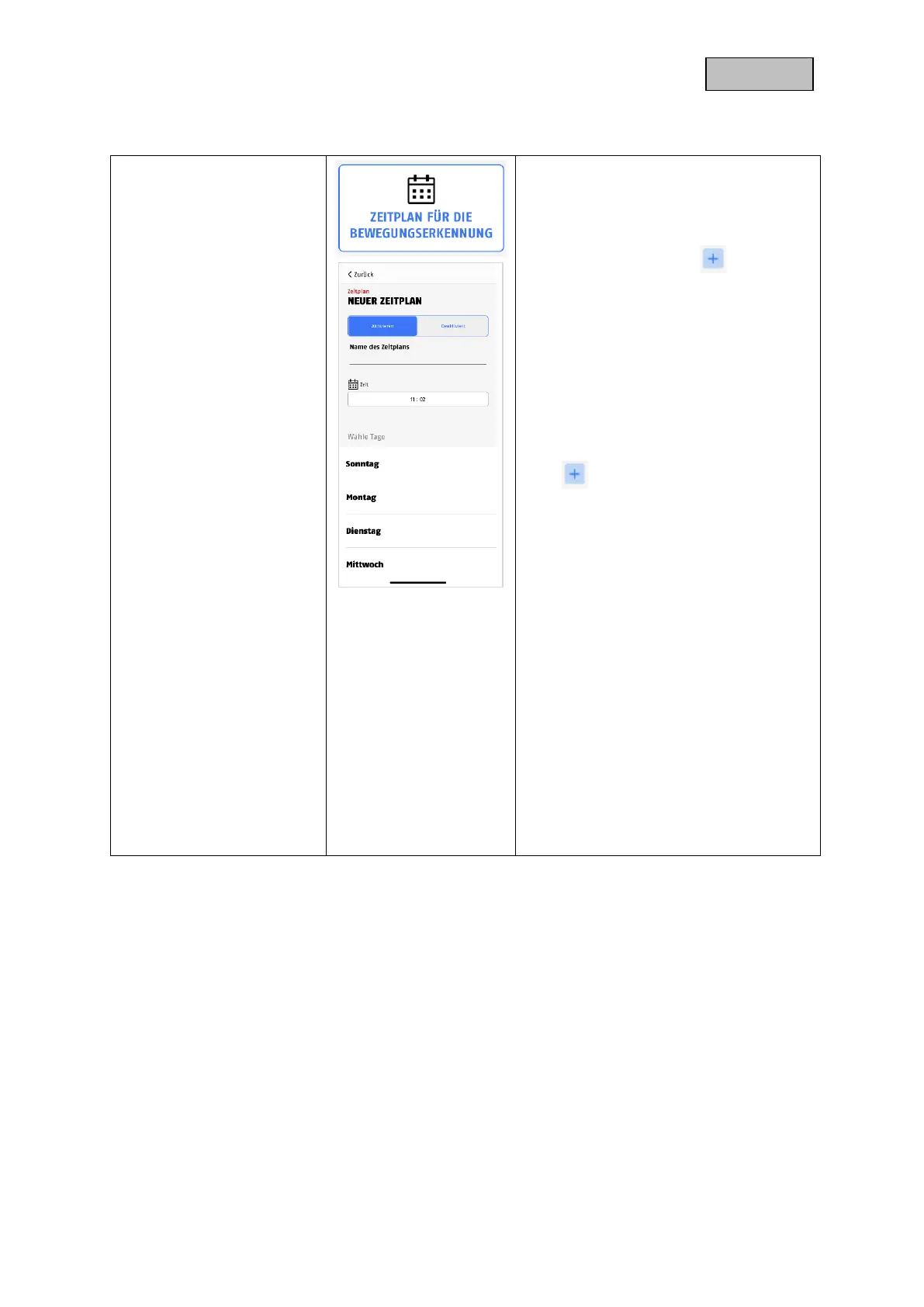
Click the Schedule for motion detection
button to set schedules.
Schedule settings
Press the plus symbol to add a
schedule.
Separate activations are created for the
start time and the end time.
Select the start time and assign a
schedule name for it.
Select the days for the repetition and the
action (enable / disable) for the start time.
Save by clicking "Done".
For the end time, press the plus symbol
again .
Now enter the end time, the schedule
name and the repetition. Please select the
contrast to the previous one at Action and
save it by clicking "Done".
E.g.
Start time 21.00 from Mon-Fri, action
activation
End time 06:00 from Mon-Fri, action
deactivation
The camera records only in the period
between 9 pm - 6 am when there is
movement.
To delete a schedule, click on the trash
can icon in the upper right corner and then
on the minus symbol next to the desired
setting.


 To Next Page