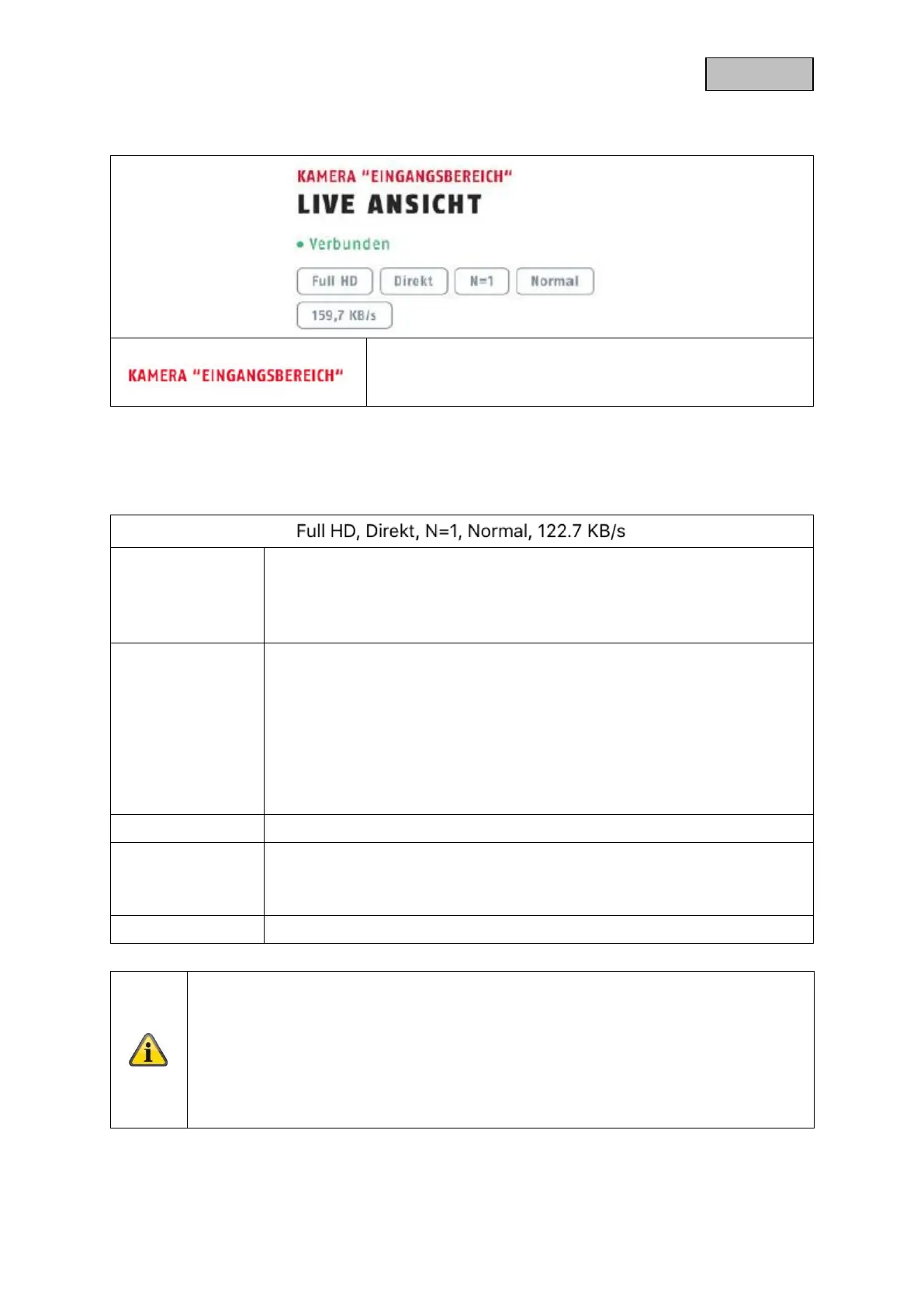
Camera name
You can change the name of the camera in the advanced
settings.
Display of the resolution of the current stream
Display of the current connection status
Direct:
The Peer2Peer server was able to establish a direct connection between your
end device and the camera.
Relay server*:
The Peer2Peer server could not establish a direct connection. The video data
is stored on the relay server for a short time so that your end device can obtain
the data from the server. This causes a delay in the stream.
Number of simultaneous camera accesses
Display of the current estimation of the connection
This represents the connection between the camera and the router.
Display of the currently consumed kilobits per second
*Note
If the connection to your camera is always made via the relay server, please check the
following settings:
• Check if UPnP is enabled in your router
• Check if a hardware firewall or a software firewall denies a direct connection
• Check if multiple "hops" (routers) are installed between the terminal and the
Internet.


 To Next Page