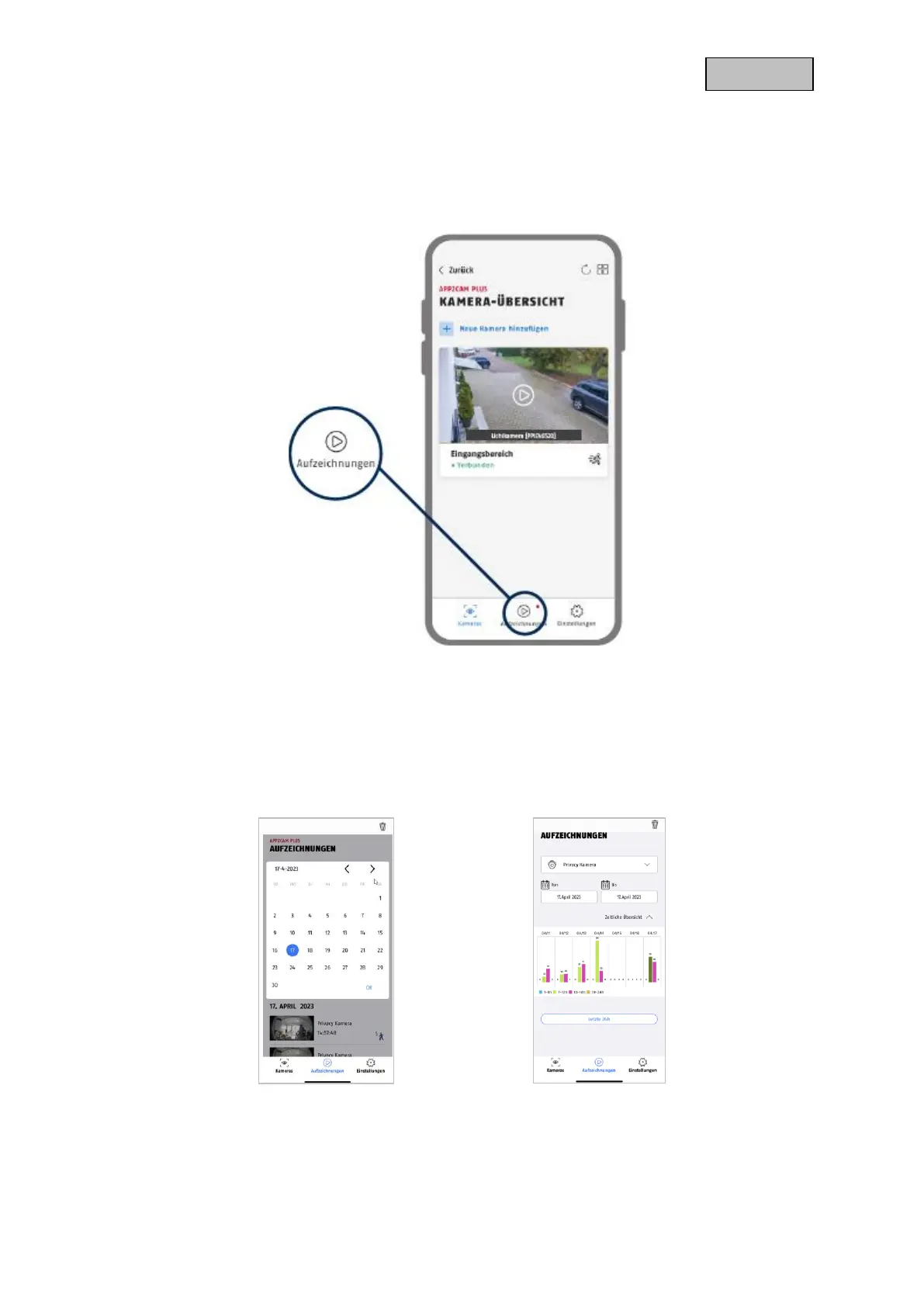
9.6. App2Cam Plus: Recording menu
9.6.1. Recording menu
Tap the recordings icon in the camera overview to call up the event list.
In the event list you can set a start and end time, click on the date selection for this. For this filter the
app will show you all recorded events in this time.
In the temporal overview, the frequency of the triggers is displayed for different time periods.
Images with object detection are displayed with icons for the detection.
Click on the preview image to view it, here the triggering object is shown.


 To Next Page