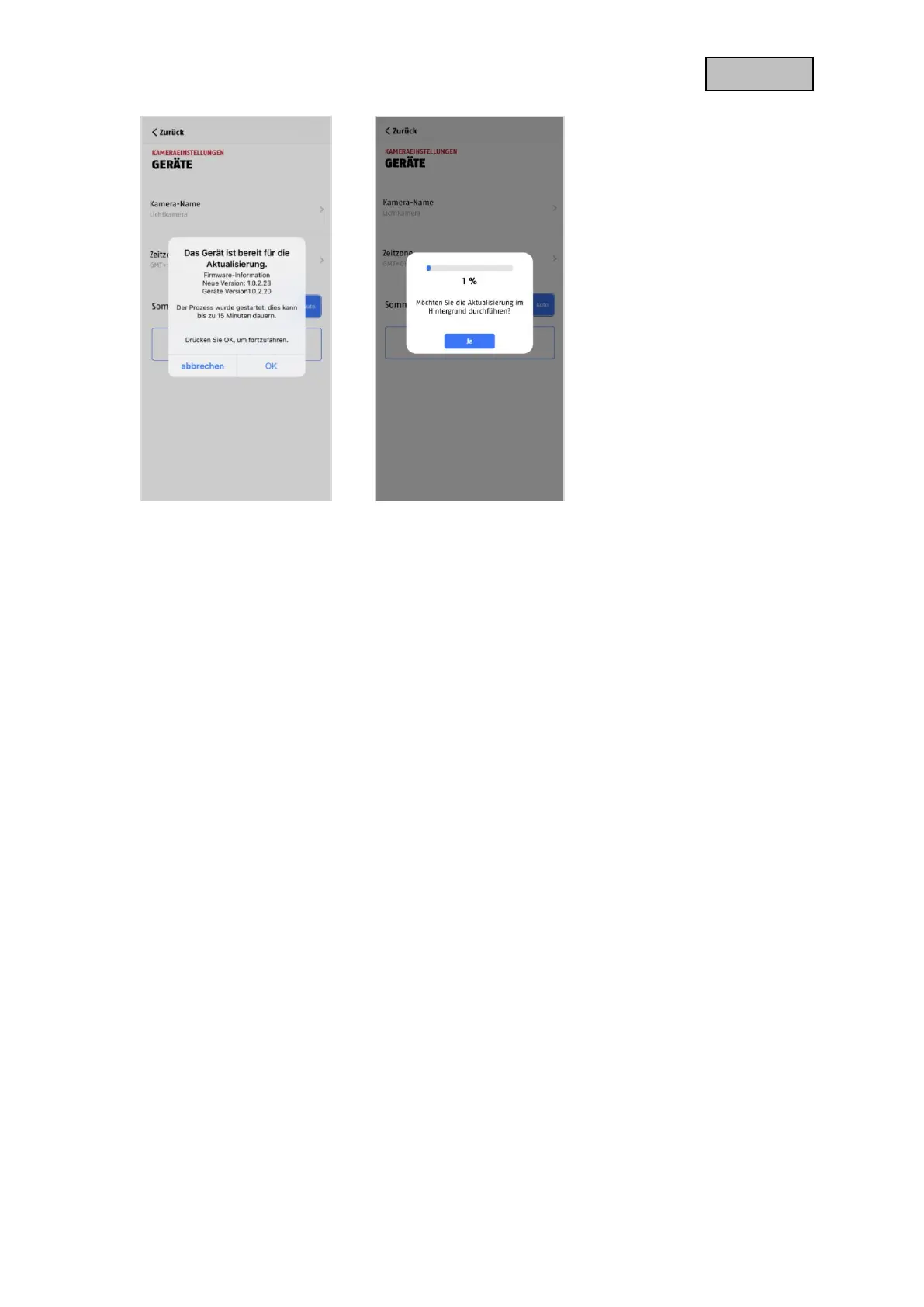
Option 2:
If you do not want to wait for the 6-hour interval, you can also have the camera actively search for a
newer firmware. To do this, press the menu item "Check for firmware updates now" in the advanced
settings if a firmware has not already been downloaded, the camera will now actively search for a newer
version and then save it to the SD card, this can take up to 5 minutes, exit the camera settings for this.
After the camera has downloaded the firmware, the next time you enter the advanced settings, a notice
will appear or you will receive a PUSH message so that you can confirm the firmware installation.
To do this, click on the menu item "Install firmware update now",
10.2. Current firmware version
For the cameras, some functions are only available with the latest firmware version. Therefore, make
sure that your devices are always up to date.


 To Next Page