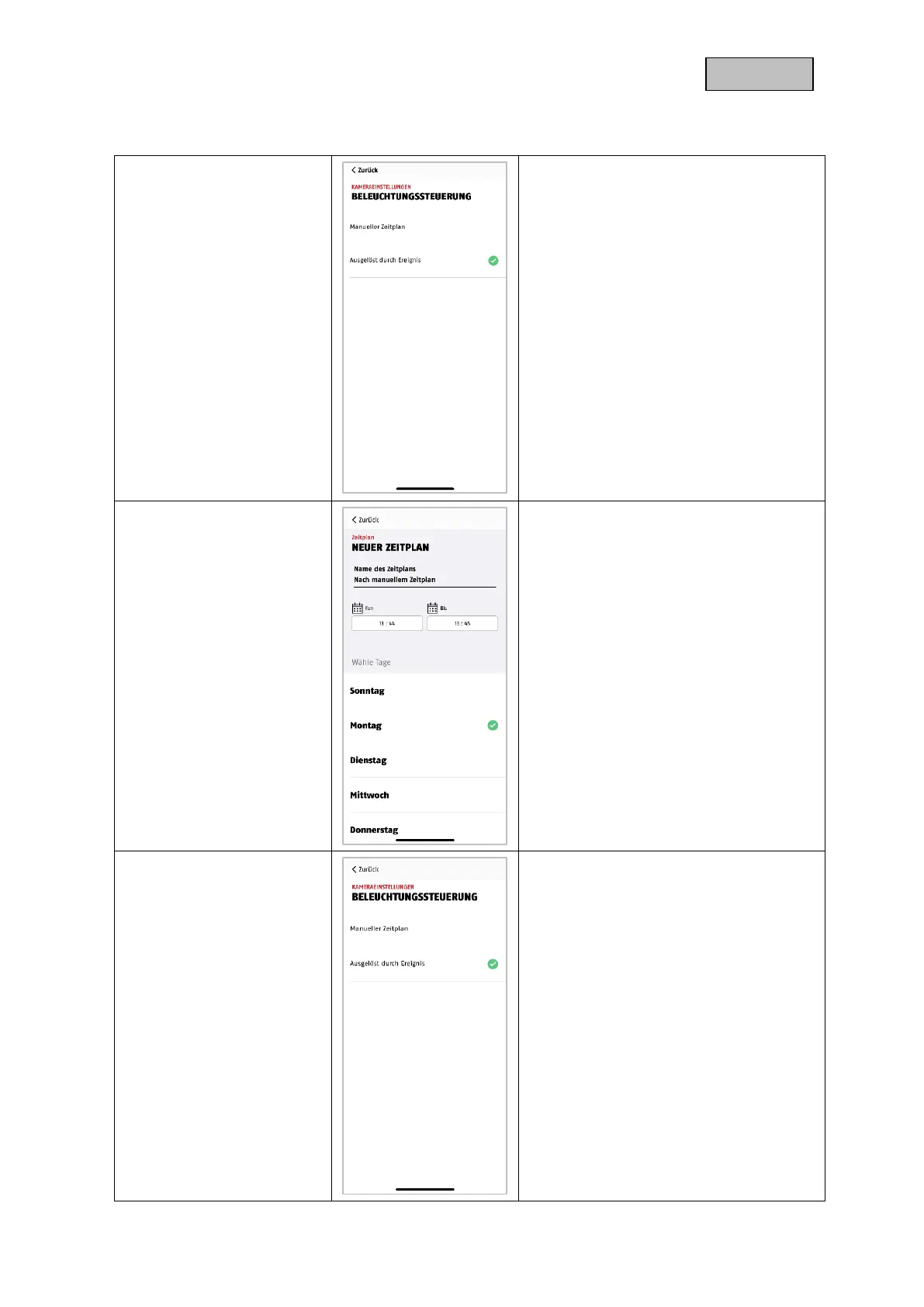
Make the settings for the light control
here.
The changes in the settings are only
applied after leaving the menu.
Here you can set a fixed period for the
control of the lighting.
During this time, the lighting is
permanently on and does not activate in
case of an event outside this period.
Set Light Control in Live View to Auto.
The lighting now reacts according to the
light sensor. If you enter the live view in
sufficient darkness or if a recording is
started, the light activates automatically.


 To Next Page