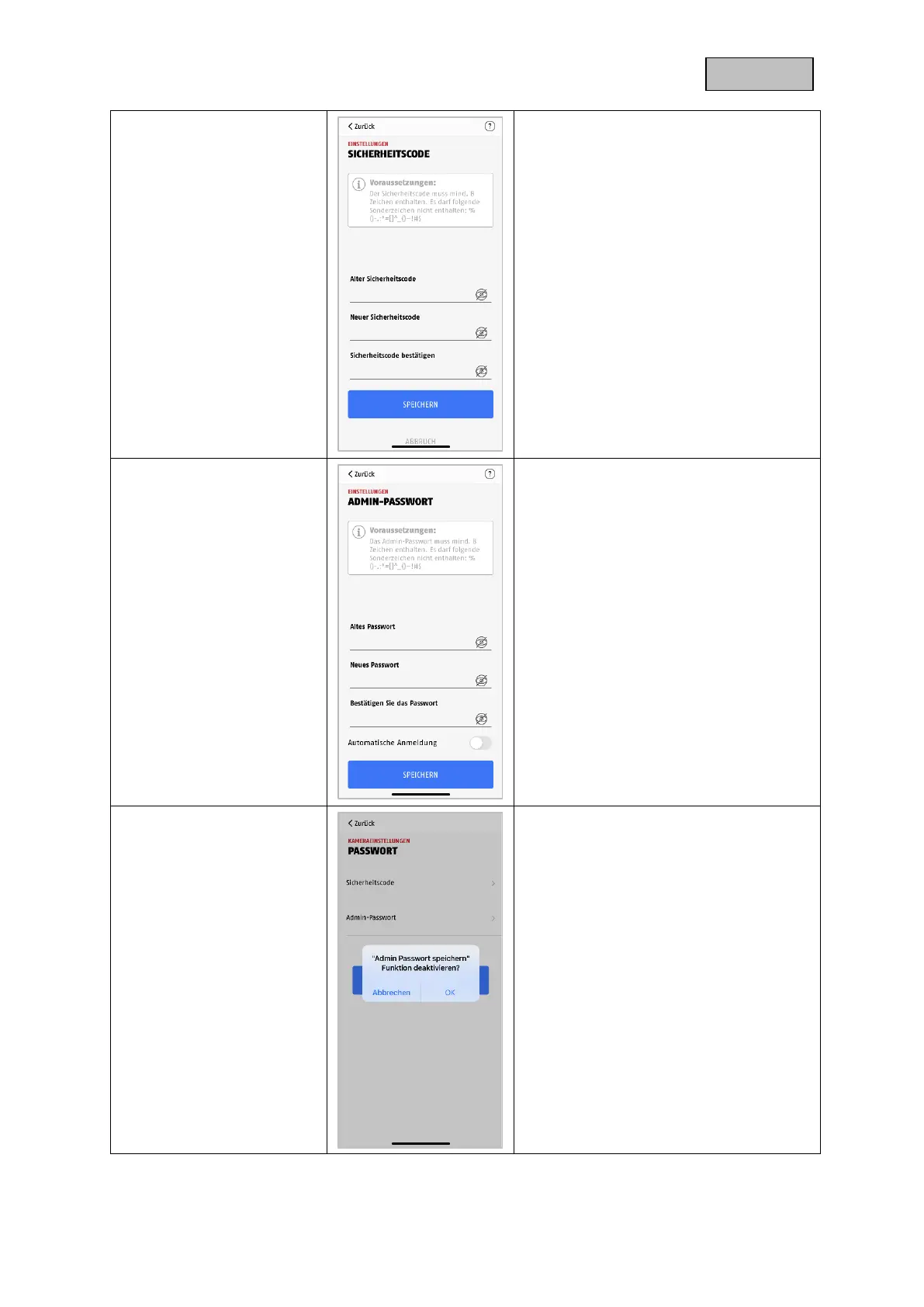
The security code is used to set up the
light camera in the app. The default code
is "123456" and must be changed during
the initial installation.
If you forget your security code, you can
reset the light camera by pressing the
reset button for about 5 seconds.
Attention: All settings including the
network connection will be lost.
The admin password grants access to the
camera settings and enables / disables
the camera recordings.
During the installation you assign your
own admin password.
If you forget your admin password, you
can reset the camera by pressing the
reset button for about 5 seconds.
The default admin password is "123456".
Attention:
All settings including the network
connection will be lost.
If you have already activated Auto Login,
you can deactivate the function here.
This menu item is only displayed if the
function has already been activated.


 To Next Page