AC S.A. All rights reserved. Copying, publishing, distribution and any usage of the full or partial data included in the herewith document, particularly pictures, drawings, illustrations, trade marks etc. is
strictly prohibited under the law.
Page 24 of 54
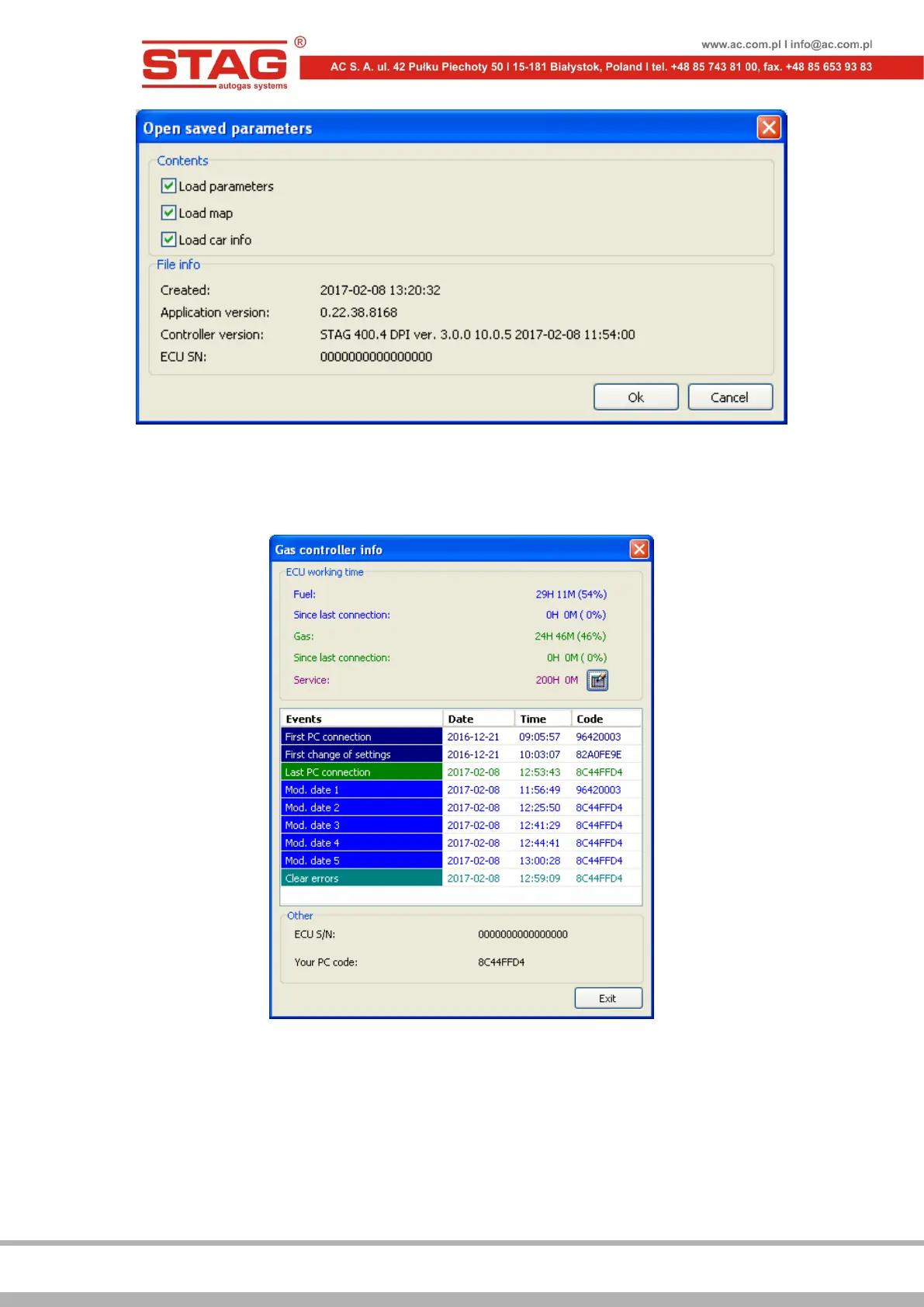
Figure 2.1.7 “Open saved parameters” window
• Help – information on the software and the controller
Figure 2.1.8 “Gas controller info” window
The window Gas controller info includes the following parameters:
o Fuel – the total controller operation time on petrol displayed in the following
format: H – hours, M – minutes, % – a percentage share in the total operation
time
o Since last connection – the time of operation on petrol from the last
connection to a PC
o Gas – the total controller’s operation time on gas


 To Next Page