AC S.A. All rights reserved. Copying, publishing, distribution and any usage of the full or partial data included in the herewith document, particularly pictures, drawings, illustrations, trade marks etc. is
strictly prohibited under the law.
Page 40 of 54
The user can adjust the number of displayed parameters by clicking on the button on the
parameter category bar, which collapses the parameters.
Additionally, by the indication of the wide band lambda probe (Lam. 1WR), there is the
symbol which, when pressed, changes the method for displaying the probe signal on the
oscilloscope – the signal becomes amplified.
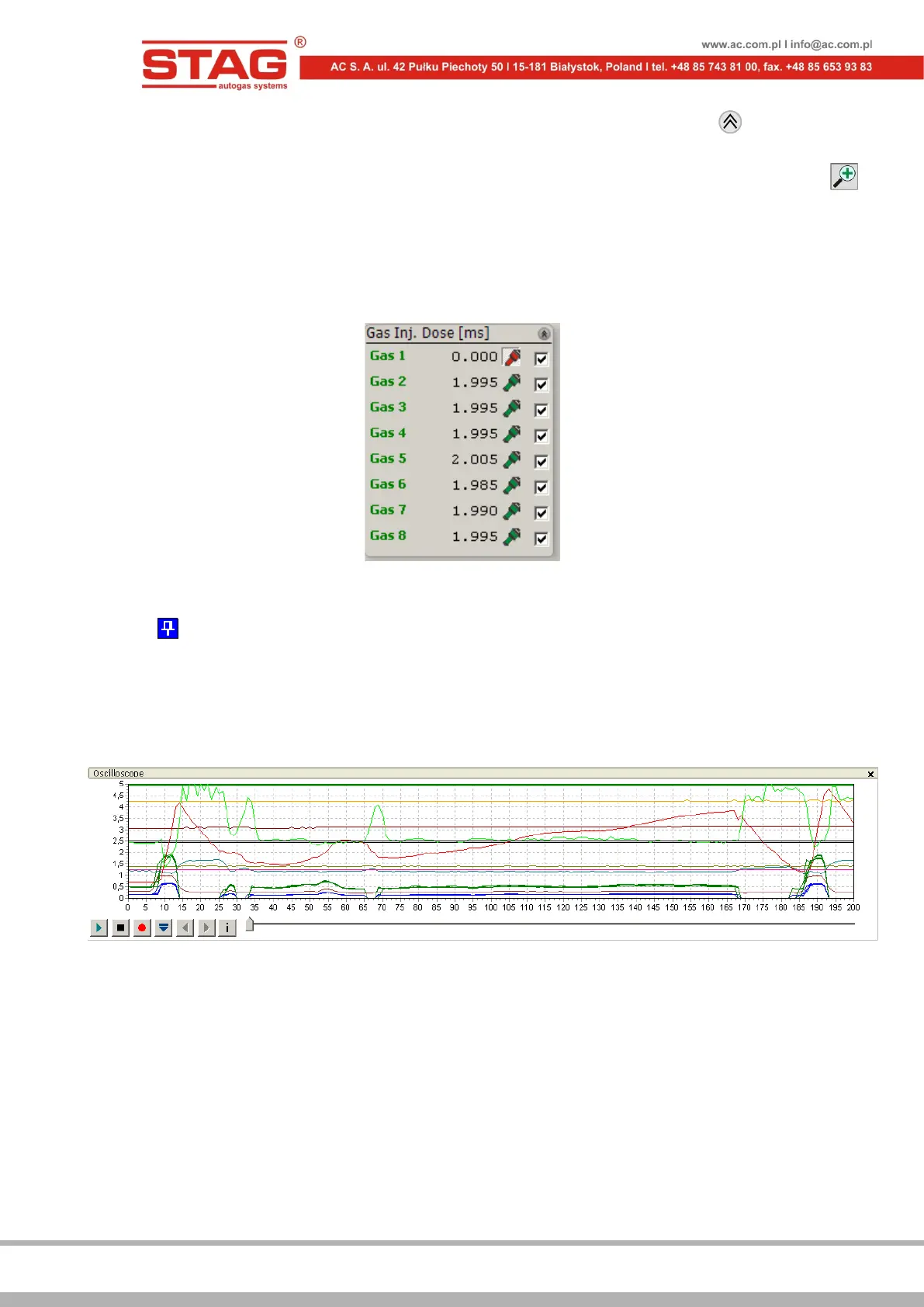
“Gas Inj. Dose” window enables the user to switch off particular LPG injectors by clicking on the
given injector’s symbol. This option allows detecting mechanical damage to an LPG injector.
Figure 2.1.27 “Gas Inj. Dose” window
What is more, Monitor window offers the auto-hide option, which can be activated by clicking on
the symbol on the window’s bar. A hidden window will be displayed as a bar only. A hidden
window automatically drops down, if the mouse cursor is pointed on its bar.
2.1.10 “Oscilloscope” window
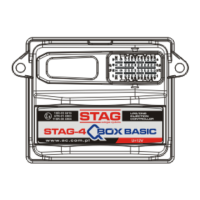
To make „Oscilloscope” window visible, select Window → Oscilloscope from the main menu.
Figure 2.1.28 “Oscilloscope” window
“Oscilloscope” window displays all the signals visible in the "Monitor" and “OBD Monitor"
windows. All the control buttons have the following functions, starting from the left-hand side:
• Start the oscilloscope;
• Stop the oscilloscope;
• Record the current oscilloscope;
• Load the oscilloscope from a file saved on the hard drive;
• Reduce the diagram scale;
• Increase the diagram scale.
• Display oscilloscope file information (data logging start/stop, total number of stored
samples, application version, controller version, controller serial number).


 To Next Page