AC S.A. All rights reserved. Copying, publishing, distribution and any usage of the full or partial data included in the herewith document, particularly pictures, drawings, illustrations, trade marks etc. is
strictly prohibited under the law.
Page 46 of 54
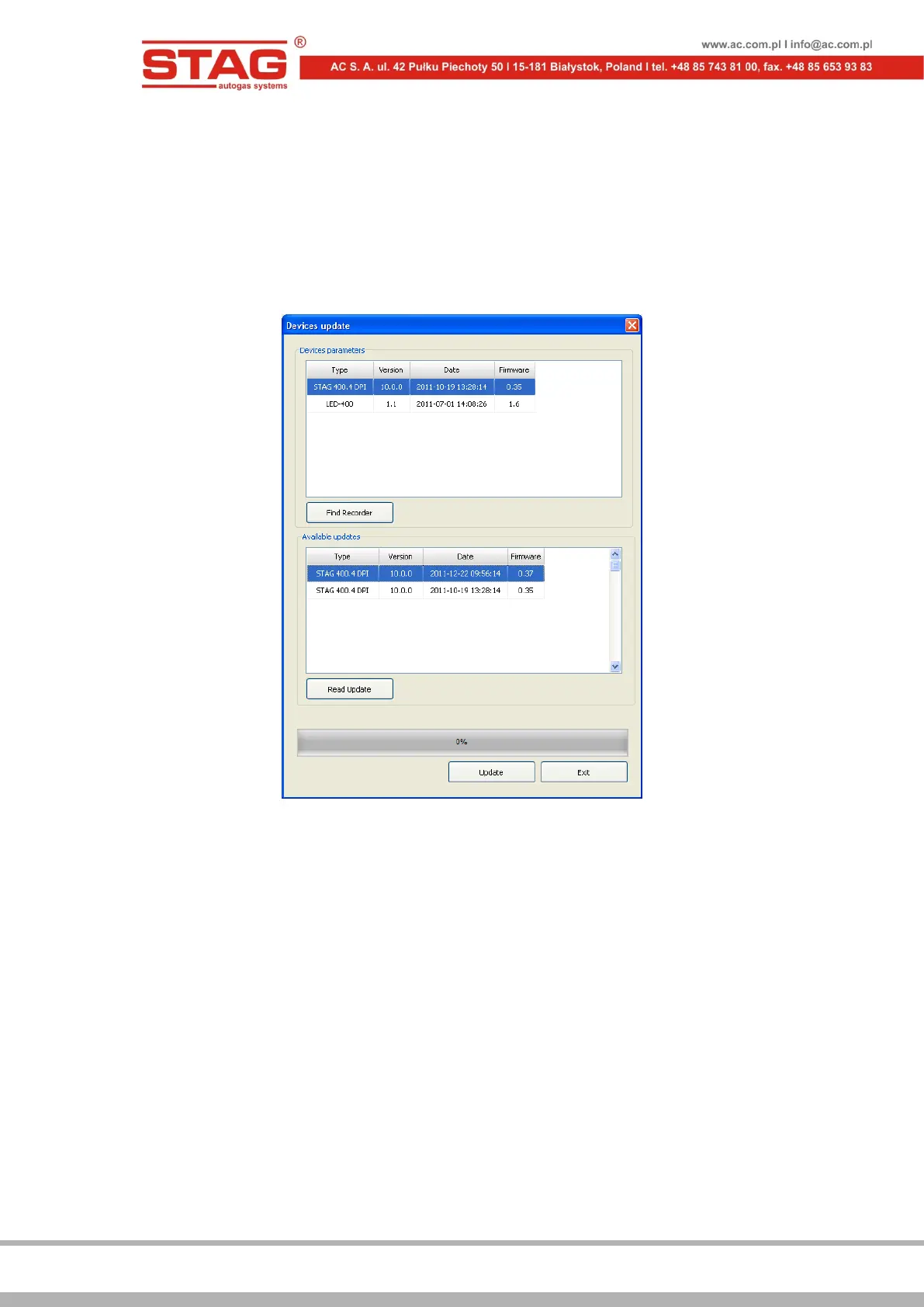
Select the controller (e.g. STAG 400 DPI model A1) or LED switchboard (LED-400) in Devices
parameters window, to proceed with the firmware update. Connect the logger and use Find
Recorder button in order to update the firmware of the Stag Parameter Logger. Subsequently,
select the desired firmware version from Available updates window. In the event the list of
available updates is not displayed, click on Read Update button and select the desired file from
the computer's hard drive. Having selected the desired firmware version, click on Update button.
Wait until the update process has been completed. The update process progress is reflected by
the progress bar. The engine must be turned off during the update.
Figure 2.1.36 “Devices update” window
2.2 Programming the controller
2.2.1 Auto-calibration
Auto-calibration is possible once the reducer temperature has reached the level of 60 °C. Start
the engine and wait until the lambda probe starts working before proceeding with the auto-
calibration procedure. Appropriate LTFT and STFT corrections are important when running on
petrol. Usually correction values should oscillate around 0%. When performing auto-calibration,
the engine should work at idle run. Do not rev up the engine, AC and the lights should be turned
off. Do not move the steering wheel, as this might result in an incorrect course of the calibration
procedure. Once Auto-calibration window has been selected and Start button clicked, the
Choose engine code window will be displayed.


 To Next Page