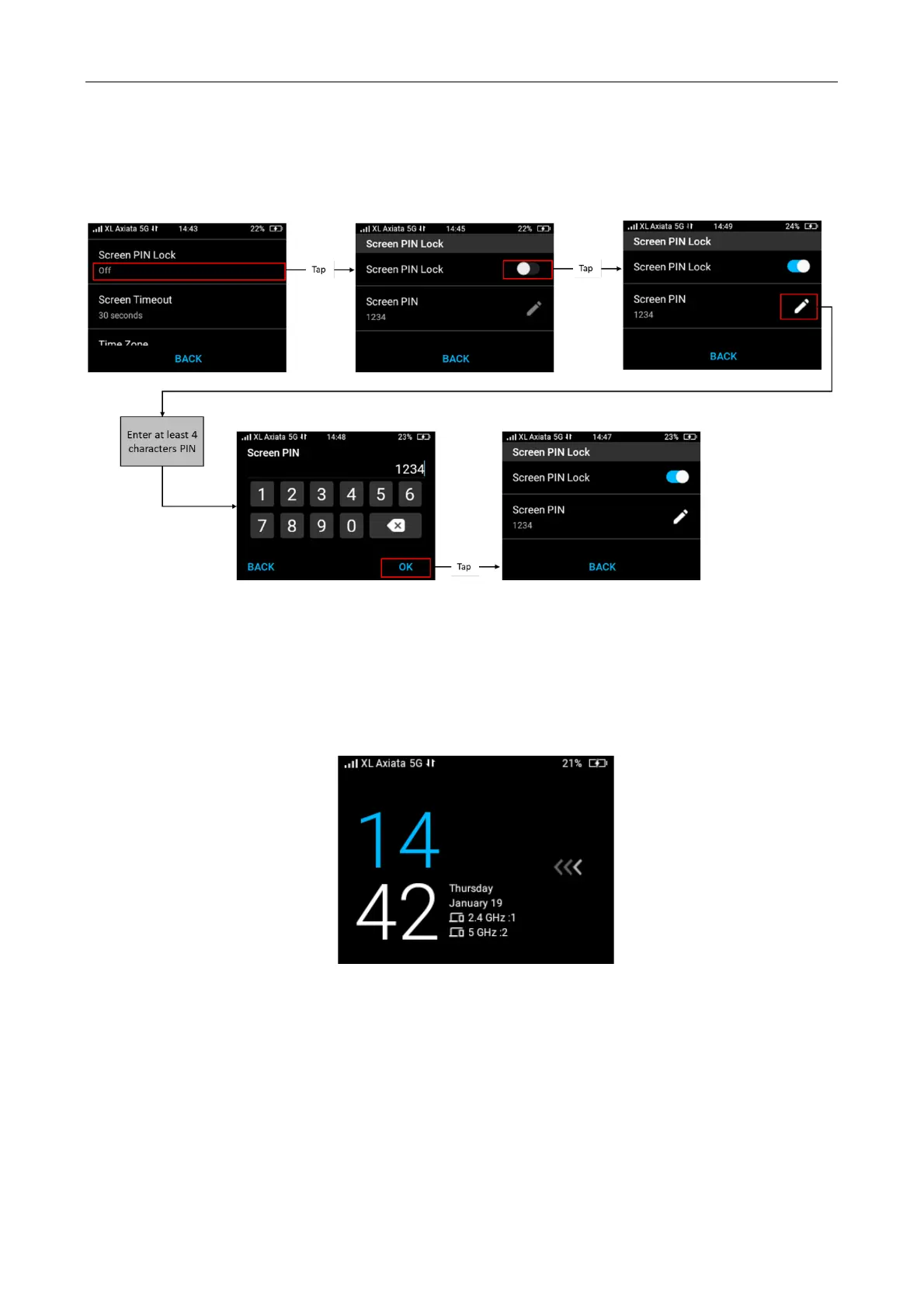
You can manage the screen PIN lock configuration to ON or OFF. To turn it ON from OFF
position, select Menu on Home screen > Settings > Screen PIN Lock > select ON.
And then continue to input the screen lock PIN from Screen PIN > tap Pencil icon > input at
least 4-digit PIN and then click Save.
Unlocking Screen
When the screen is turned off due to screen access inactivity, you might have two options below:
• Screen activation when PIN Lock is Off
If the PIN lock is Off, press power button once > slide left using your finger to unlock the
screen.
• Screen activation when PIN Lock is On
When screen is locked and the PIN lock is on (activated), press power button once > slide
using your finger > input the PIN number to unlock the screen.



 To Next Page