Critical Low Battery
The screen will be turned off when battery out of charge. Long press the power button will show
you low battery indicator “ “ on the screen.
Enable USB Tethering (Connect to PC/Laptop as a dongle)
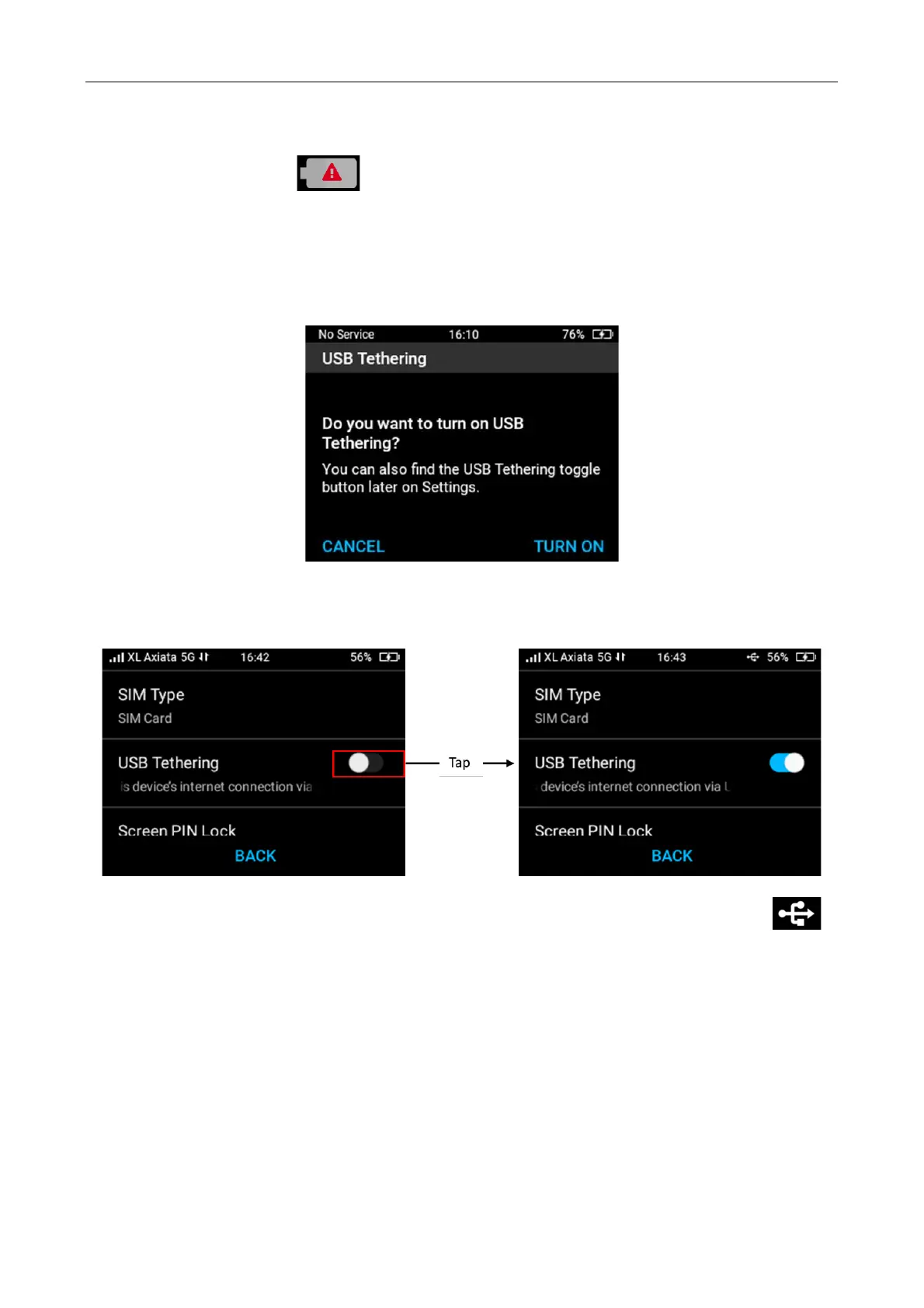
When you plug M3 to PC/laptop with USB cable (USB A to C), the M3’s screen will pop “Do you
want to turn on USB tethering?”. Press “Turn ON” will enable USB tethering.
If the USB Tethering is still off, to activate it you can select Menu > Setting > slide on USB
Tethering.
Note: Once USB cable connection is detected and successfully connected, the USB icon “
“ will be displayed on the right top of the screen.



 To Next Page