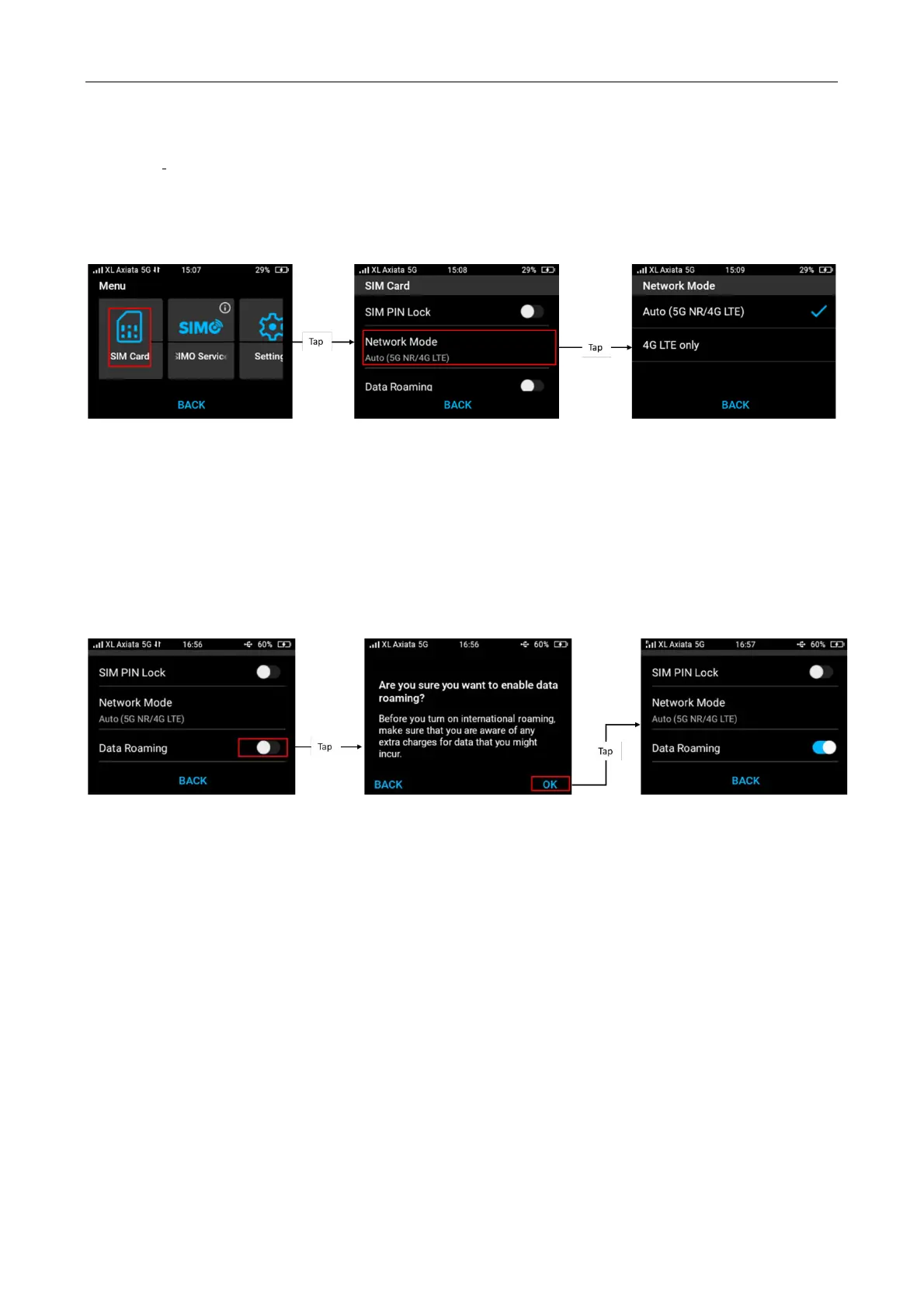
You can change the network mode selection depend on your network provider’s service
availability.
There are two network types that you can choose:
1. Auto (5G NR/4G LTE)
2. 4G LTE Only
Note: By default, Acer M3 will select auto (5G NR/4G LTE).
Enable Data Roaming (Physical SIM Card Only)
You can enable data roaming option by sliding Data roaming to “ON”. The default mode is OFF.
Note: Before enabling the international roaming, make sure that you are aware of any extra data
charges that might applied.



 To Next Page