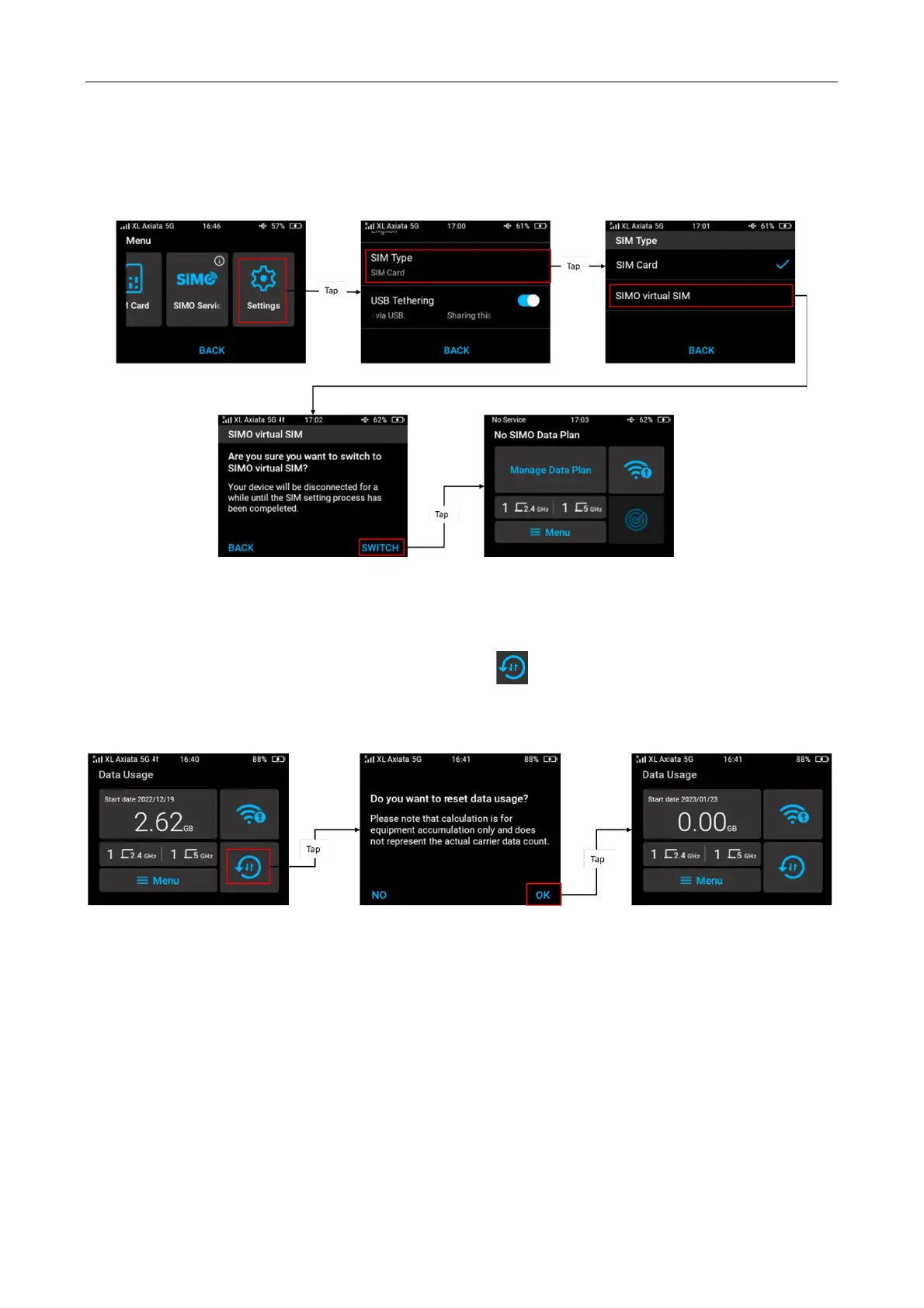
Change SIM Type (SIM Card to vSIM)
You can change your SIM card type from physical SIM card to virtual SIM (SIMO service).
Tap Menu from home screen > Setting > Select SIM card > tap SIMO virtual SIM > confirm by
tapping Switch. You will be redirected to Home SIMO screen.
Reset Data Usage (Physical SIM Card Only)
You can reset the data usage by tapping reset data “ ” icon from SIM home screen >
message “Do you want to reset data usage?” will pop up > confirm by tapping “OK”, then the
data usage will restart from zero.
Note: the data usage calculation on the screen is for equipment accumulation only and does not
represent the actual data counting of the carrier.



 To Next Page