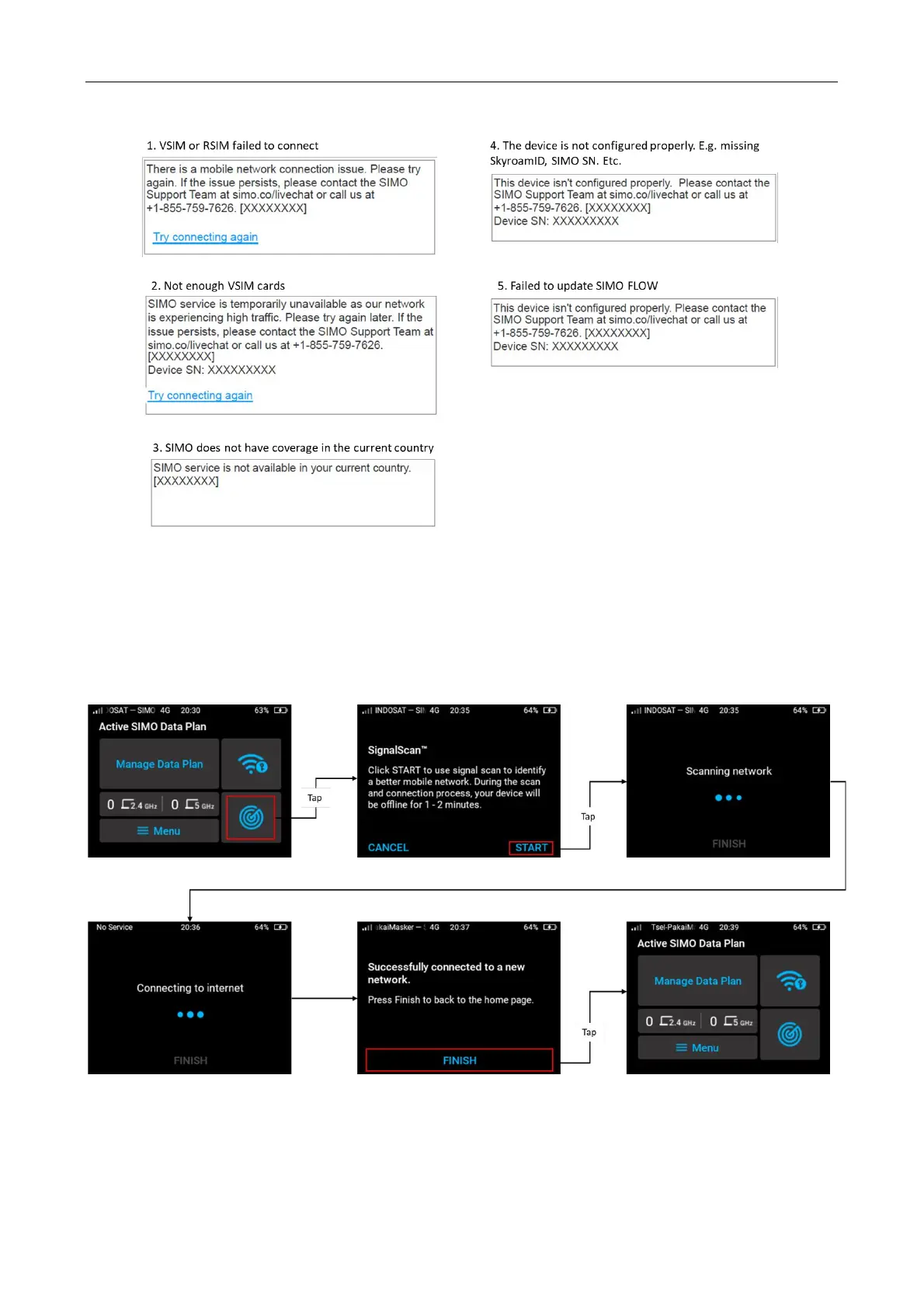
SignalScan™ Feature
If you are attached to a network under SIMO service, SignalScan™ can be used to identify a
better mobile network in case you have a bad network experience from current service provider.
To use SignalScan™, tap icon SignalScan™ from SIMO home screen > tap Start to SignalScan™
to start scannning. The device will scan the best available signal around 20 seconds.
During the SignalScan™ process, if not success, you might encounter some error messages such
as:



 To Next Page