Chapter 1
13
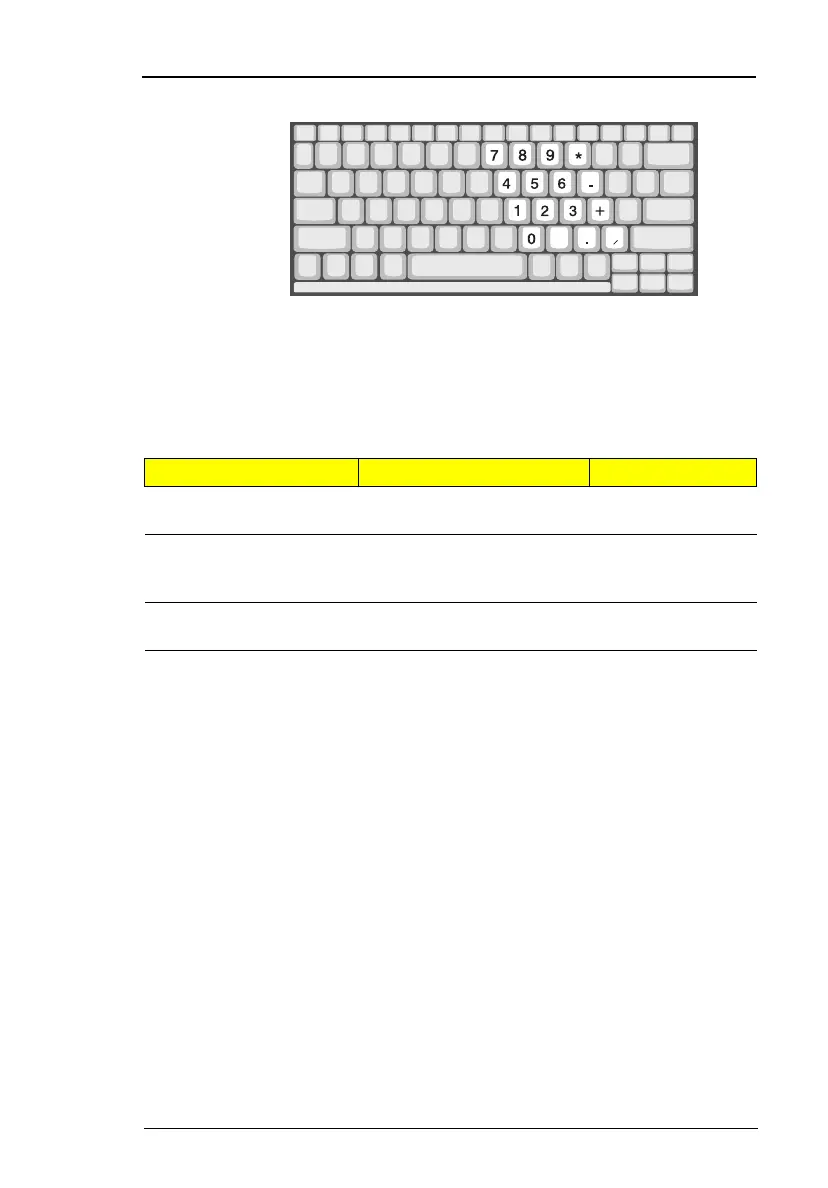
Embedded Numeric Keypad
The embedded numeric keypad functions like a desktop numeric keypad. It
is indicated by small characters located on the upper right corner of the
keycaps. To simplify the keyboard legend, cursor-control key symbols are not
printed on the keys.
Note:
If an external keyboard or keypad is connected to the computer,
the numlock feature automatically shifts from the internal
keyboard to the external keyboard or keypad.
Desired Access Num Lock On Num Lock Off
Number keys on
embedded keypad
Type numbers in a normal
manner.
Cursor-control keys on
embedded keypad
Hold Shift while using
cursor-control keys.
Hold Fn while
using cursor-
control keys.
Main keyboard keys Hold Fn while typing letters
on embedded keypad.
Type the letters in
a normal manner.





 To Next Page