54
Machine Disassembly
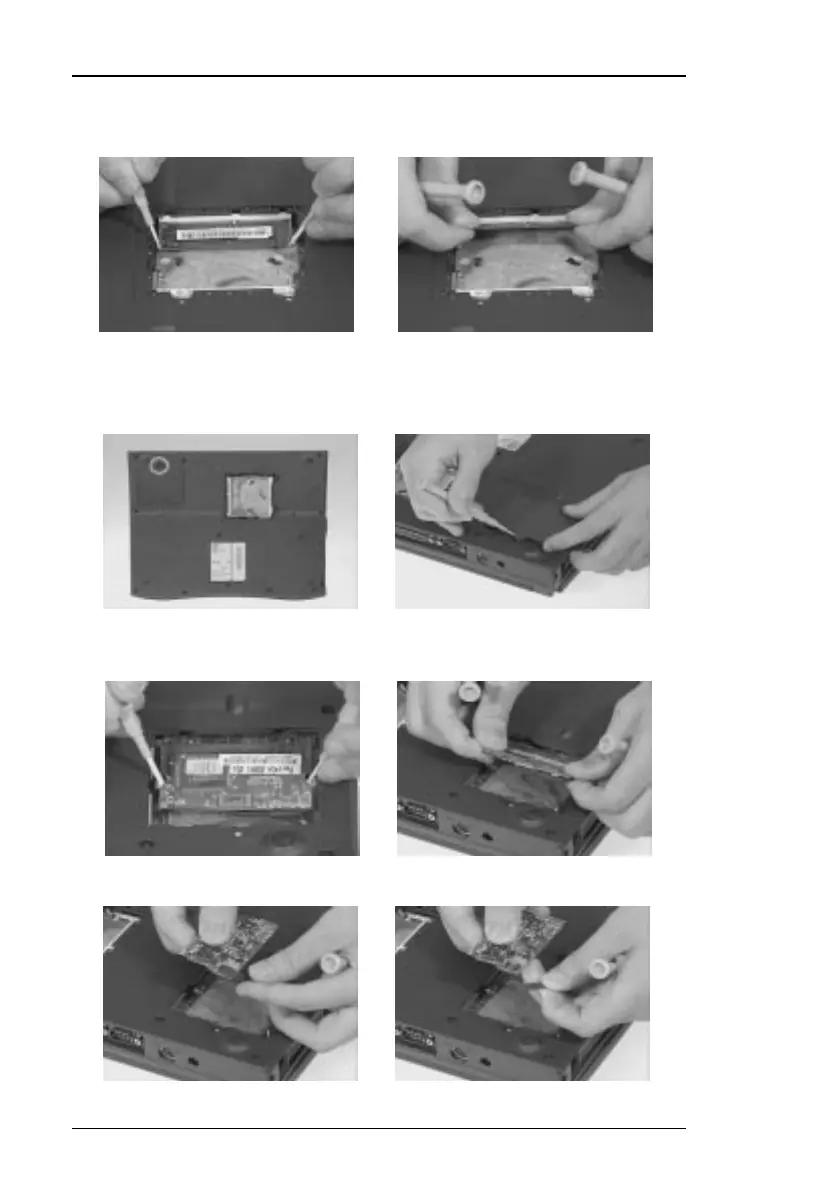
2. Use a plastic flat-bladed screwdriver to push the latches outward on both
sides of the DIMM socket to remove the DIMM module from the DIMM
socket.
Removing the Modem Board
1. Remove the screw shown below to remove the modem cover.
2. Use a plastic flatbladed screwdriver to push out the latches on both sides
of the modem board socket to remove the modem board.
3. Disconnect the modem phone cable from the modem board.




 To Next Page