ii
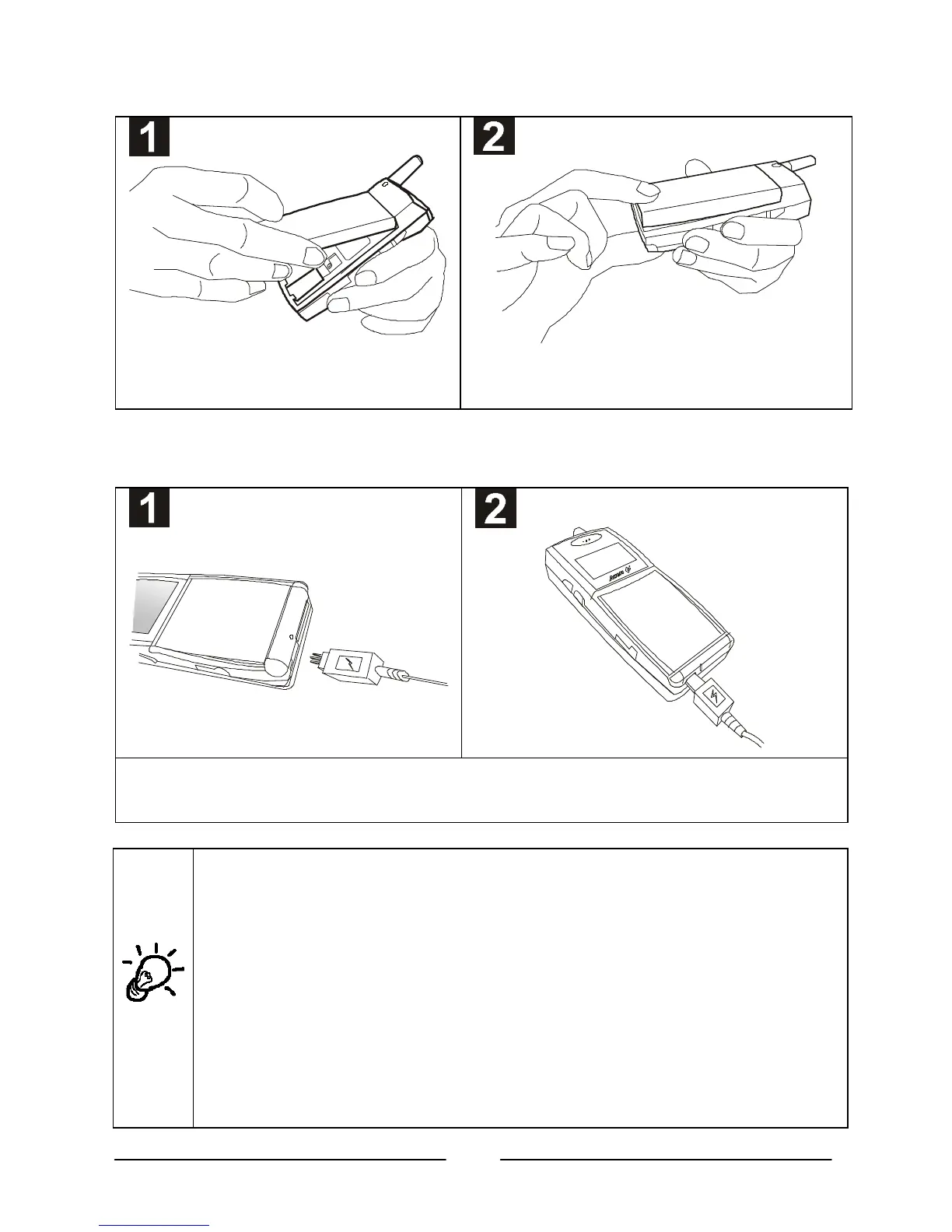
• Install the battery.
Place the top end of the battery on the
handset.
Hold down the bottom side of the battery. You will
hear a click when the battery is secured.
ŽŽ Charge the battery.
Insert the travel charger connector into the battery charging socket at the bottom of the handset. Make
sure the flash mark on the connector faces upward when you insert.
It takes about 210 minutes for the travel charger to fully charge the
new battery.
On the LCD display, the battery strength bars will flash until the battery
is full. When you start charging the battery in standby mode, the
battery strength bars will start to flash a few seconds after you plug in
the phone, indicating that the battery charging has started.
Please make sure that the flash mark faces upward when you insert the
connector into the battery charging socket. When you detach the cable
from the phone, move the connector upward or downward and then
pull the connector out of the socket.



 To Next Page